# Privilege Elevation
## Overview
The Privilege Elevation policy provides control over the ability of a user to elevate to an administrative role. Privilege Elevation policies should be configured and tested **before** enforcing a Least Privilege policy. Removing standing admin rights without an elevation path in place creates immediate user friction — users lose admin but have no governed way to perform actions that legitimately require elevation. See [Policy: Phased Rollout Planning](/keeperpam/endpoint-privilege-manager/policies/policy-phased-rollout-planning.md) for the recommended sequencing.
On Windows, the privilege elevation policy will trigger the Keeper Client user interface to open when the user triggers an elevation event. On macOS and Linux (Ubuntu/Gnome), the Keeper Client user interface is available for the user to initiate the request.
## How it Works
On the endpoint, the Keeper agent service runs with system privilege. All elevations are executed with an ephemeral account called `keeperusersession`.
### Approval Control
Approval-based elevation integrates with a centralized global approval framework. All elevation approval requests are managed through a unified administrative interface, ensuring consistent governance across request types and enforcement models.
### Elevation Controls (ALLOW / DENY / MFA / JUSTIFY / APPROVAL)
Elevation policies may enforce granular command-level restrictions, allowing administrators to approve specific command-line arguments or subcommands while denying others within the same executable. This supports highly precise enforcement of elevated operations. **Controls are additive (stacked)**—when multiple applicable policies apply to the same elevation scenario, **all enforced requirements must be satisfied**. For example, if one policy requires **MFA** and another requires **approval**, the user must complete **both MFA and approval** before elevation is granted.
### Policy Targeting
Elevation policies support advanced targeting across user, machine, application, and collection attributes, enabling refined enforcement strategies that align to operational context.
### Managing Privilege Elevation
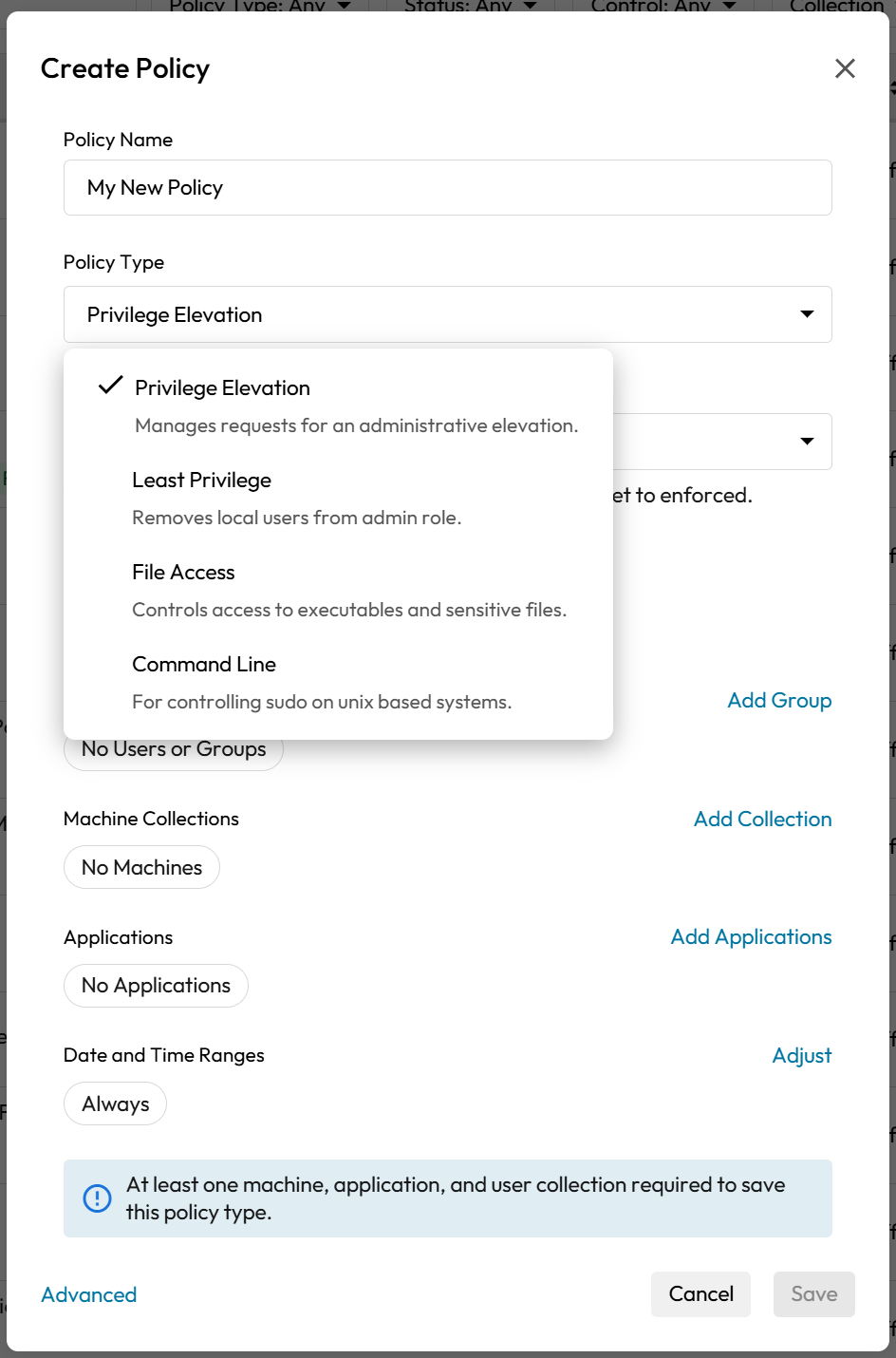
From the **Admin Console** > **Endpoint Privilege Manager** > **Policies** create a new policy. Select "**Privilege Elevation**" from the policy type and then "**Enforce**".
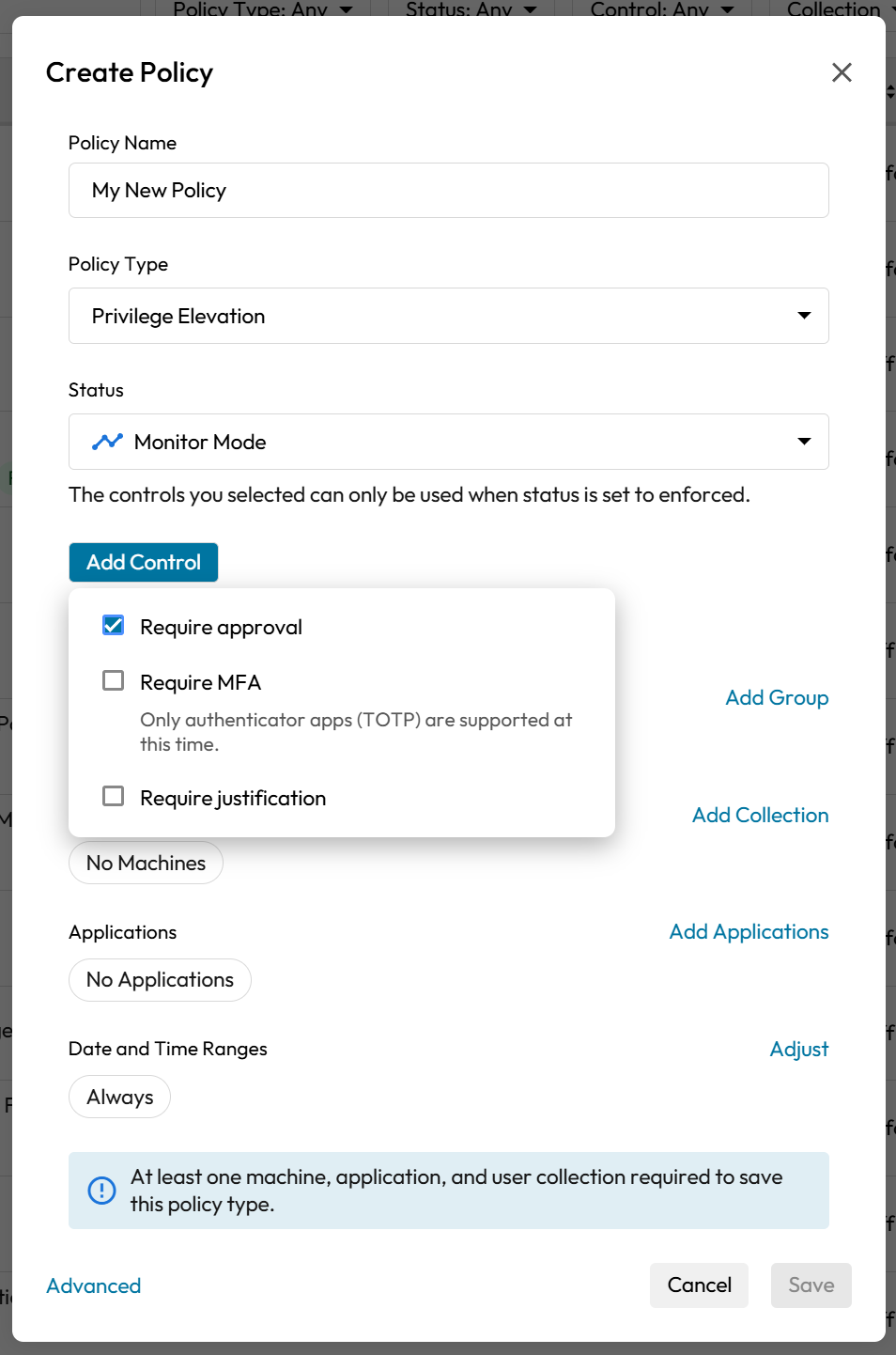
Select the **control** (Require approval, Require MFA or Require justification)
After applying the policy, the affected users on the endpoint will need to adhere to the policy in order to elevate their role on the device.
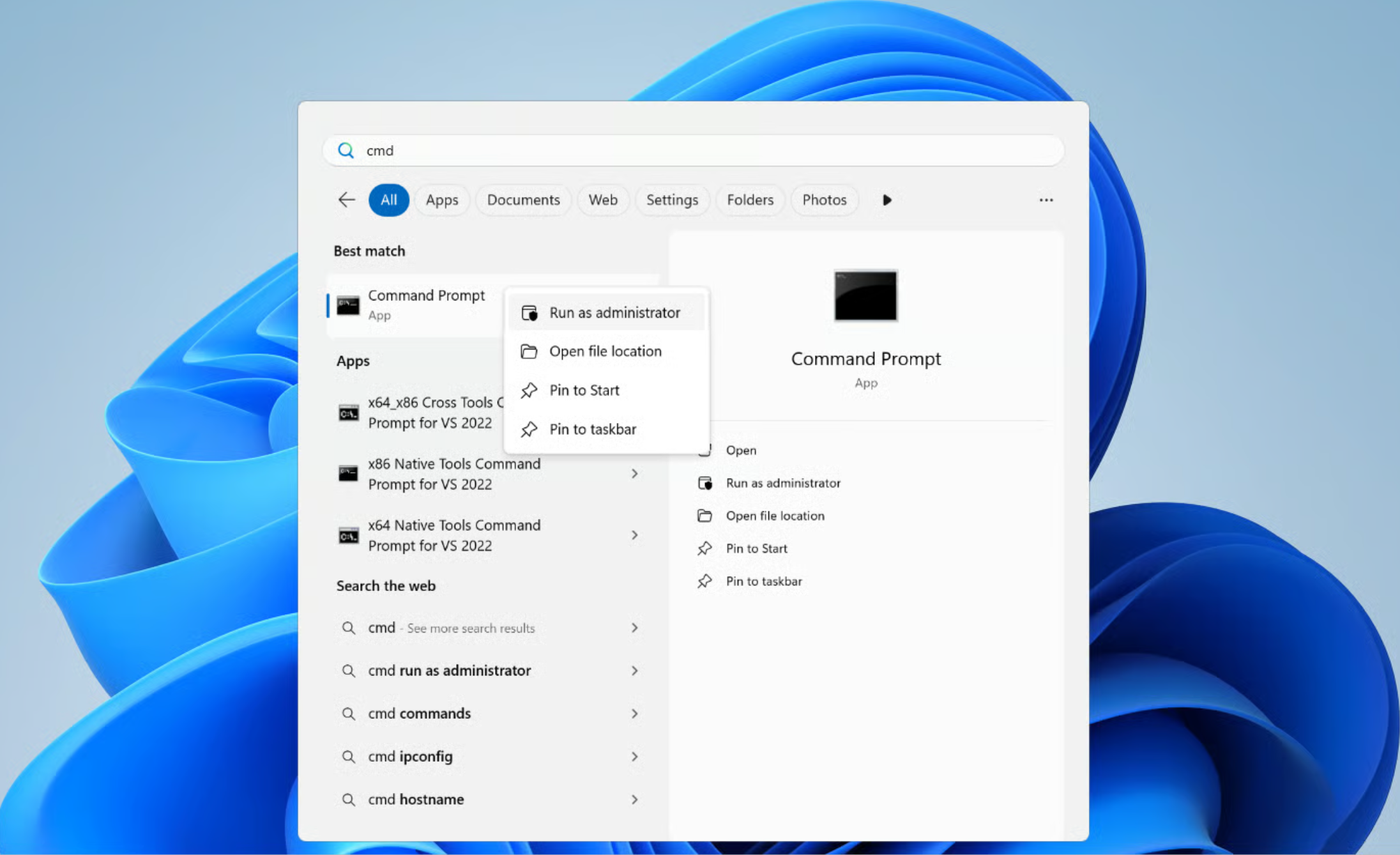
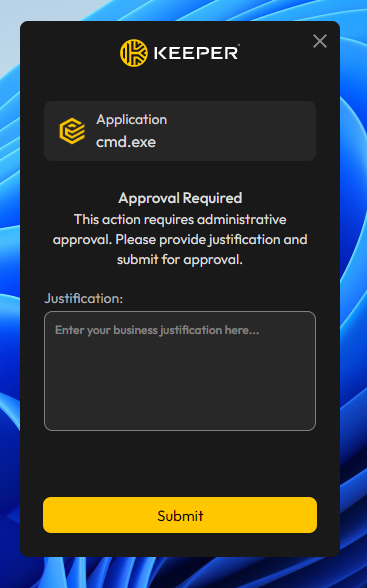
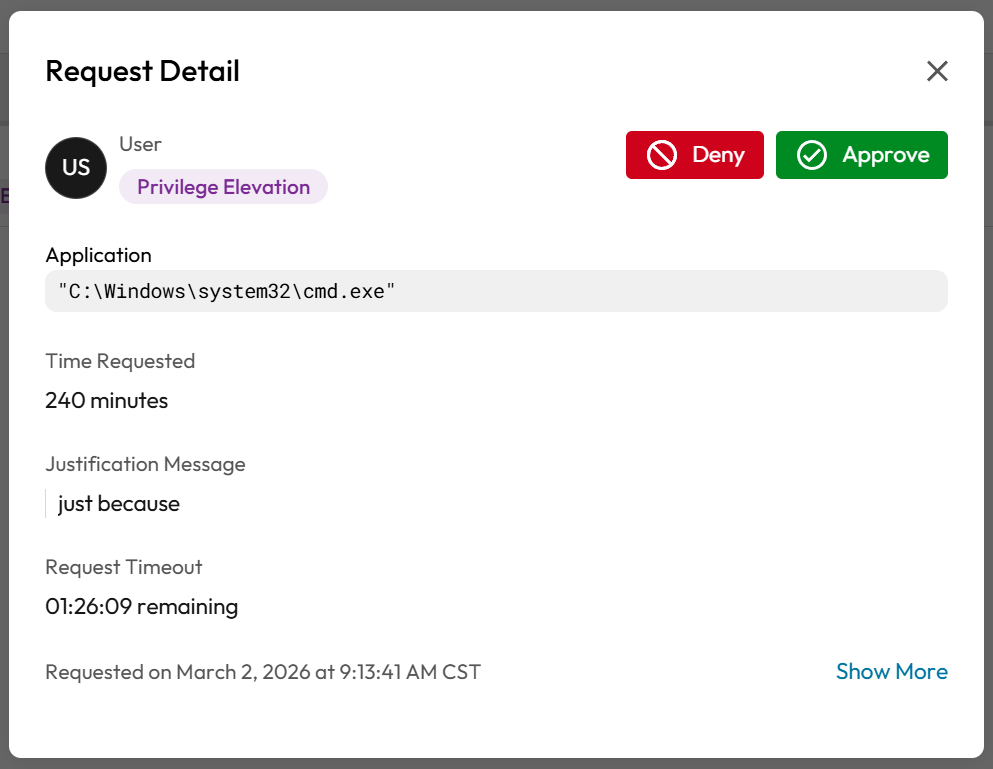
As an example, if the user attempts to run cmd.exe as administrator, Keeper will intercept the request and prompt for approval.
If MFA or justification is required, the user is prompted.
The Admin receives a request to approve the elevation.
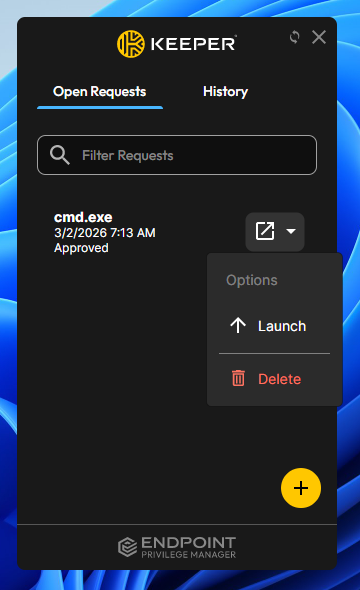
After approval, the user is able to run the approved command directly from the Keeper user interface.
### Ephemeral Accounts
**Ephemeral accounts** in KEPM are **temporary, system-managed local accounts** (commonly the **KeeperUserSession** account) that KEPM uses to perform **privilege elevation without permanently granting admin rights** to the end user. When an elevation is approved (and any required controls are satisfied), KEPM ensures the ephemeral account exists, uses it to run the approved process with elevated rights, and then **revokes that privilege automatically** and records the event for auditing. This approach supports “just-in-time” privilege by granting elevation only for the approved operation and only for as long as needed.
In practice, KEPM’s agent/job flow launches the elevated process **as the ephemeral account** (for example on Linux using `sudo -u ` rather than elevating the user directly), and KEPM includes APIs and background cleanup to manage these accounts over time (create/launch, list/delete, cleanup). On Windows, because the OS may generate profile folders when the ephemeral account is created/recreated, KEPM includes scheduled cleanup to remove **orphaned KeeperUserSession profile folders** that can accumulate under `C:\Users` after the account is deleted and recreated.
---
# Agent Instructions: Querying This Documentation
If you need additional information that is not directly available in this page, you can query the documentation dynamically by asking a question.
Perform an HTTP GET request on the current page URL with the `ask` query parameter:
```
GET https://docs.keeper.io/keeperpam/endpoint-privilege-manager/policies/policy-types/privilege-elevation-policy-type.md?ask=
```
The question should be specific, self-contained, and written in natural language.
The response will contain a direct answer to the question and relevant excerpts and sources from the documentation.
Use this mechanism when the answer is not explicitly present in the current page, you need clarification or additional context, or you want to retrieve related documentation sections.