> For the complete documentation index, see [llms.txt](https://docs.keeper.io/llms.txt). Markdown versions of documentation pages are available by appending `.md` to page URLs; this page is available as [Markdown](https://docs.keeper.io/keeperpam/privileged-access-manager/getting-started/applications.md).
# Applications
### What's an Application?
A Secrets Manager Application allows a machine or device to communicate with the Keeper vault, retrieve assigned records and decrypt the data.
Folders are shared to the application, similar to how users are folders are shared to users. This gives the application the capability of accessing and decrypting the records in the folder.
### Creating an Application
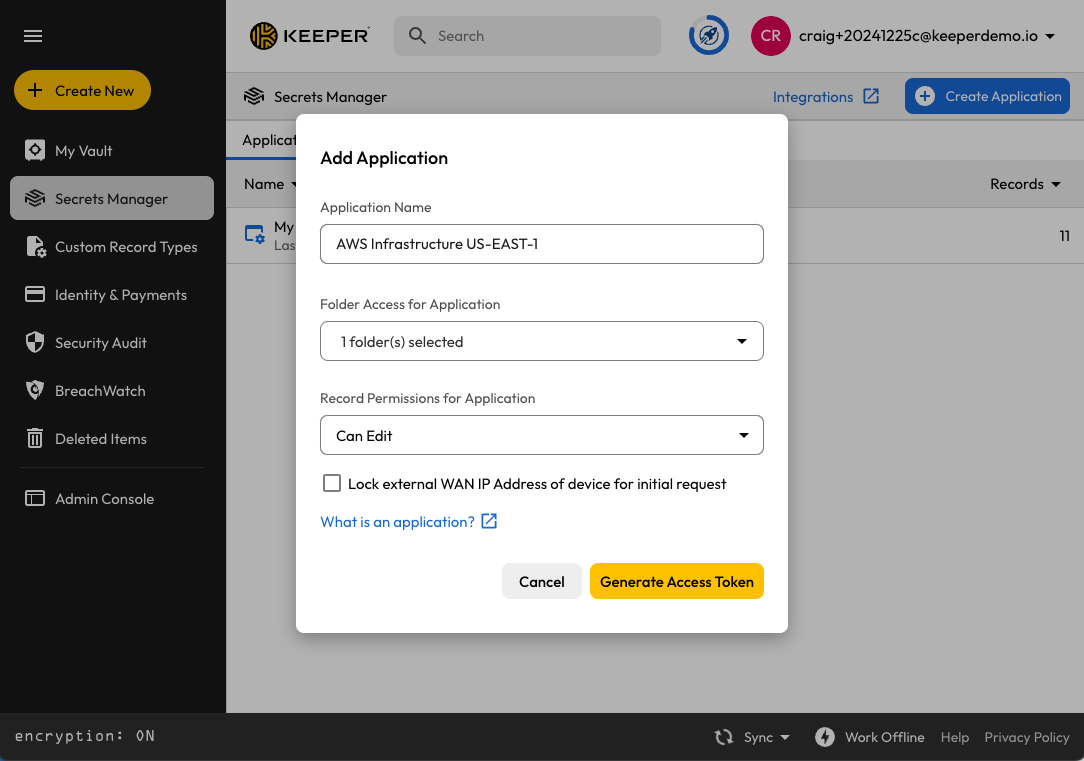
From the Keeper Vault, go to Secrets Manager and click on Create Application.
* The Application Name typically represents the use case or environment where it is being used
* The Folder selected is where the application is assigned. An application can be added to any number of shared folders.
* Record permissions give the application either read-only or read/write access to the folder. This is an additional restriction on top of the existing shared folder permissions.
* Click on Generate Access Token to create the first access token, representing the first device
* If you don't plan to set up a device yet, the first access token can be discarded
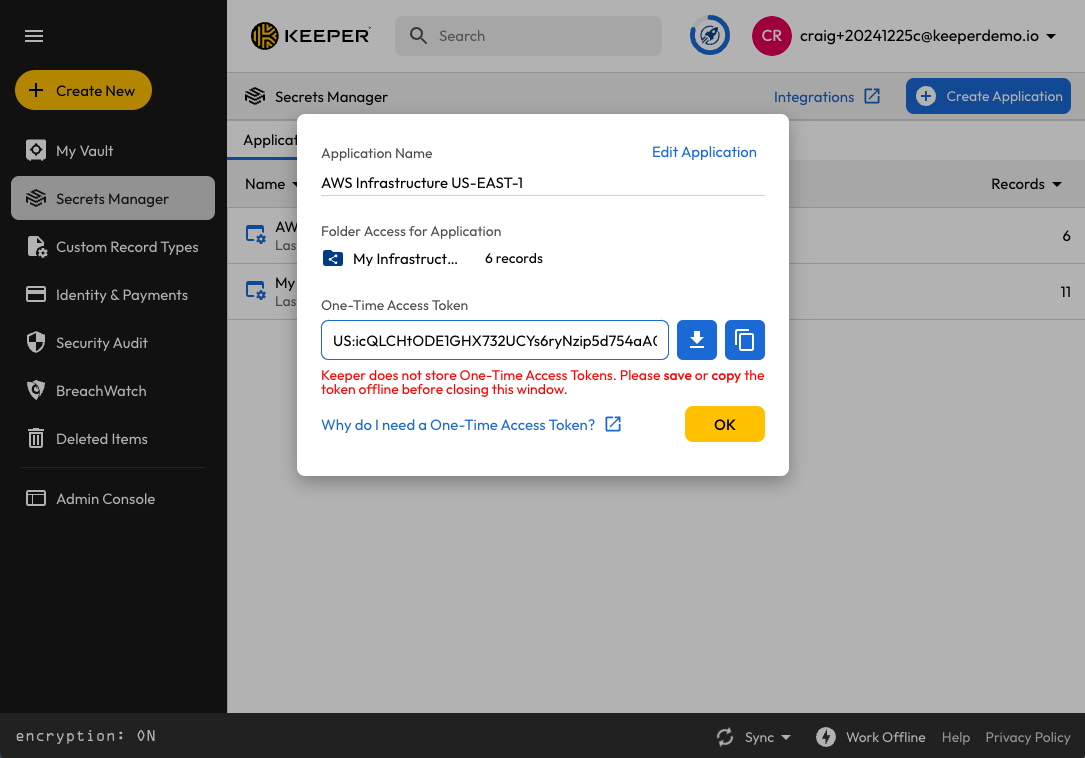
### Generating a One-Time Access Token
When creating an application, a one-time access token for the first Device is provided. This one-time access token is supplied to the 3rd party system, Keeper Secrets Manager SDK, Keeper Secrets Manager CLI or other device which needs to access information from the vault.
One-Time Access Token
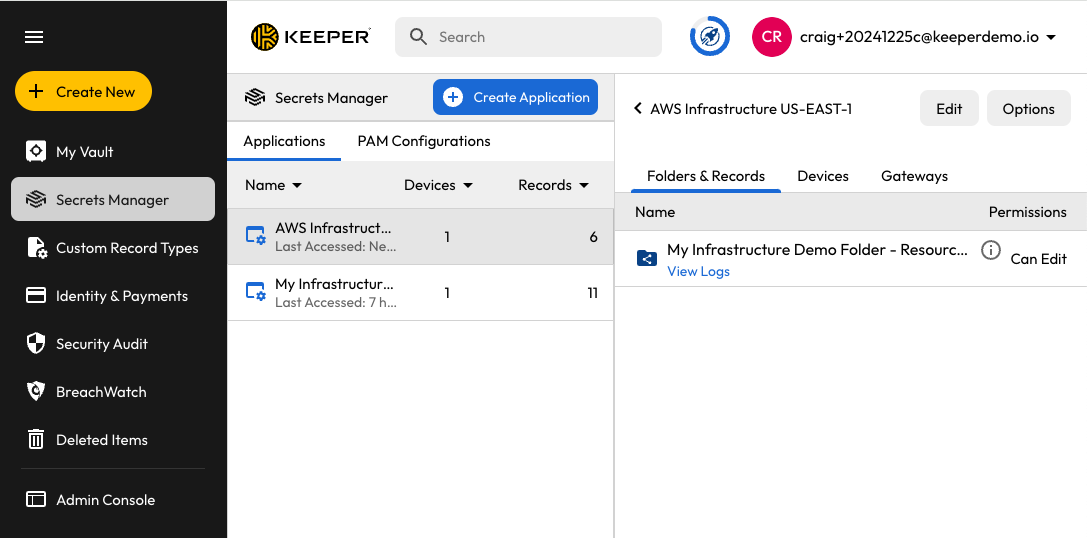
After creating the application, it is managed from the Secrets Manager screen. You can then assign additional devices or Keeper Gateways.
Managing Applications
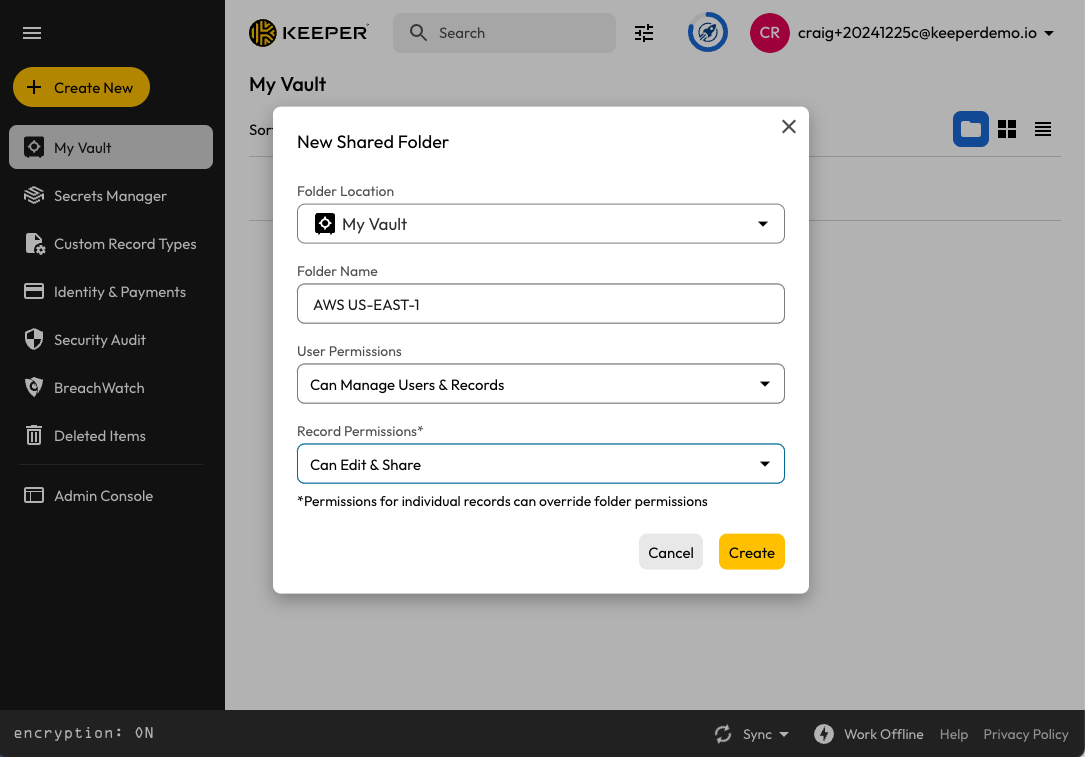
Applications can be added to new or existing Shared Folders.
Creating a Shared Folder
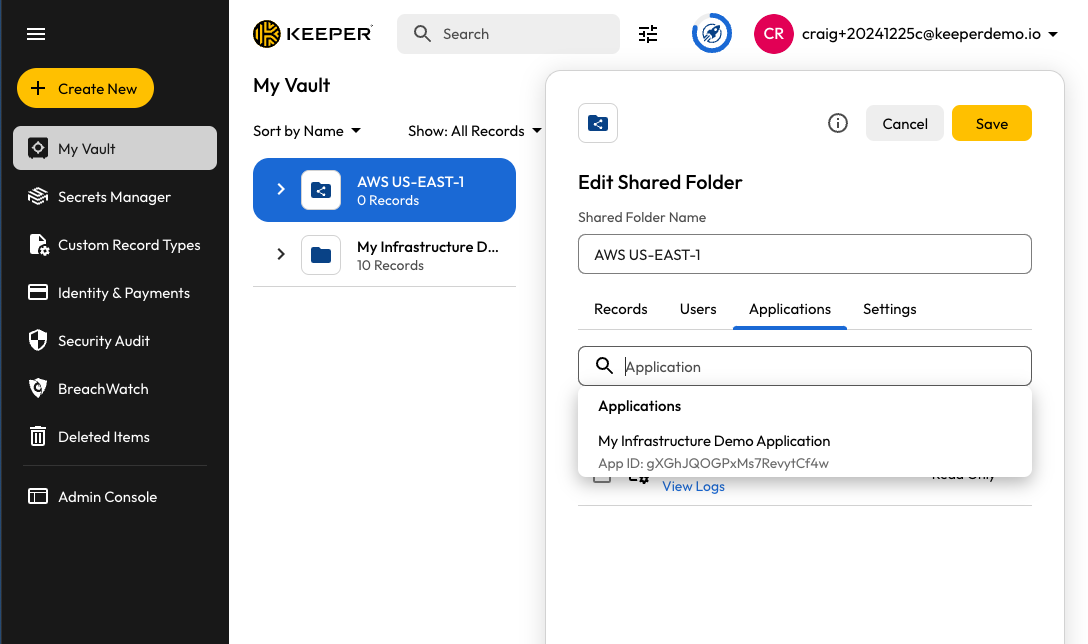
Edit the Shared Folder to assign the application.
Add Application to Shared Folder
By assigning the Application to shared folders, the application's devices can send Keeper Secrets Manager API requests to the Keeper vault to access and manage the records assigned. There are many use cases where a device can use Keeper Secrets Manager APIs to communicate with the Keeper vault. Below are a few examples.
* [Secrets Manager CLI](/keeperpam/secrets-manager/secrets-manager-command-line-interface.md)
* [Developer SDKs](/keeperpam/secrets-manager/developer-sdk-library.md)
* [Integrations](/keeperpam/secrets-manager/integrations.md)
### Assigning Gateways to Applications
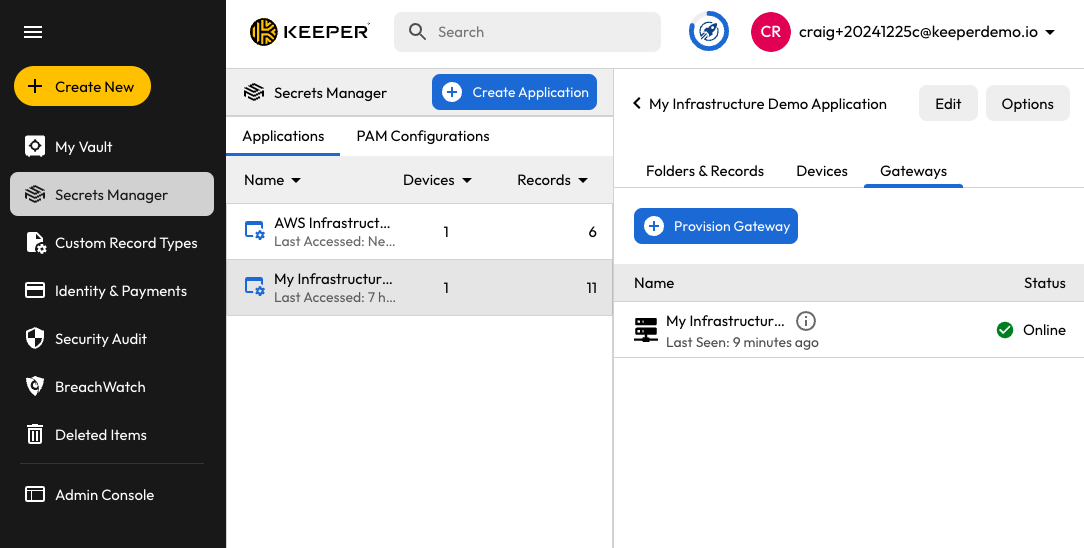
Keeper Gateways are created and associated to an application. To create a new Gateway, open the application and click on the "Gateways" tab. Select "Provision Gateway" to create a Gateway.
Assigning a Gateway to an Application
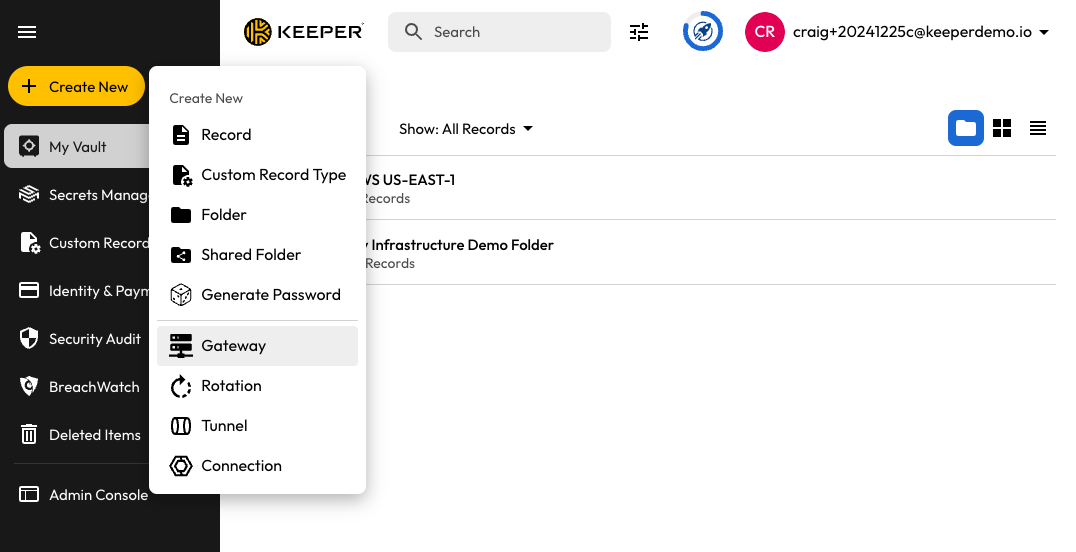
Alternatively, Keeper provides a wizard that creates several components at once, and automatically links everything together. From the main vault screen, select "**Create New**" then "**Gateway**".
Create a Gateway and associated applications
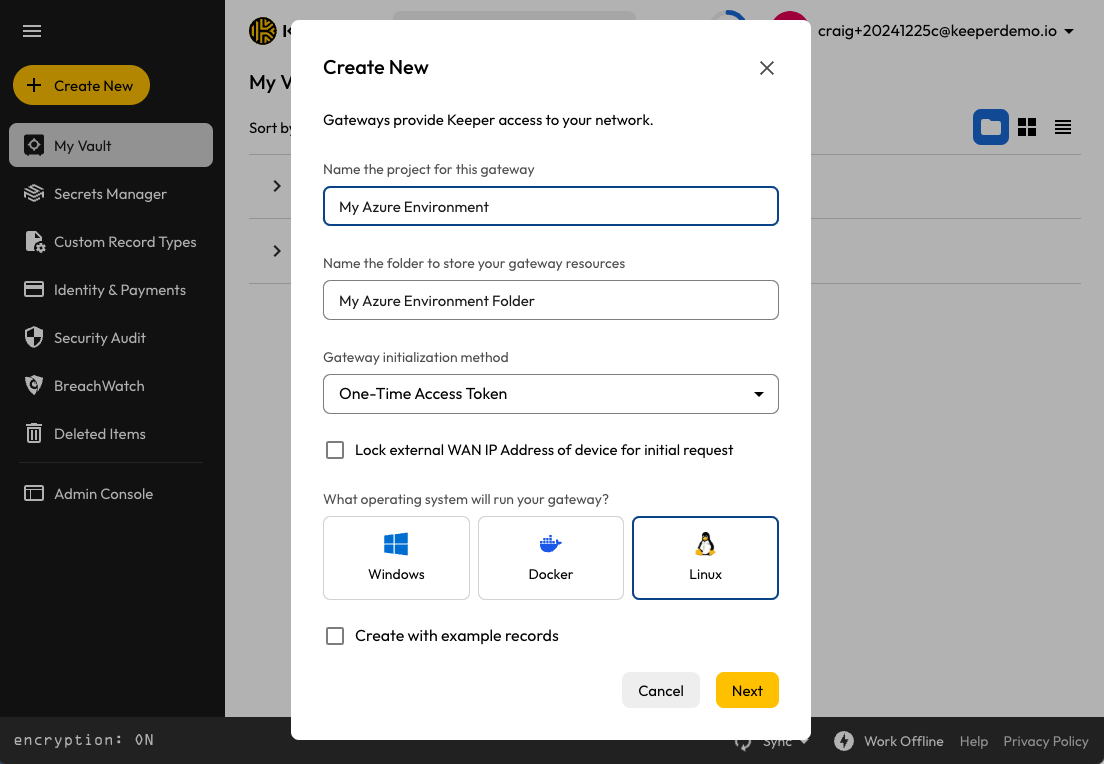
The "Project Name" is used to create a PAM Configuration, Gateway, Application and optionally a set of example folders and records.
Gateway Creation Wizard
---
# Agent Instructions
This documentation is published with GitBook. GitBook is the documentation platform designed so that both humans and AI agents can read, navigate, and reason over technical content effectively. Learn more at gitbook.com.
## Querying This Documentation
If you need additional information that is not directly available in this page, you can query the documentation dynamically by asking a question.
Perform an HTTP GET request on the current page URL with the `ask` query parameter, and the optional `goal` query parameter:
```
GET https://docs.keeper.io/keeperpam/privileged-access-manager/getting-started/applications.md?ask=&goal=
```
`ask` is the immediate question: it should be specific, self-contained, and written in natural language.
`goal` is optional and describes the broader end goal you are ultimately trying to accomplish on behalf of the user. GitBook uses it to tailor the answer towards what is most useful for that goal.
The response will contain a direct answer to the question and relevant excerpts and sources from the documentation.
Use this mechanism when the answer is not explicitly present in the current page, you need clarification or additional context, or you want to retrieve related documentation sections.