# Example: Microsoft SQL Server Database

## Overview

In this example, you'll learn how to configure a Microsoft SQL Server DB in your Keeper Vault as a PAM Database record.

## Prerequisites

Prior to proceeding with this guide, make sure you have

1. [Installed and configured the Keeper Gateway](https://docs.keeper.io/en/keeperpam/privileged-access-manager/getting-started/gateways/one-time-access-token)
2. [Set up a PAM Configuration for your target Environment](https://docs.keeper.io/en/keeperpam/privileged-access-manager/getting-started/pam-configuration)

## PAM Database Record

Databases such as a Microsoft SQL Server DB can be configured on the PAM Database record type.

### Creating a PAM Database

To create a PAM Database:

* Click on **Create New**
* Depending on your use case, click on "Rotation", "Tunnel", or "Connection"
* On the prompted window:
  * Select "**New Record**"
  * Select the Shared Folder you want the record to be created in
  * Specify the Title
  * Select "**Database**" for the Target
* Click "**Next**" and complete all of the required information.

<figure><img src="https://762006384-files.gitbook.io/~/files/v0/b/gitbook-x-prod.appspot.com/o/spaces%2F-MJXOXEifAmpyvNVL1to%2Fuploads%2FQr5fyjmlwXwVprNtTU9u%2FScreenshot%202025-01-22%20at%2011.30.35%E2%80%AFAM.png?alt=media&#x26;token=b7784f8c-cb10-40ed-8ad6-9da756e4cf9e" alt=""><figcaption><p>SQL Server PAM Database Record</p></figcaption></figure>

### Configure a Microsoft SQL Server Database on the PAM Database Record

Suppose I have a database with the hostname "`db-mssql-1`", the following table lists all the configurable fields and their respective values:

<table><thead><tr><th width="230">Field</th><th width="253">Description</th><th>Value</th></tr></thead><tbody><tr><td>Title (Required)</td><td>Title of the PAM Database Record</td><td><code>Local SQL Database</code></td></tr><tr><td>Hostname or IP Address (Required)</td><td>Address or RDP endpoint or Server name of the Database Resource</td><td>db-mssql-1</td></tr><tr><td>Port (Required)</td><td>Port to connect to the Database Resource</td><td><br>1433</td></tr><tr><td>Use SSL (Required)</td><td>Check to perform SSL verification before connecting, if your database has SSL configured</td><td><code>Enabled</code></td></tr><tr><td>Database ID</td><td>Azure or AWS Resource ID (if applicable)</td><td><strong>Required</strong> if a managed AWS or Azure Database</td></tr><tr><td>Database Type</td><td>Appropriate database type from supported databases.</td><td><code>mssql</code><br></td></tr><tr><td>Provider Group</td><td>Azure or AWS Provider Group</td><td><strong>Required</strong> if a managed AWS or Azure Database</td></tr><tr><td>Provider Region</td><td>Azure or AWS Provider Region</td><td><strong>Required</strong> if a managed AWS or Azure Database</td></tr></tbody></table>

### Configuring PAM Settings on the PAM Database

On the "PAM Settings" section of the vault record, you can configure the KeeperPAM Connection and Tunnel settings and link a PAM User credential for performing rotations and connections. Tunnels do not require a linked credential. The following table lists all the configurable fields and their respective values for the Microsoft SQL Database:

<table><thead><tr><th>Field</th><th width="235">Description</th><th>Required</th></tr></thead><tbody><tr><td>PAM Configuration</td><td>Associated PAM Configuration record which defines the environment</td><td><strong>Required -</strong> This is the PAM configuration you created in the prerequisites</td></tr><tr><td>Administrative Credential Record</td><td>Linked PAM User credential used for connection and administrative operations</td><td><strong>Required</strong><br>Visit this <a href="#administrative-credential-record">section</a> for more details</td></tr><tr><td>Protocol</td><td>Native database protocol used for connecting from the Gateway to the target</td><td><strong>Required -</strong> for this example: "SQL Server"</td></tr><tr><td>Session Recording</td><td>Options for recording sessions and typescripts</td><td>See <a href="https://github.com/Keeper-Security/gitbook-secrets-manager/blob/master/privileged-access-manager/session-recording-and-playback/README.md">session recording</a></td></tr><tr><td>Connection Parameters</td><td>Connection-specific protocol settings which can vary based on the protocol type</td><td>See this <a href="https://github.com/Keeper-Security/gitbook-secrets-manager/blob/master/privileged-access-manager/connections/session-protocols/mysql-connections/README.md">section</a> for SQL Server protocol settings<br><br>We recommend specifying the <strong>Connection Port</strong> at a minimum.<br><br>E.g. "<strong>1433</strong>" for SQL Server.</td></tr></tbody></table>

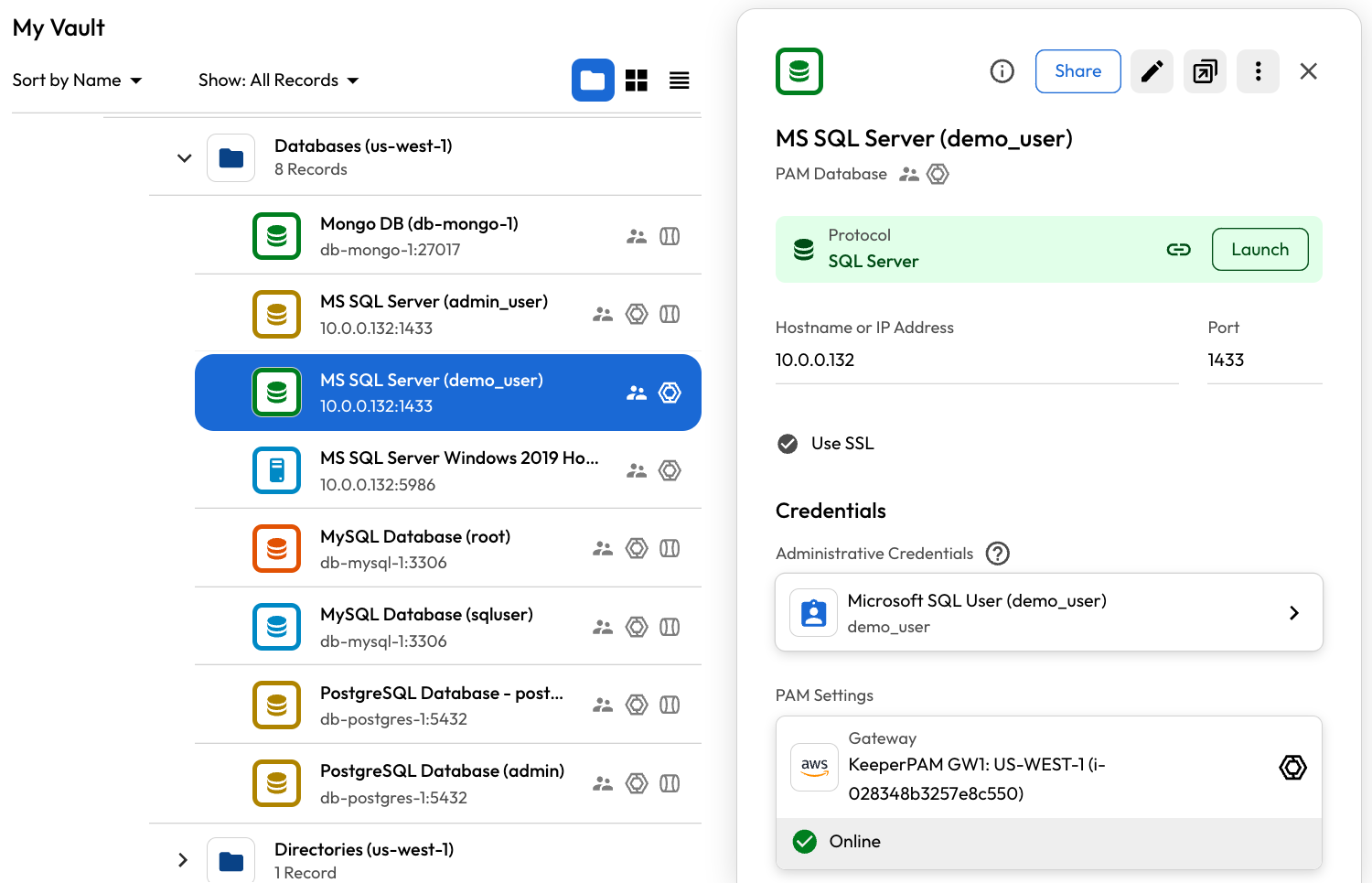
### Administrative Credential Record

The **Admin Credential Record** in the PAM Database links a user to the PAM Database record in your Keeper Vault. This linked user is used for authenticating the connection when clicking "Launch".

User Accounts are configured on the PAM User record. Visit this [page](https://docs.keeper.io/en/keeperpam/privileged-access-manager/getting-started/pam-resources/pam-user) for more information.

<figure><img src="https://762006384-files.gitbook.io/~/files/v0/b/gitbook-x-prod.appspot.com/o/spaces%2F-MJXOXEifAmpyvNVL1to%2Fuploads%2FIbUtlOmj3Fv6V4EOFgcc%2FScreenshot%202025-01-22%20at%202.35.24%E2%80%AFPM.png?alt=media&#x26;token=ff30fa4c-690e-44c8-a7ba-55d30b2a7aba" alt=""><figcaption><p>Administrative Credential Record</p></figcaption></figure>

#### Setting a Non Admin User as the Administrative Credential Record

If you prefer not to authenticate a connection using the admin credential, you can optionally designate a regular user of the resource as the admin credential.

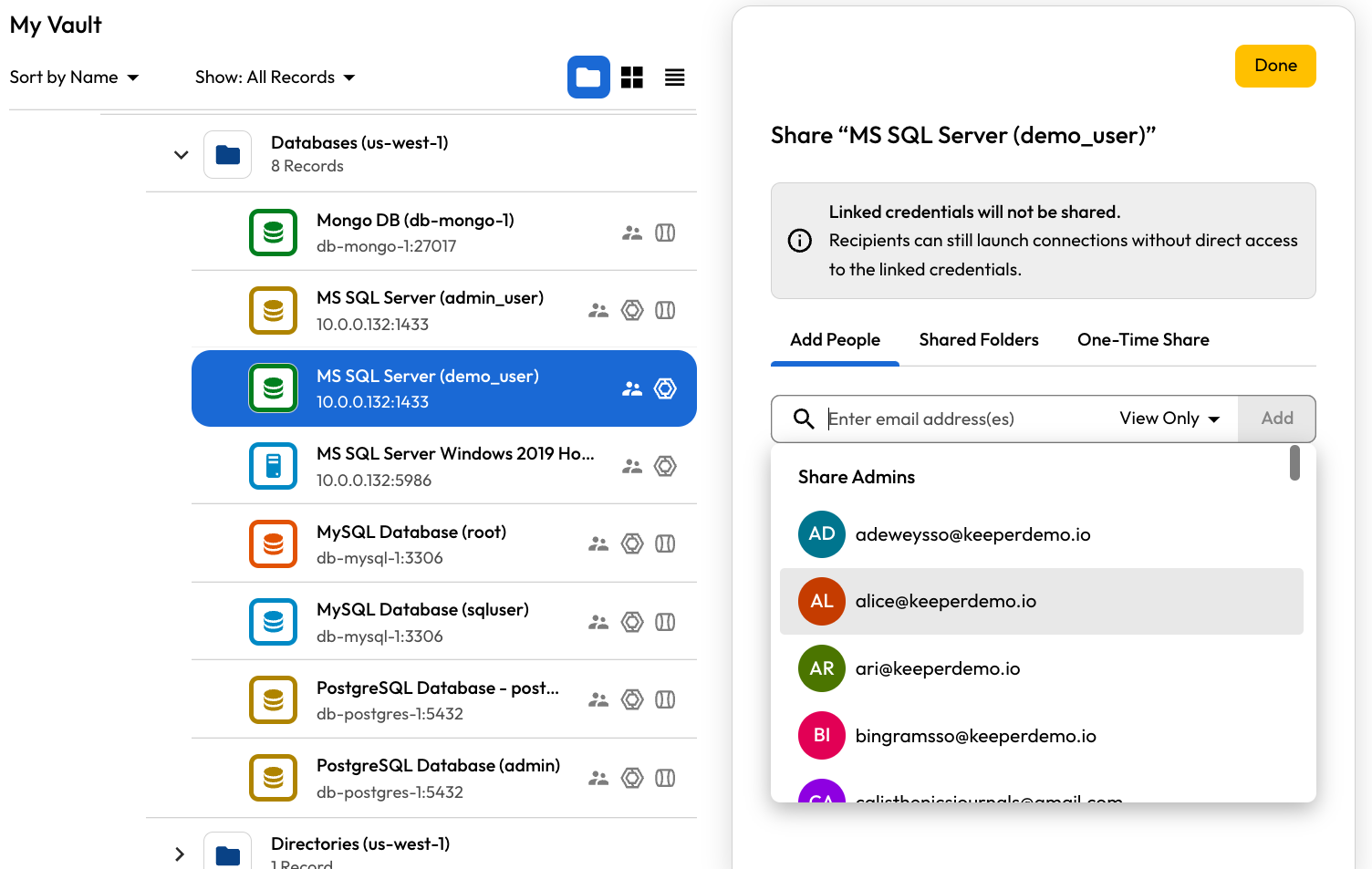
## Sharing PAM Database Records

PAM Database records can be shared with other Keeper users within your organization. However, the recipient must be assigned to a role with the appropriate PAM enforcement policies in place to utilize KeeperPAM features.

When sharing a PAM Database record, the linked admin credentials will **not** be shared. For example, if the PAM Database is configured with a Microsoft SQL Database, the recipient can connect to the database without having direct access to the linked credentials.

* Learn more about [Sharing and Access Control](https://docs.keeper.io/en/keeperpam/privileged-access-manager/getting-started/access-controls)

<figure><img src="https://762006384-files.gitbook.io/~/files/v0/b/gitbook-x-prod.appspot.com/o/spaces%2F-MJXOXEifAmpyvNVL1to%2Fuploads%2F9TzdizFLhgX6rcOBZ2FS%2FScreenshot%202025-01-22%20at%202.36.26%E2%80%AFPM.png?alt=media&#x26;token=e7c5ae76-0c42-4540-b9f3-8779176a6090" alt=""><figcaption><p>Sharing PAM Database Records</p></figcaption></figure>

### Setup Complete

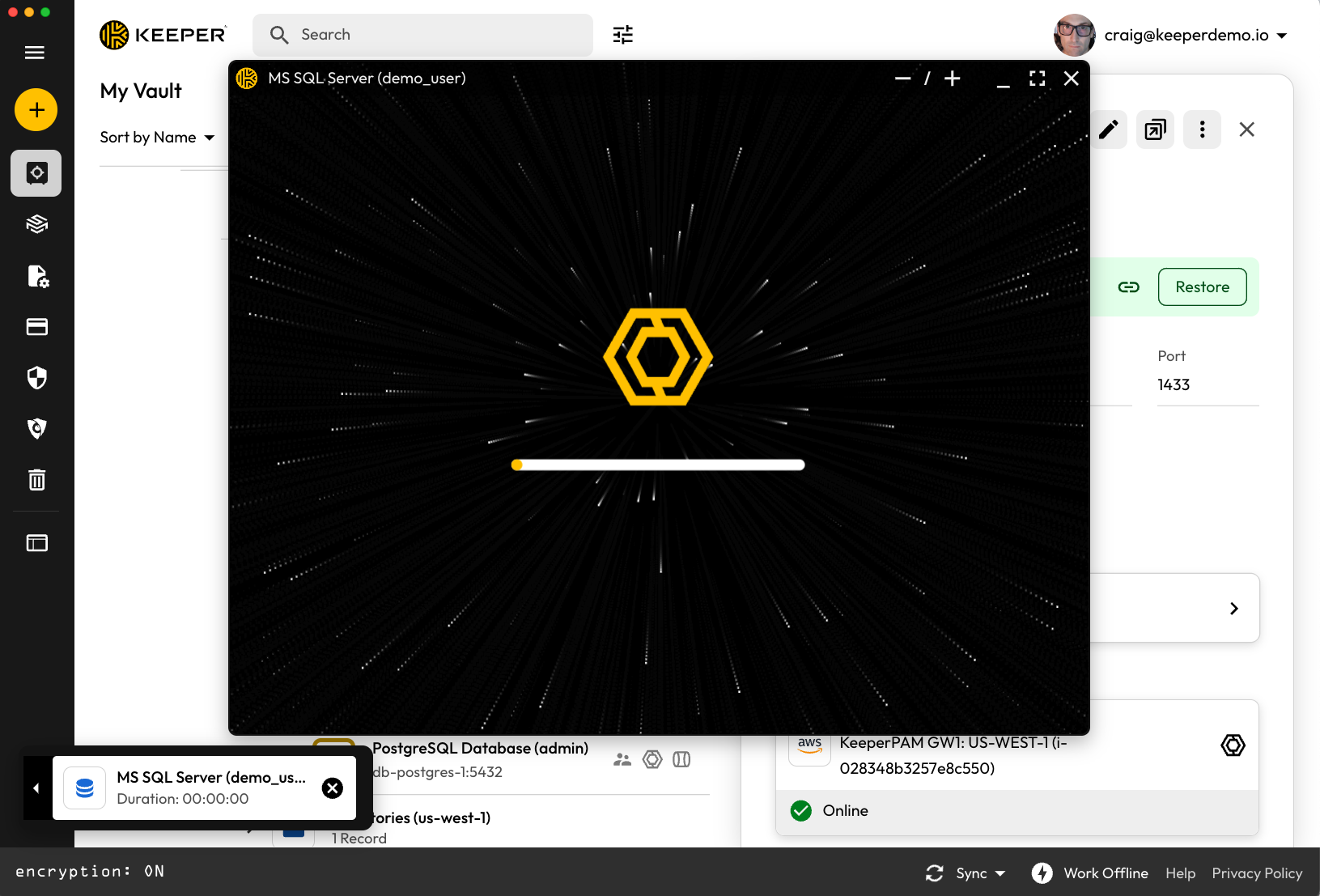
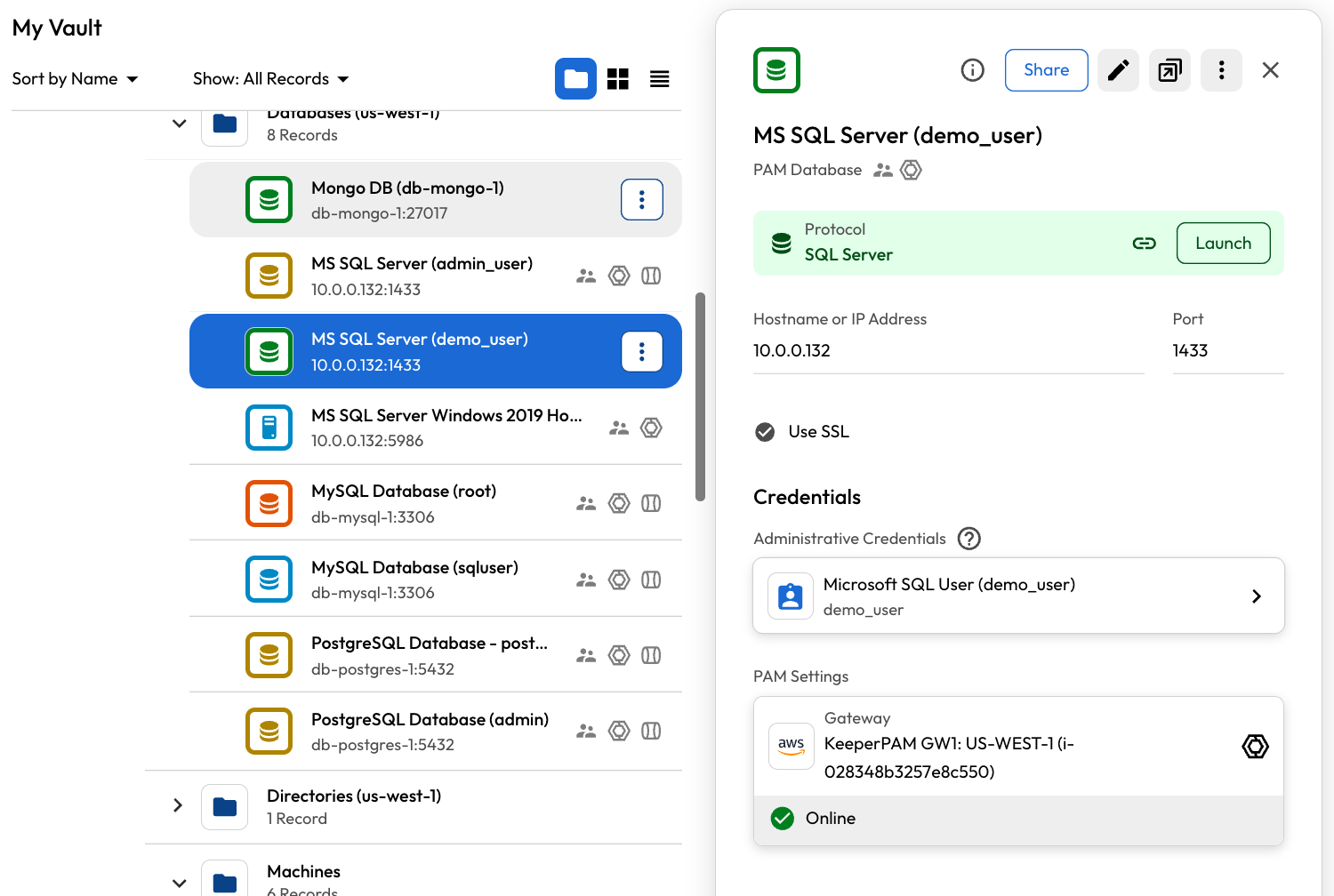
The Microsoft SQL Database record is set up. The user with the ability to launch connections can now launch an interactive SQL connection or tunnel to the target database.

<figure><img src="https://762006384-files.gitbook.io/~/files/v0/b/gitbook-x-prod.appspot.com/o/spaces%2F-MJXOXEifAmpyvNVL1to%2Fuploads%2FK5Tb4eWi4Z03NmYulgtf%2FScreenshot%202025-01-22%20at%202.37.05%E2%80%AFPM.png?alt=media&#x26;token=0895bb18-425c-479d-b1d0-56e44b89b05c" alt=""><figcaption><p>Microsoft SQL Server Database</p></figcaption></figure>

<figure><img src="https://762006384-files.gitbook.io/~/files/v0/b/gitbook-x-prod.appspot.com/o/spaces%2F-MJXOXEifAmpyvNVL1to%2Fuploads%2F5Uybk2vAImp3Vvv0tGsZ%2FScreenshot%202025-01-22%20at%202.37.44%E2%80%AFPM.png?alt=media&#x26;token=ca15199c-2522-4926-a887-04c165bb91d7" alt=""><figcaption><p>Connection to a Microsoft SQL Database</p></figcaption></figure>

<figure><img src="https://762006384-files.gitbook.io/~/files/v0/b/gitbook-x-prod.appspot.com/o/spaces%2F-MJXOXEifAmpyvNVL1to%2Fuploads%2F1fXvbQXycfFNtIbPlKRb%2FScreenshot%202025-01-22%20at%202.38.05%E2%80%AFPM.png?alt=media&#x26;token=760f04e2-64fa-41fc-8a08-41446a757327" alt=""><figcaption><p>Interactive Session with Microsoft SQL Database</p></figcaption></figure>