# Attaching Scripts
## Attaching Post Rotation Scripts
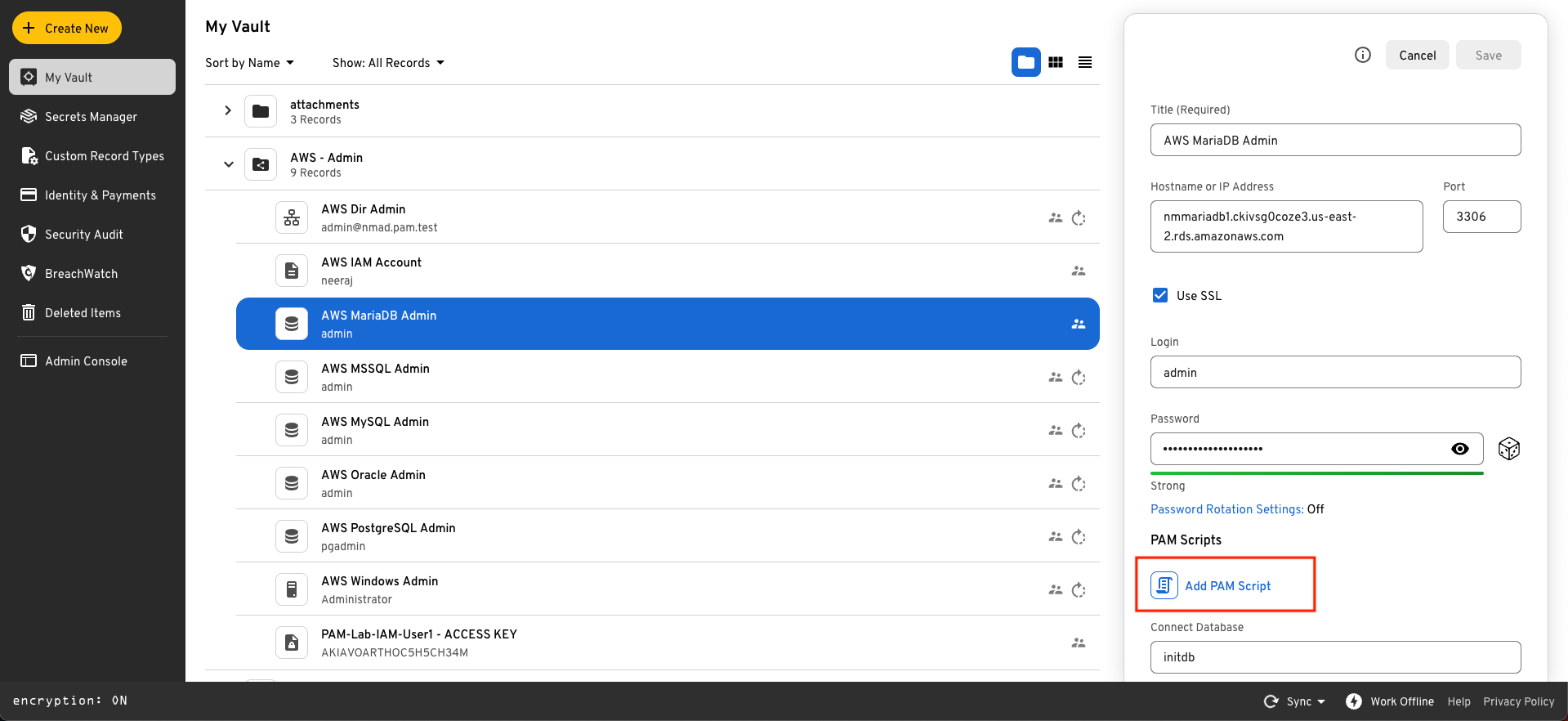
When creating or editing a PAM record, click on the **Add PAM Script** button
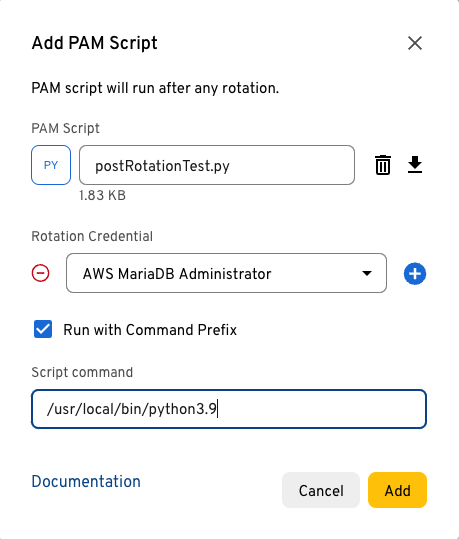
Clicking on **Add PAM Script** will allow you to:
* Browse locally and choose your Rotation Script(s).
* Add "Additional Credentials". This is an option to add additional records which contains the credentials needed by the post rotation script. These credentials must be available to the Keeper Gateway.
* Specify an optional custom command to executed. In the below screenshot, a python script (`postRotationTest.py`) is attached, and a specific command to be used to execute the python script.
After successfully selecting the script(s), the record will be updated to show the attached Post Rotation scripts:
Click Save to create or update the record. Attached Post Rotation Scripts can be deleted or edited by clicking on their respective actions.
---
# Agent Instructions: Querying This Documentation
If you need additional information that is not directly available in this page, you can query the documentation dynamically by asking a question.
Perform an HTTP GET request on the current page URL with the `ask` query parameter:
```
GET https://docs.keeper.io/en/keeperpam/privileged-access-manager/password-rotation/post-rotation-scripts/attaching-post-rotation-scripts-to-records.md?ask=
```
The question should be specific, self-contained, and written in natural language.
The response will contain a direct answer to the question and relevant excerpts and sources from the documentation.
Use this mechanism when the answer is not explicitly present in the current page, you need clarification or additional context, or you want to retrieve related documentation sections.