> For the complete documentation index, see [llms.txt](https://docs.keeper.io/llms.txt). Markdown versions of documentation pages are available by appending `.md` to page URLs; this page is available as [Markdown](https://docs.keeper.io/keeperpam/privileged-access-manager/remote-browser-isolation.md).
# Remote Browser Isolation
Securely access web-based applications through a rendered, isolated browser experience
## What is Keeper Remote Browser Isolation (RBI)?
**Keeper Remote Browser Isolation (RBI)** provides secure, efficient and VPN-less access to protected web-based applications directly from within the Keeper vault.
KeeperPAM protects web-based apps just like any other resource, with access control, session recording and passwordless authentication. Browsing sessions are "projected" visually from the Keeper Gateway to the end-user's vault. The sessions utilize an up-to-date Chromium browser which runs inside a virtualized container inside the Keeper Gateway.
As an additional benefit, since the web browsing session is not running on the local environment, the user is protected against the risk of malware, phishing, and other web-based threats reaching their device. Keeper RBI is available on the Web Vault and Desktop Vault Clients.
## Keeper Remote Browser Isolation Features
* **Secure, Isolated web browsing sessions -** The web sessions are visually projected into the vault, but the website code is not running locally.
* **Protection against web based threats like malware and phishing** - With the web sessions isolated, the remote website code is sandboxed in the Keeper Gateway container.
* **Multi-Tab Browsing Support -** Users can open and navigate multiple tabs within a single isolated session, enabling a seamless and productive browsing experience.
* **Secure File Upload and Download -** Safely transfer files into and out of isolated sessions with controlled upload and download capabilities.
* **Session Persistence -** Resume active browser sessions without restarting, improving workflow continuity and user efficiency.
* **Full Web Application Compatibility -** Support for native JavaScript alerts (e.g., prompts, confirmations, warnings) ensures compatibility with modern web applications.
* **Session Recordings & Compliance** - Browser isolation sessions can be shared, recorded and monitored for compliance and security reasons
* **Credential Autofill** - Keeper's remote browser isolation protocol can automatically inject credentials, submit forms and control the target web application without ever sending the credentials to the user's device.
* **Context Menu** - right-click for copy/paste and "open in new tab"
* **HTTP Basic Auth support** - autofill legacy web apps with HTTP Basic Auth configuration.
* **Hide elements** - completely hide functional areas or elements of the target website or application
## Why Use Keeper Remote Browser Isolation?
A common challenge faced by IT admins, DevOps, and security teams is protecting users from web-based threats like malware and phishing while maintaining a seamless browsing experience. Additionally, traditional security measures often require complex setups or VPNs, which can slow down productivity.
Keeper Remote Browser Isolation (RBI) addresses these challenges by:
* **Secure Access to Internal Web Applications**\
Provide users with access to internal or sensitive web apps without exposing them directly to the corporate network.
* **Eliminating the need for VPNs**\
Offers secure, VPN-less access to the web, simplifying the user experience while maintaining high security.
* **Privileged Access to Cloud Consoles**\
Secure access to AWS, Azure and GCP consoles without storing credentials locally or requiring VPN access.
* **Third-Party and Contractor Access**\
Allow external users to access web-based systems securely without granting direct network connectivity.
* **Access to High-Risk or Untrusted Websites**\
Isolate browsing sessions for unknown or potentially risky websites to prevent malware, phishing and browser-based attacks.
* **Secure Management Interfaces**\
Protect access to administrative portals such as databases, infrastructure dashboards and security tools.
* **Compliance and Audited Web Sessions**\
Enable controlled, recorded and auditable access to sensitive web applications for regulatory and compliance requirements.
### How does Keeper Remote Browser Isolation Work?
When launching an RBI session, the Web and Desktop Vault Client will render a chromium browser window with a established connection to the specified web application defined on the PAM Browser record. This is done by:
1. The Vault Client communicating with the Keeper Gateway with the relevant web application info (such as URL) through a secure tunnel
2. The Keeper Gateway then establishes an http/https connection to the web application target defined on the PAM Record
3. After establishing the connection, the Keeper Gateway projects the visual Chromium UI back to the Vault user interface.
### Examples
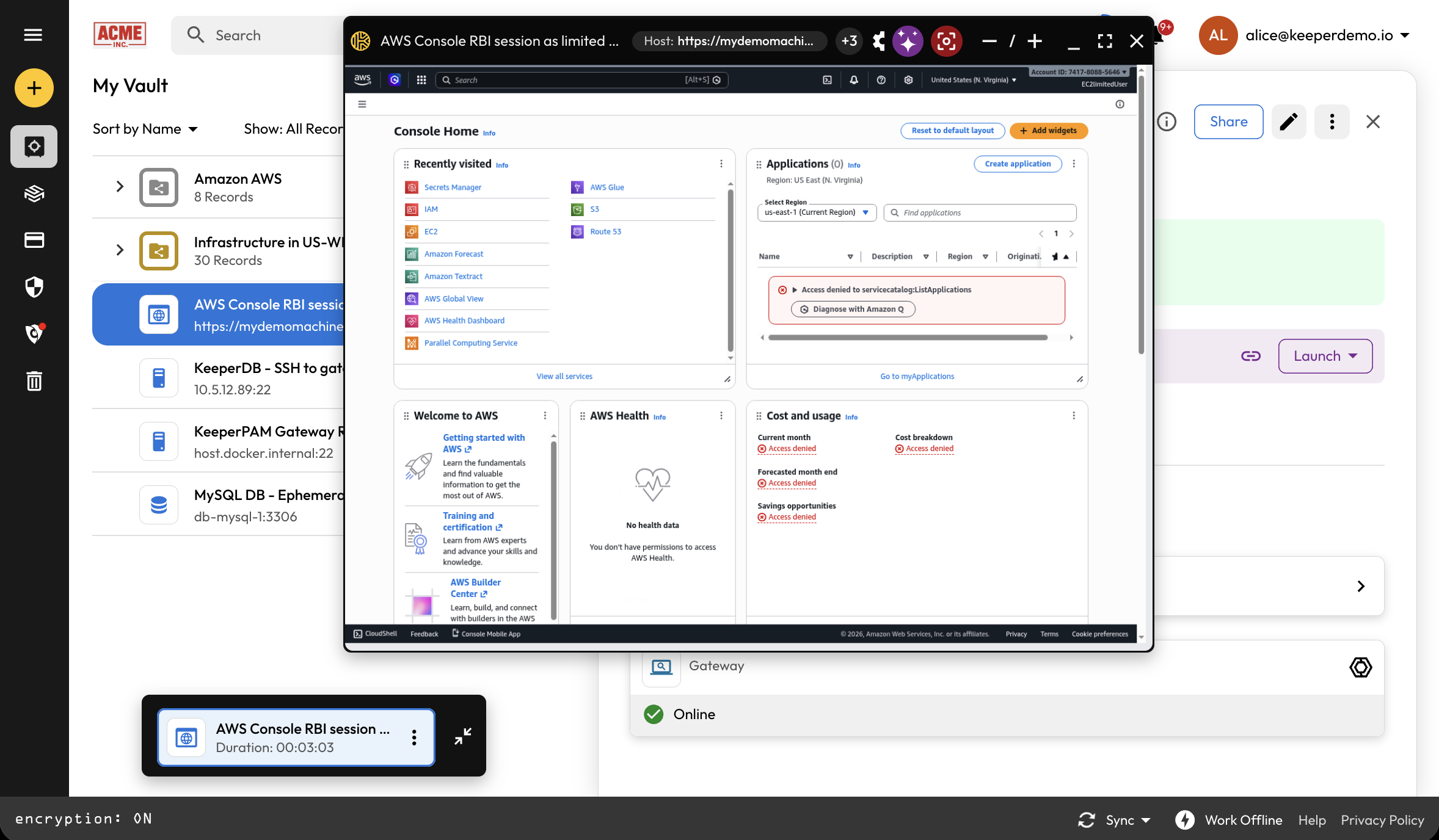
Accessing the AWS Console
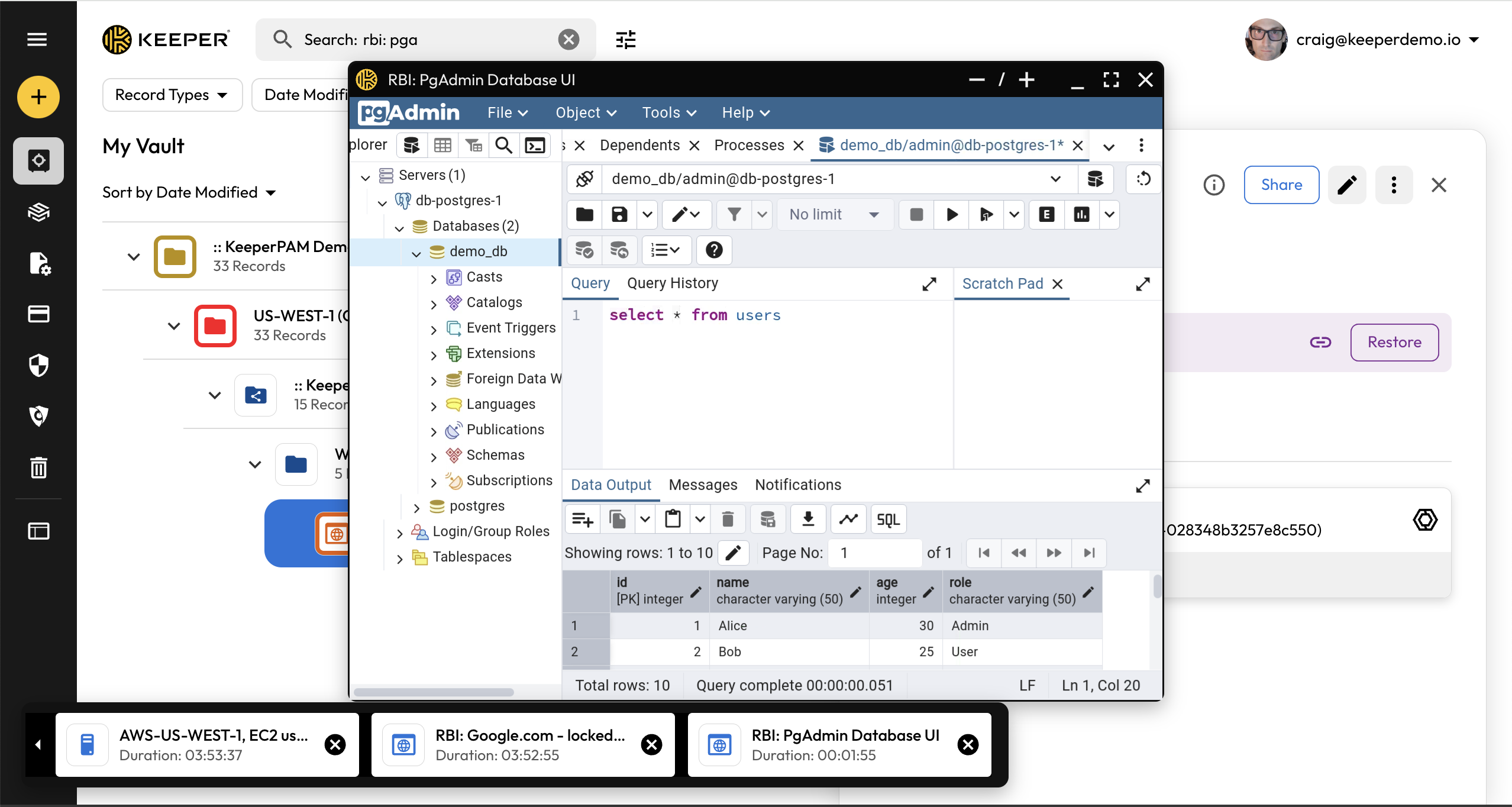
PGAdmin Database UI
Remote Browser Isolation demonstrating the PgAdmin Web UI
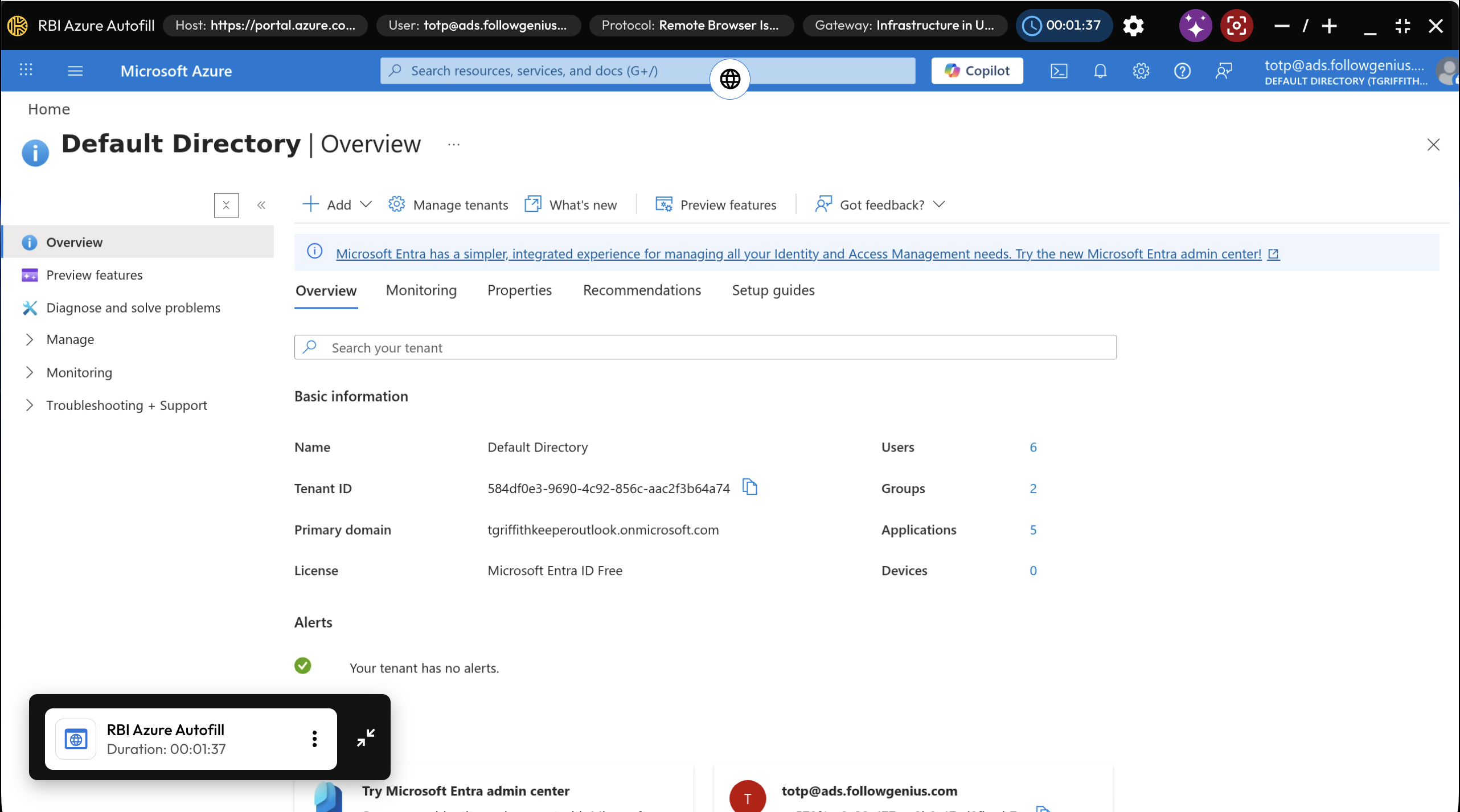
Azure Portal in Full Screen Mode
Web-based Control Panel:
Web-based OT device (example equipment control panel):
To get started with Remote Browser Isolation, proceed to the next [section](/keeperpam/privileged-access-manager/remote-browser-isolation/setting-up-rbi.md).
---
# Agent Instructions
This documentation is published with GitBook. GitBook is the documentation platform designed so that both humans and AI agents can read, navigate, and reason over technical content effectively. Learn more at gitbook.com.
## Querying This Documentation
If you need additional information that is not directly available in this page, you can query the documentation by asking a question.
Perform an HTTP GET request on the following URL with the `ask` and `goal` query parameters:
```
GET https://docs.keeper.io/keeperpam/privileged-access-manager/remote-browser-isolation.md?ask=&goal=
```
`ask` is the immediate question: it should be specific, self-contained, and written in natural language.
`goal` is what the user is ultimately trying to achieve, the reason they need the answer. Sharing it helps GitBook give you a better, more relevant answer. A goal is most helpful when it describes the outcome the user wants rather than restating the question. For example, with `ask=how do I create an API token`, a goal like `automate deployments from our CI pipeline` lets GitBook tailor the answer to that use case.
The response will contain a direct answer to the question and relevant excerpts and sources from the documentation.
Use this mechanism when the answer is not explicitly present in the current page, you need clarification or additional context, or you want to retrieve related documentation sections.