> For the complete documentation index, see [llms.txt](https://docs.keeper.io/llms.txt). Markdown versions of documentation pages are available by appending `.md` to page URLs; this page is available as [Markdown](https://docs.keeper.io/enterprise-guide/jp/keeper-msp/free-trial.md).
# 無料トライアル
Keeper MSPの無料トライアルライセンスの登録
Keeper MSPをご購入前にお試しいただけるよう、新規のお客様向けに無料トライアルをご用意しています。すべてのプランでライセンス数は無制限です。トライアル中はKeeperの主要機能をすべて利用でき、管理者の設定や管理対象企業の作成も行えます。トライアル期間中は、すべてのアドオンもご利用いただけます。
無料トライアル後に製品を購入される場合は、設定したユーザー、ボルトデータ、管理設定はそのまま引き継がれます。
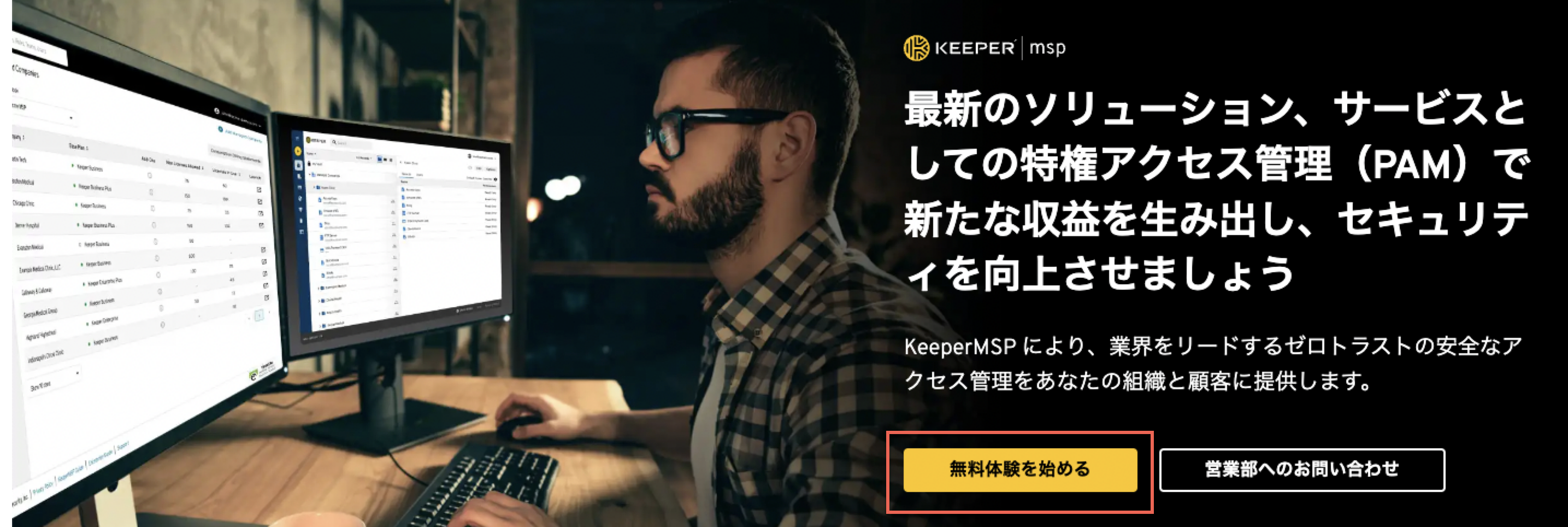
Keeper MSPの無料トライアルを開始するには、[MSP製品ページ](https://www.keepersecurity.com/ja_JP/msp-password-manager.html)を開いて右上の **\[無料で試す]** ボタンをクリックしてください。
1. **\[無料体験を始める]** をクリックします。
2. ビジネス用メールアドレスをフォームに入力し、 **\[無料体験を始める]** をクリックします。

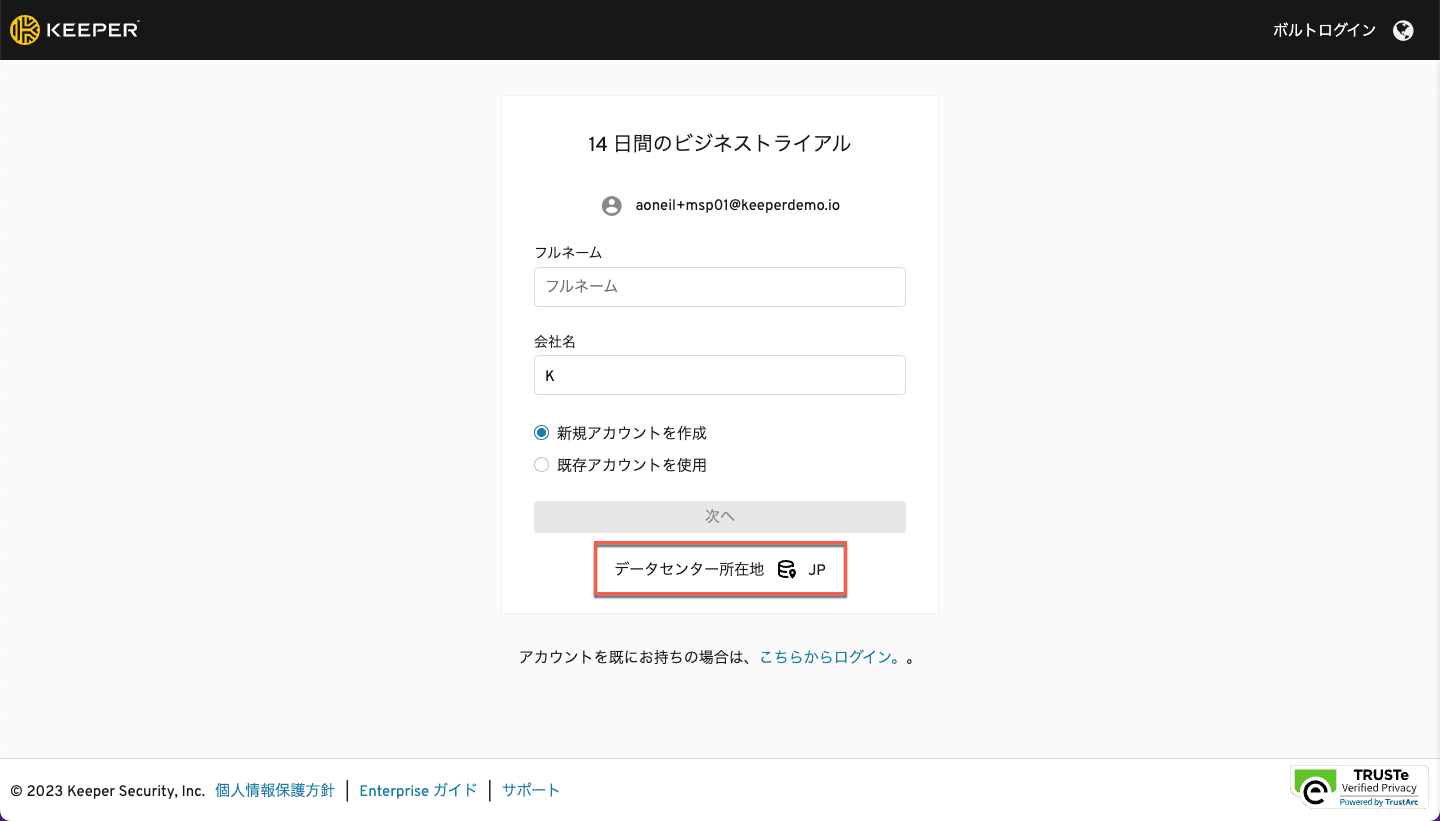
3. アカウントタイプとデータセンターの場所を選択します。
この画面でアカウントを作成します (既存のKeeperの個人用メールアドレスをご使用の場合は、 **\[既存アカウントを使用]** を選択します)。
{% hint style="warning" %}
**ご希望のデータセンターの場所を選択してください。**
* **米国 (USA)、ヨーロッパ (EUR)、オーストラリア (AUS)、カナダ (CA)、日本 (JP) のいずれかのデータセンターを選びます。**
* **GovCloud (FedRAMP準拠) リージョンの利用には承認が必要です。このリージョンについてはサポートチームにお問い合わせください。**
{% endhint %}
米国 (USA)、ヨーロッパ (EUR)、オーストラリア (AUS)、カナダ (CA)、日本 (JP) から選択できます。GovCloudの公共機関向け登録についてはお問い合わせください。
4. 管理者アカウントのマスターパスワードを作成します。

Keeperの管理専用に強力なマスターパスワードをご使用ください。ゼロ知識アーキテクチャのため、マスターパスワードを忘れてもKeeperサポートではリセットできません。ログイン後、設定画面でリカバリーフレーズによるアカウント復元を有効にすることをお勧めします。
5. メールアドレスを確認し、マスターパスワードを設定すると、Keeper管理コンソールにログインします。左側の **\[管理者]** タブをクリックすると、ユーザーの追加など、各種設定を開始できます。

コンソールにログインしたら、「はじめに」のページへお進みください。
---
# Agent Instructions
This documentation is published with GitBook. GitBook is the documentation platform designed so that both humans and AI agents can read, navigate, and reason over technical content effectively. Learn more at gitbook.com.
## Querying This Documentation
If you need additional information that is not directly available in this page, you can query the documentation by asking a question.
Perform an HTTP GET request on the following URL with the `ask` and `goal` query parameters:
```
GET https://docs.keeper.io/enterprise-guide/jp/keeper-msp/free-trial.md?ask=&goal=
```
`ask` is the immediate question: it should be specific, self-contained, and written in natural language.
`goal` is what the user is ultimately trying to achieve, the reason they need the answer. Sharing it helps GitBook give you a better, more relevant answer. A goal is most helpful when it describes the outcome the user wants rather than restating the question. For example, with `ask=how do I create an API token`, a goal like `automate deployments from our CI pipeline` lets GitBook tailor the answer to that use case.
The response will contain a direct answer to the question and relevant excerpts and sources from the documentation.
Use this mechanism when the answer is not explicitly present in the current page, you need clarification or additional context, or you want to retrieve related documentation sections.