> For the complete documentation index, see [llms.txt](https://docs.keeper.io/llms.txt). Markdown versions of documentation pages are available by appending `.md` to page URLs; this page is available as [Markdown](https://docs.keeper.io/enterprise-guide/jp/keeper-msp/migration-of-mcs/enterprise-to-msp.md).
# エンタープライズからMSPへ
スタンドアロンのエンタープライズをMSPの管理対象企業として移行
## 概要
KeeperコマンダーCLIを使用して、スタンドアロンのKeeperエンタープライズテナントをMSPの管理対象企業 (MC) として移行します。
{% hint style="warning" %}
**MSPまたはMCの移行を開始する前に、まずKeeperのサポートチームにご連絡ください。**
MSP Americas & APAC: \
MSP EMEA:
承認後、Keeperコマンダーを使用してエンタープライズの移行をリクエストしてください。
{% endhint %}
**シナリオ:** エンタープライズ側が移行を開始します。移行先MSPが承認します。Keeper Securityが確認します。エンタープライズ側が完了します。
**コマンドリファレンス:** [コマンダーCLI/SDK](/enterprise-guide/jp/keeper-msp/commander-cli-sdk.md)
## 用語
| 用語 | 定義 |
| ------------ | --------------------------------------------------- |
| **MSP** | マネージドサービスプロバイダー。他の企業を管理するKeeper Securityテナント |
| **MC** | 管理対象企業。MSPが管理するKeeper Securityテナント |
| **エンタープライズ** | スタンドアロンのKeeper Securityテナント (現在どのMSPにも管理されていないテナント) |
| **移行先MSP** | エンタープライズを管理対象企業として受け入れるMSP |
#### 本ガイドで使用するアカウント例
以下の例は、ご利用環境の管理者名とメールアドレスに置き換えてください。
| ロール | 管理者名 | 管理者メールアドレス |
| ----------- | --------------------- | --------------------------------- |
| エンタープライズ管理者 | `enterprise-admin` | `enterprise-admin@example.com` |
| 移行先MSP管理者 | `receiving-msp-admin` | `receiving-msp-admin@example.com` |
## 要件
* KeeperコマンダーCLIのインストールと構成が完了していること
* エンタープライズまたは移行先MSPの**主要管理者**であること
* 移行先MSP管理者の名前とメールアドレスが分かっていること
## 手順1. エンタープライズ: 移行の開始
スタンドアロンのエンタープライズ管理者がコマンダーにログインし、MSPへの参加リクエストを送信します。
**1. エンタープライズ管理者としてコマンダーにログインします**
```
Email: enterprise-admin@example.com
Password:
```
**2. 移行リクエストを送信します**
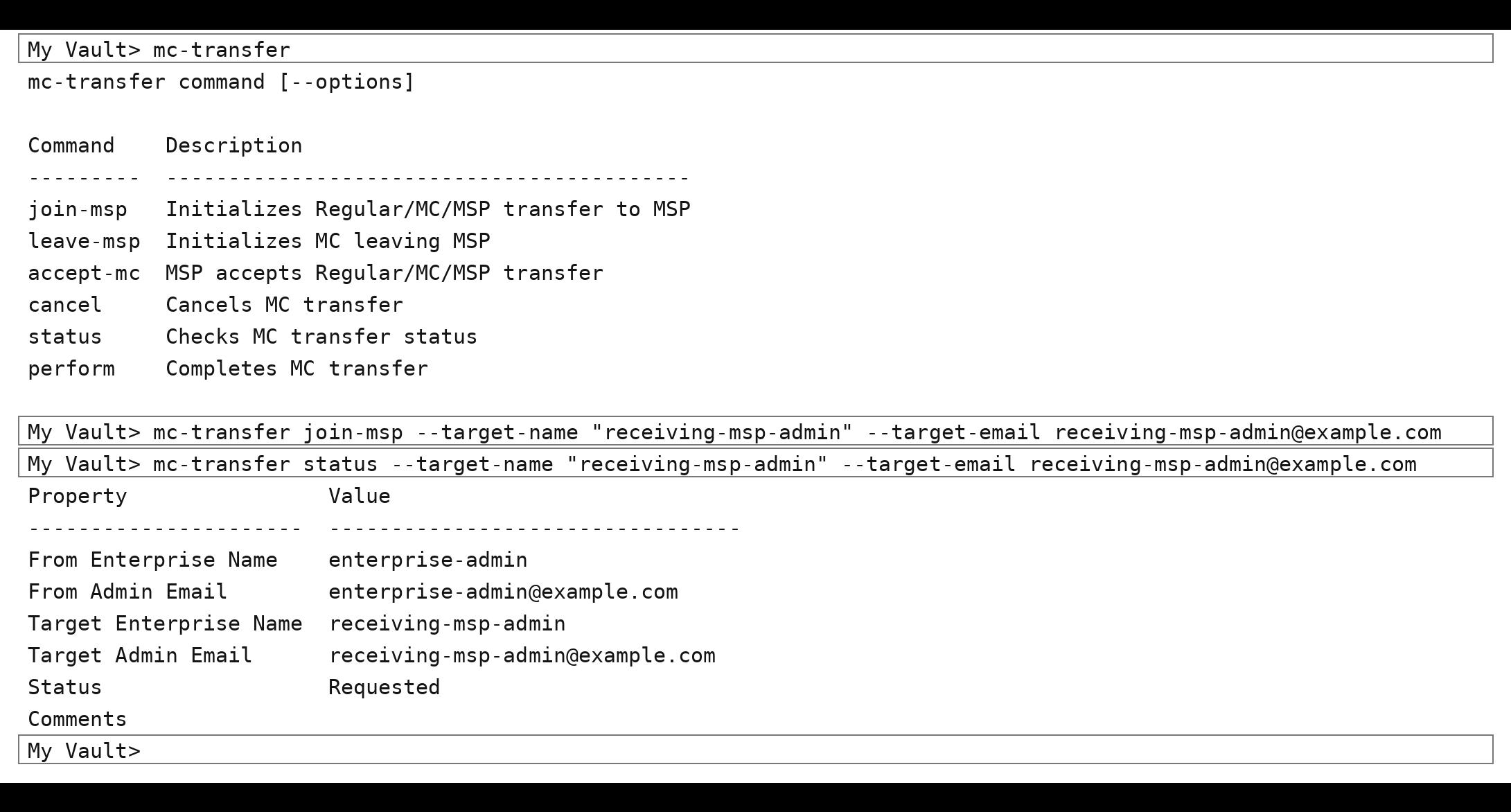
```
mc-transfer join-msp --target-name "receiving-msp-admin" --target-email receiving-msp-admin@example.com
```
**3. 移行リクエストが送信されたことを確認します**
```
mc-transfer status --target-name "receiving-msp-admin" --target-email receiving-msp-admin@example.com
```
移行先MSPの承認待ちと表示されます。
## 手順2. 移行先MSP: 移行の承認
移行先MSP管理者がログインし、エンタープライズからの移行リクエストを承認します。
**1. 移行先MSP管理者としてコマンダーにログインします**
```
Email: receiving-msp-admin@example.com
Password:
```
**2. 届いている移行リクエストを確認します**
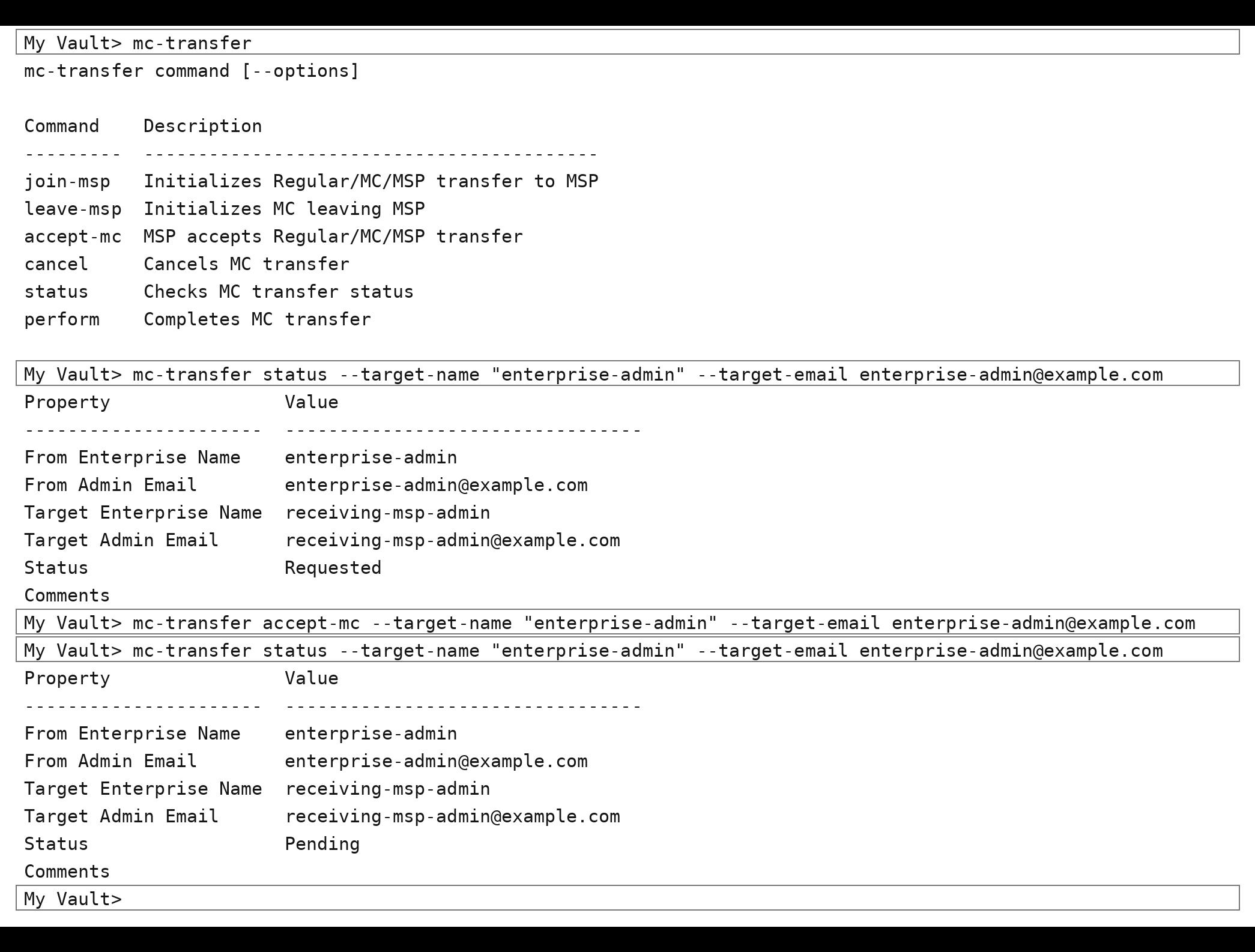
```
mc-transfer status --target-name "enterprise-admin" --target-email enterprise-admin@example.com
```
**3. 移行を承認します**
```
mc-transfer accept-mc --target-name "enterprise-admin" --target-email enterprise-admin@example.com
```
**4. 承認を確認します**
```
mc-transfer status --target-name "enterprise-admin" --target-email enterprise-admin@example.com
```
移行が承認され、法務承認待ちであると表示されます。
## 手順3. 法務承認
双方が合意すると、Keeperからエンタープライズ管理者と移行先MSP管理者にメールが届きます。
* Keeperから求められた情報の提出
* 移行の承認または却下
* 双方への結果のメール通知
{% hint style="info" icon="pencil-line" %}
この手順ではコマンダー上の操作は不要です。法務承認が完了してから、以降の手順へ進んでください。
{% endhint %}
## 手順4. エンタープライズ: 移行の完了
Keeperが移行を承認したら、エンタープライズ管理者がコマンダーで移行を完了します。
**1. エンタープライズ管理者としてコマンダーにログインします**
```
Email: enterprise-admin@example.com
Password:
```
**2. 法務承認のステータスを確認します**
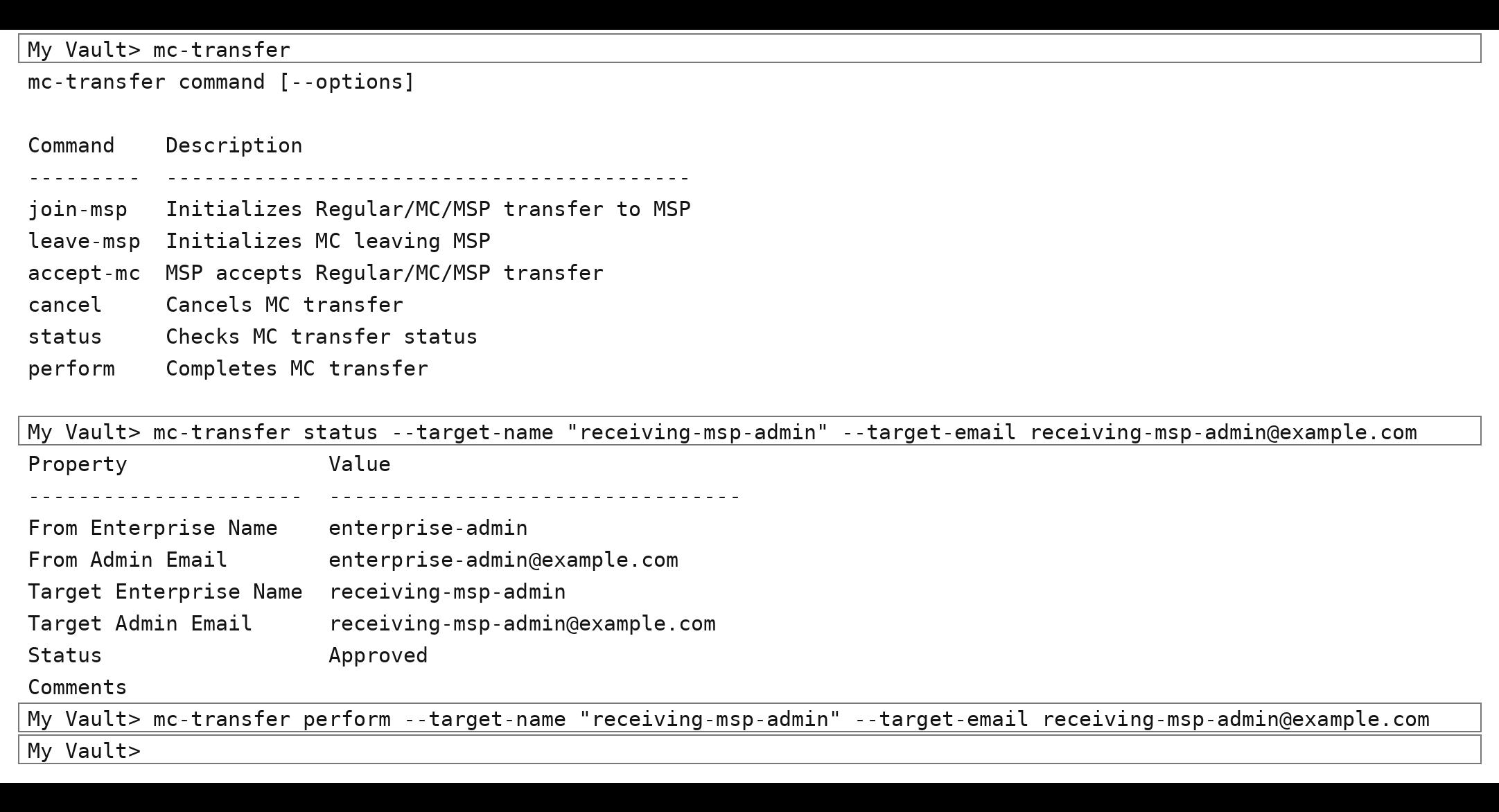
```
mc-transfer status --target-name "receiving-msp-admin" --target-email receiving-msp-admin@example.com
```
**3. 移行を実行します**
```
mc-transfer perform --target-name "receiving-msp-admin" --target-email receiving-msp-admin@example.com
```
エンタープライズは、移行先MSPの管理対象企業になります。
## 移行のキャンセル方法
エンタープライズ側から、送信済みのリクエストをキャンセルすることはできません。キャンセルできるのは移行先MSPのみです。
キャンセルする場合は、移行先MSP管理者が以下の手順を実行します。
**1. 移行先MSP管理者としてコマンダーにログインします**
```
Email: receiving-msp-admin@example.com
Password:
```
**2. 移行をキャンセルします**
```
mc-transfer cancel --target-name "enterprise-admin" --target-email enterprise-admin@example.com
```
Keeperが承認する**前に**キャンセルしてください。このコマンドでは、完了済みの移行を取り消すことはできません。
## コマンドリファレンス
| 手順 | 実行者 | コマンド |
| -------- | -------- | -------------------------------------------------------------------------------------------- |
| 移行の開始 | エンタープライズ | `mc-transfer join-msp --target-name "" --target-email ` |
| ステータスの確認 | 双方のいずれか | `mc-transfer status --target-name "" --target-email ` |
| 移行の承認 | 移行先MSP | `mc-transfer accept-mc --target-name "" --target-email ` |
| 移行の完了 | エンタープライズ | `mc-transfer perform --target-name "" --target-email ` |
| 移行のキャンセル | 移行先MSPのみ | `mc-transfer cancel --target-name "" --target-email ` |
{% hint style="warning" %}
このシナリオでは、移行をキャンセルできるのは移行先MSPのみです。エンタープライズ側から、送信済みのリクエストをキャンセルすることはできません。
{% endhint %}
---
# Agent Instructions
This documentation is published with GitBook. GitBook is the documentation platform designed so that both humans and AI agents can read, navigate, and reason over technical content effectively. Learn more at gitbook.com.
## Querying This Documentation
If you need additional information that is not directly available in this page, you can query the documentation dynamically by asking a question.
Perform an HTTP GET request on the current page URL with the `ask` query parameter, and the optional `goal` query parameter:
```
GET https://docs.keeper.io/enterprise-guide/jp/keeper-msp/migration-of-mcs/enterprise-to-msp.md?ask=&goal=
```
`ask` is the immediate question: it should be specific, self-contained, and written in natural language.
`goal` is optional and describes the broader end goal you are ultimately trying to accomplish on behalf of the user. GitBook uses it to tailor the answer towards what is most useful for that goal.
The response will contain a direct answer to the question and relevant excerpts and sources from the documentation.
Use this mechanism when the answer is not explicitly present in the current page, you need clarification or additional context, or you want to retrieve related documentation sections.