> For the complete documentation index, see [llms.txt](https://docs.keeper.io/llms.txt). Markdown versions of documentation pages are available by appending `.md` to page URLs; this page is available as [Markdown](https://docs.keeper.io/enterprise-guide/jp/webhooks/discord-webhooks.md).
# Discord Webhooks
KeeperのレポートとアラートをDiscordに送信
## Discordのセットアップと統合
Webhook機能を使い、以下の手順でカスタムアラートやアクションをDiscordサーバーへ送信できます。本ページの例では新しいサーバーを作成しますが、既存のDiscordサーバーでもWebhookを設定できます。
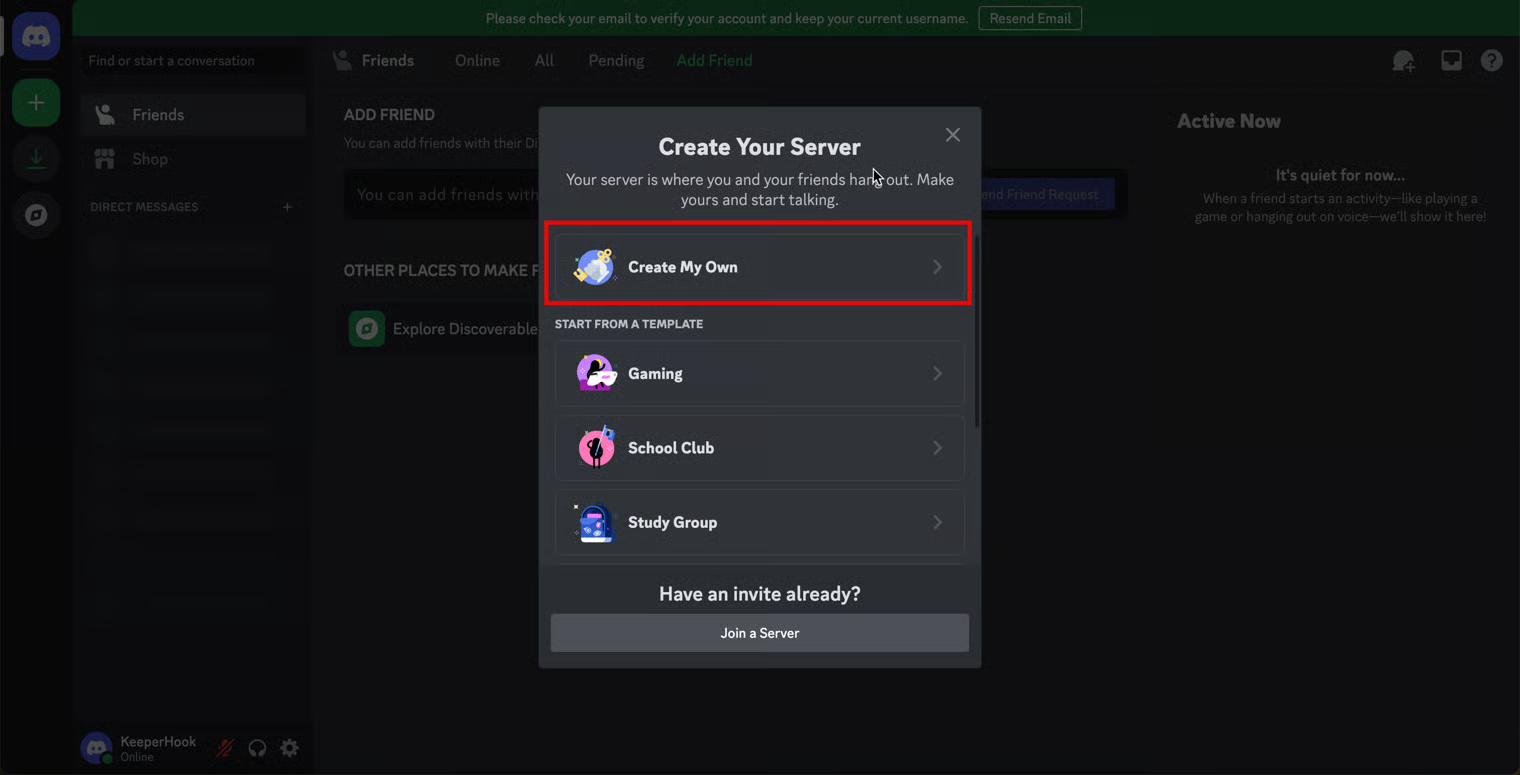
1. Discordアカウントの左上にある **\[+]** (サーバーを追加) をクリックします。
2. **\[オリジナルの作成]** (またはテンプレート) をクリックし、サーバーの用途 (**\[クラブやコミュニティのため]**、**\[自分と友達のため]**) を選択します。
3. サーバーにアイコンと名前を設定し、**\[新規作成]** をクリックします。
4. Discordサーバーが作成されます。サーバー名をクリックしてドロップダウンを開き、**\[サーバー設定]** をクリックします。
5. 左側のメニューで **\[連携サービス]** を選択し、**\[ウェブフックを作成]** をクリックします。
6. ウェブフックの名前とアイコンを設定し、**\[ウェブフックURLをコピー]** をクリックします。
7. Keeper管理コンソールにログインし、**\[レポートとアラート]** を開きます。**\[アラート]** をクリックし、既存のアラートを選択するか新規作成します。
8. 対象のイベントタイプと属性を選択し、**\[受信者を追加]** をクリックします。
受信者を追加
9. 受信者名とメールアドレスを入力し、**\[Webhookを追加]** をクリックします。
Webhookを追加
10. 手順6でコピーしたWebhook URLを貼り付け、下記のHTTPボディを貼り付けます。**\[保存]** をクリックします。
11. 以下のJSONをコピーし、上記画面の **\[HTTPボディ]** に貼り付けます。
```
{
"content": "Keeper Security Event",
"embeds": [
{
"title": "Alert Name",
"description": "#alert_name",
"fields": [
{
"name": "Event Details",
"value": "#description"
},
{
"name": "IP Address",
"value": "#remote_address"
},
{
"name": "Timestamp",
"value": "#timestamp"
}
],
"footer": {
"text": "Keeper Security Notification"
}
}
]
}
```
#### セットアップ完了
Discord Webhookアラートの例は以下のとおりです。イベントの送信開始まで最大15分かかることがあります。HTTPボディは用途に合わせて変更できます。
**参考リンク**
* [Discord Webhooksについて](https://support.discord.com/hc/en-us/articles/228383668-Intro-to-Webhooks)
* [Discordサーバーの作成方法](https://support.discord.com/hc/en-us/articles/204849977-How-do-I-create-a-server)
---
# Agent Instructions
This documentation is published with GitBook. GitBook is the documentation platform designed so that both humans and AI agents can read, navigate, and reason over technical content effectively. Learn more at gitbook.com.
## Querying This Documentation
If you need additional information that is not directly available in this page, you can query the documentation by asking a question.
Perform an HTTP GET request on the following URL with the `ask` and `goal` query parameters:
```
GET https://docs.keeper.io/enterprise-guide/jp/webhooks/discord-webhooks.md?ask=&goal=
```
`ask` is the immediate question: it should be specific, self-contained, and written in natural language.
`goal` is what the user is ultimately trying to achieve, the reason they need the answer. Sharing it helps GitBook give you a better, more relevant answer. A goal is most helpful when it describes the outcome the user wants rather than restating the question. For example, with `ask=how do I create an API token`, a goal like `automate deployments from our CI pipeline` lets GitBook tailor the answer to that use case.
The response will contain a direct answer to the question and relevant excerpts and sources from the documentation.
Use this mechanism when the answer is not explicitly present in the current page, you need clarification or additional context, or you want to retrieve related documentation sections.