> For the complete documentation index, see [llms.txt](https://docs.keeper.io/llms.txt). Markdown versions of documentation pages are available by appending `.md` to page URLs; this page is available as [Markdown](https://docs.keeper.io/keeper-connection-manager/jp/vault-integration.md).
# ボルト連携
KeeperコネクションマネージャーとKeeperボルトの連携による、セッションクレデンシャルの保護と取得
## 概要
KeeperシークレットマネージャーはKeeperコネクションマネージャーと統合されており、Keeperボルトに保存されているクレデンシャルを動的に取得できます。この統合により、管理者は、暗号化されたKeeperボルトに保存および保護されたクレデンシャルを使用して、特権セッションを確立できます。
Keeperコネクションマネージャーは[Keeperシークレットマネージャー](https://docs.keeper.io/keeperpam/)を使用して、KeeperボルトからRDP、SSH、MySQL、VNC、およびその他のクレデンシャルに安全にアクセスできます。この統合により、接続クレデンシャルは暗号化されたKeeperボルトで保護され、プレーンテキストで保存されることは決してありません。接続プロパティで、ホスト名または指定したボルトレコードの識別子を参照指示するだけで、Keeperは実行時に必要なクレデンシャルを取得します。アクセス用のクレデンシャルがユーザーに開示されることはありません。
{% hint style="success" %}
**このドキュメントは、Keeperシークレットマネージャーが有効化されたKeeperエンタープライズサブスクリプションをすでに利用していることを前提としています。**
* Keeperのサブスクリプションをまだ契約されていない場合は、[こちらのウェブサイト](https://www.keepersecurity.com/start-business-trial.html)から14日間の無料トライアルにご登録ください。
* Keeperサブスクリプションをすでにご利用で、Keeperシークレットマネージャーを有効化されていない場合は、[クイックスタートガイド](/keeperpam/jp/secrets-manager/quick-start-guide.md)をご参照の上有効にしてください。
{% endhint %}
## 統合機能
* SSH鍵や管理者パスワードなどの接続シークレットをKeeperボルトに安全に保管
* 接続の確立時にKeeperから要求に応じてクレデンシャルを動的に取得
* ハードコードされたクレデンシャルとシークレットを削除
* MySQLパスワードなどの `guacamole` プロパティをKeeperボルトに安全に保管
* [接続グループを使用して、複数のボルトまたはフォルダとの連携を管理](/keeper-connection-manager/jp/vault-integration/multiple-vaults-integration.md)
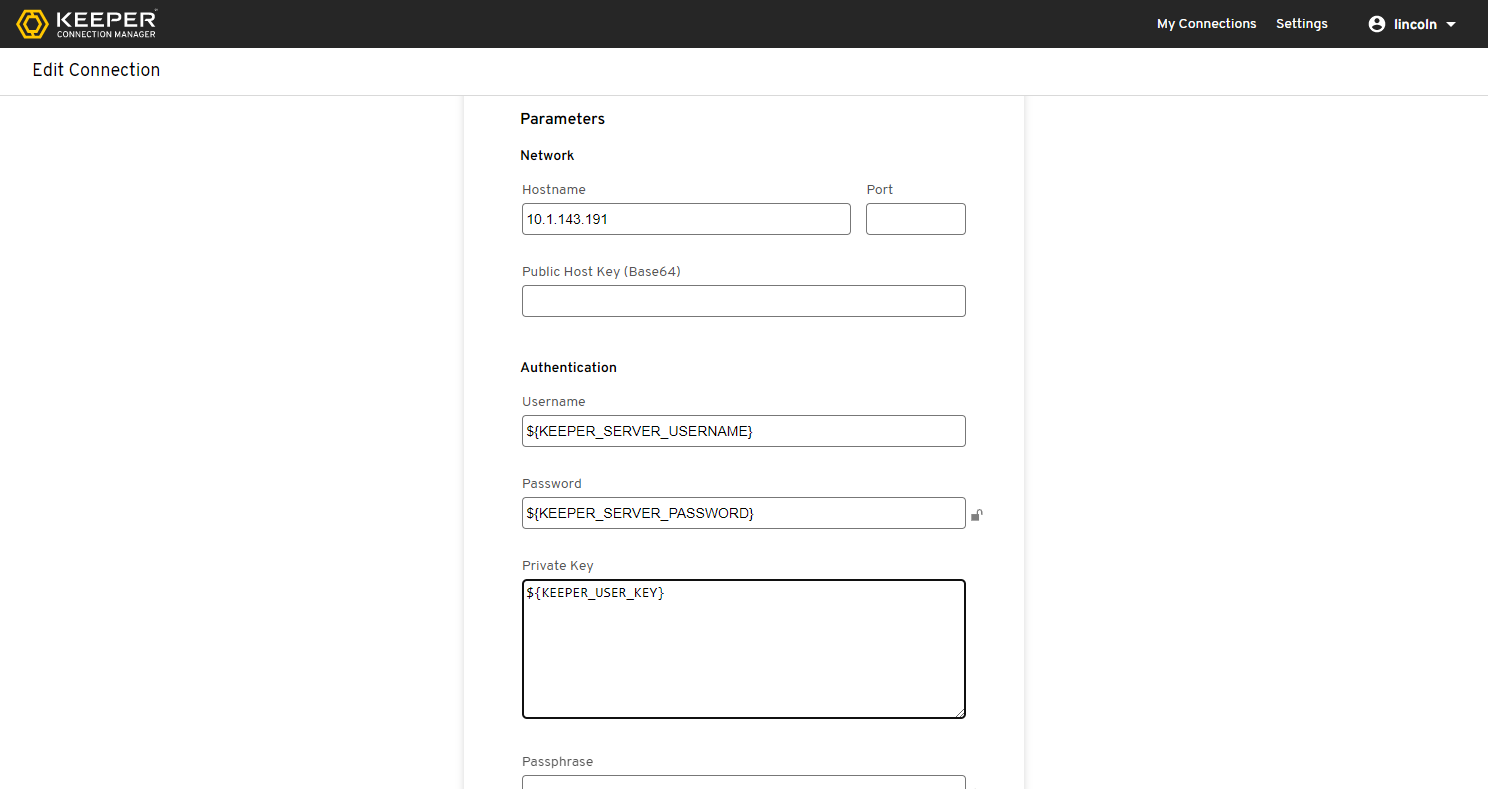
Keeperシークレットマネージャーを使用するように接続を設定
---
# Agent Instructions
This documentation is published with GitBook. GitBook is the documentation platform designed so that both humans and AI agents can read, navigate, and reason over technical content effectively. Learn more at gitbook.com.
## Querying This Documentation
If you need additional information that is not directly available in this page, you can query the documentation by asking a question.
Perform an HTTP GET request on the following URL with the `ask` and `goal` query parameters:
```
GET https://docs.keeper.io/keeper-connection-manager/jp/vault-integration.md?ask=&goal=
```
`ask` is the immediate question: it should be specific, self-contained, and written in natural language.
`goal` is what the user is ultimately trying to achieve, the reason they need the answer. Sharing it helps GitBook give you a better, more relevant answer. A goal is most helpful when it describes the outcome the user wants rather than restating the question. For example, with `ask=how do I create an API token`, a goal like `automate deployments from our CI pipeline` lets GitBook tailor the answer to that use case.
The response will contain a direct answer to the question and relevant excerpts and sources from the documentation.
Use this mechanism when the answer is not explicitly present in the current page, you need clarification or additional context, or you want to retrieve related documentation sections.