
> For the complete documentation index, see [llms.txt](https://docs.keeper.io/llms.txt). Markdown versions of documentation pages are available by appending `.md` to page URLs; this page is available as [Markdown](https://docs.keeper.io/keeperpam/jp/endpoint-privilege-manager/policies/policy-types/advanced-policy-types/keeper-updates.md).

# Keeperアップデート

<figure><img src="/files/O4vgdmm89UPpWSbVHzM5" alt=""><figcaption></figcaption></figure>

**Keeperアップデート**ポリシーで、管理対象の各エンドポイントが実行すべきKEPMのバージョンを一元的に宣言し、エンドポイントがそのバージョンへ自動的に揃うようにできます。すべてのマシンでエージェントを手動で再インストールする代わりに、希望バージョンを1回指定してマシンコレクションに適用します。

### このポリシーの用途 <a href="#what-this-policy-is-for" id="what-this-policy-is-for"></a>

* エンドポイントをKEPMの**最新**リリースへ自動的に追従させる。
* **特定バージョンへ固定**し (検証、段階的ロールアウト、変更管理ウィンドウ向け)、ポリシーを変更するまで対象エンドポイントを明示的なバージョンで維持する。
* 標準的なポリシーターゲット指定により、マシングループごとにアップデートの振る舞いを制御する。

{% hint style="info" %}
Keeperアップデートポリシーがマシンに適用されていない場合、そのエンドポイントは自動アップデートされず、インストール済みのバージョンのままです。自動アップデートはマシン単位で任意参加となり、ターゲット指定によって制御されます。
{% endhint %}

### 仕組み <a href="#how-it-works" id="how-it-works"></a>

Keeperアップデートポリシーは**Advanced Mode (JSON)** ポリシーです。管理コンソールで通常どおりポリシーを作成し、Advanced Modeに切り替えてタイプと `Extension` ペイロードを設定します。

1. バックエンドは、希望する `Version` と `ManifestUrl` を含む `Extension` ペイロードとともにポリシーを保存します。
2. エンドポイントのアップデーターは、エージェント**起動時**、定期的な**間隔**、および**ポリシー変更** (プッシュ) の直後にチェックを実行します。3つの経路はすべて同じロジックを実行します。
3. アップデーターは、そのマシンを対象とするKeeperアップデートポリシーから実効的な希望バージョンを解決します。該当するポリシーがない場合、チェックは変更なしで終了します。
4. 希望バージョンはインストール済みバージョンと比較されます。異なる場合、アップデーターは `ManifestUrl` からパッケージマニフェストを取得し、コンポーネントとOSに応じた正しいアーティファクトを選び、ディスクへ書き込む前に**チェックサムと署名を検証**します。
5. アップデートを適用したあと、安定化ウィンドウでコンポーネントの正常性を監視します。正常であればアップデートを確定し、失敗または不安定化した場合は、最後に正常だったバージョンへロールバックします。すべての結果は監査イベントとして記録されます。

### 手順: Keeperアップデートポリシーの作成 (高度なJSONから) <a href="#step-by-step-create-a-keeper-updates-policy-via-advanced-json" id="step-by-step-create-a-keeper-updates-policy-via-advanced-json"></a>

{% stepper %}
{% step %}

### **エンドポイント特権マネージャー → ポリシー** に移動

<figure><img src="/files/O3pFWzKsXHQbDHAxhSqw" alt="" width="90"><figcaption></figcaption></figure>
{% endstep %}

{% step %}

### **\[ポリシーの作成]** ボタンをクリック

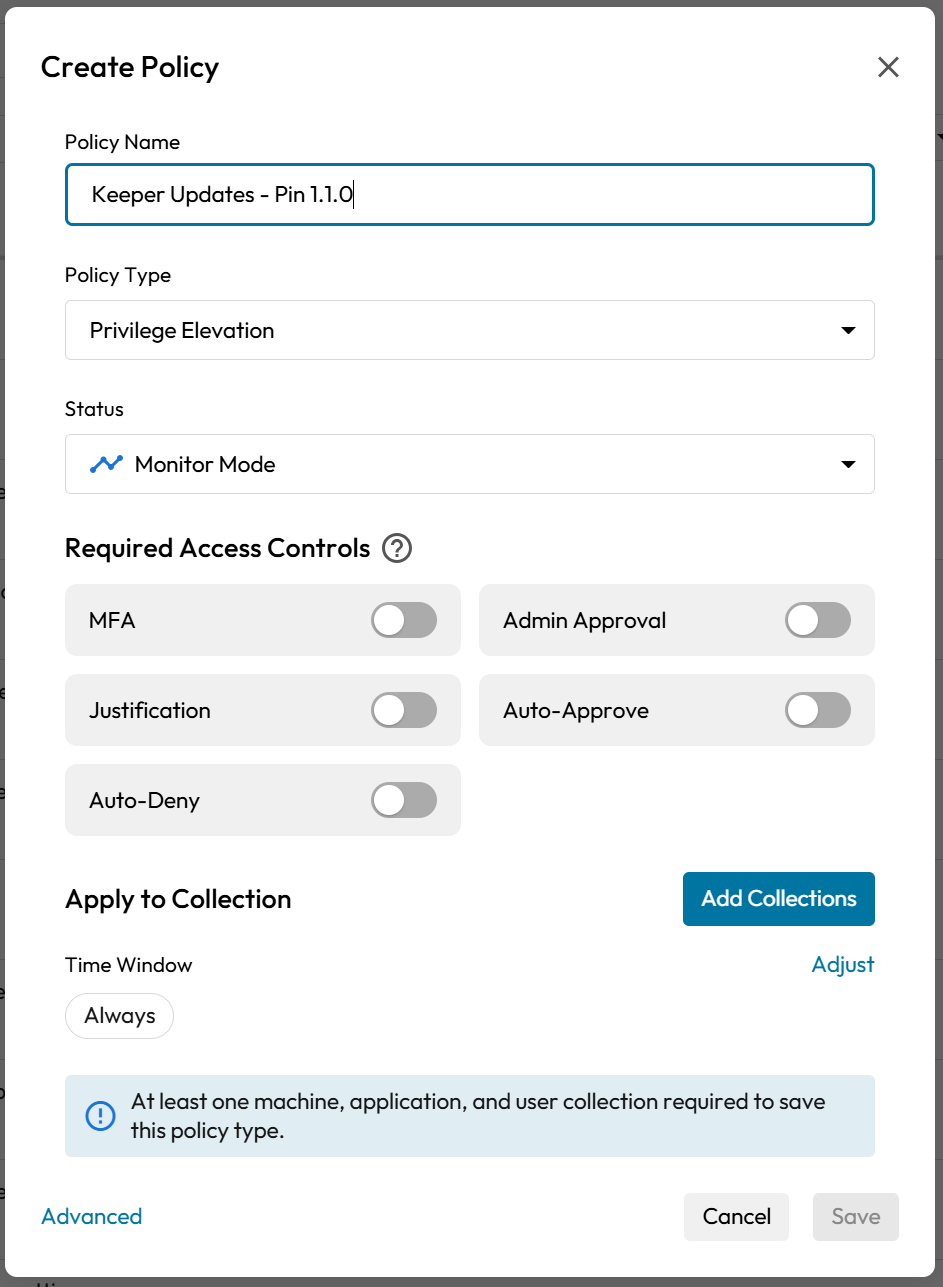
ポリシー作成用のモーダルが開きます。

<figure><img src="/files/XHKd2FVOUoUHS2vWc32s" alt="Create Policy Form" width="375"><figcaption></figcaption></figure>
{% endstep %}

{% step %}

### **ポリシー属性の定義**

ポリシーには分かりやすい名前を付けます (例: *Keeperアップデート、1.1.0へ固定*)。

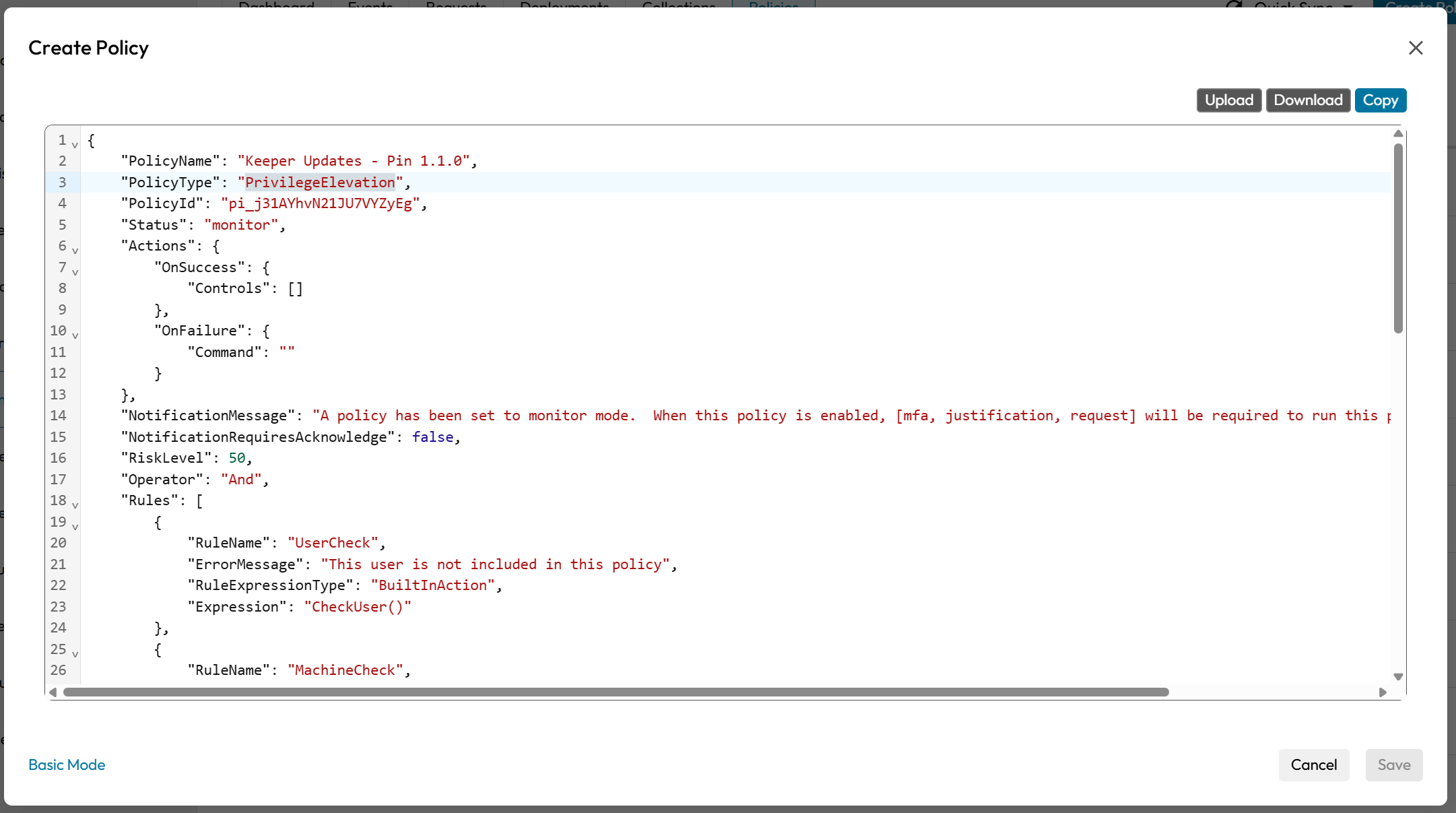
UIに表示されている**既存のポリシータイプのいずれか**をテンプレートとして選びます (タイプは後のJSON手順で `KeeperUpdate` に上書きします)。

ポリシーのステータスを選びます。ターゲット指定を検証するときは**監視**モードを使い、エンドポイントでの適用準備が整ったら**適用**に切り替えます。

<figure><img src="/files/Zf7H577ShlOaIef3oYht" alt="" width="375"><figcaption></figcaption></figure>
{% endstep %}

{% step %}

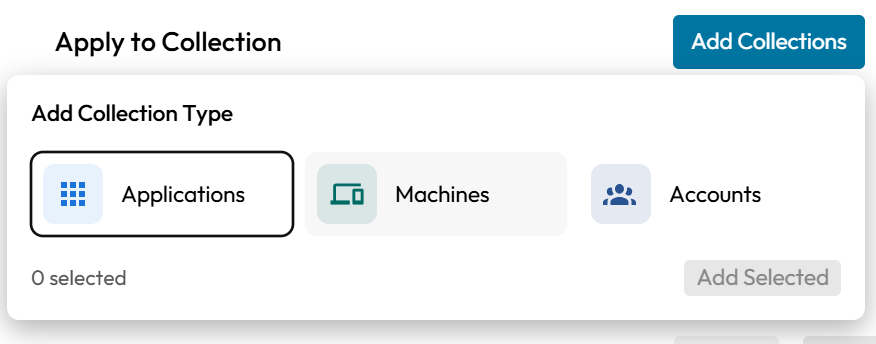
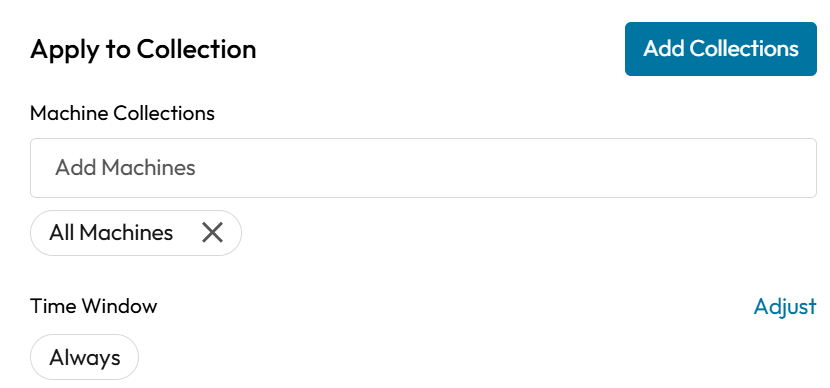
### **ポリシーターゲットの構成**

<figure><img src="/files/wZ7PWkBoPz2MHflVwjHO" alt="" width="375"><figcaption></figcaption></figure>

ポリシーを適用する**マシンコレクション**を設定します。これにより、どのエンドポイントが希望バージョンへ揃うかが決まります。**ユーザー**と**アプリケーション**のターゲットは `*` のままにします。Keeperアップデートポリシーはマシンを対象とし、ユーザーまたはアプリケーションの文脈では評価されません。

<figure><img src="/files/ZsdSb7Ft2LyMWrWtpbnE" alt="" width="375"><figcaption></figcaption></figure>
{% endstep %}

{% step %}

### **ポリシーのAdvanced Mode (JSONビュー) を開く**

ポリシーフォーム左下の**Advanced Mode**リンクをクリックします。

<figure><img src="/files/OIzx8UoaJoI5TNbahfjk" alt="" width="563"><figcaption></figcaption></figure>
{% endstep %}

{% step %}

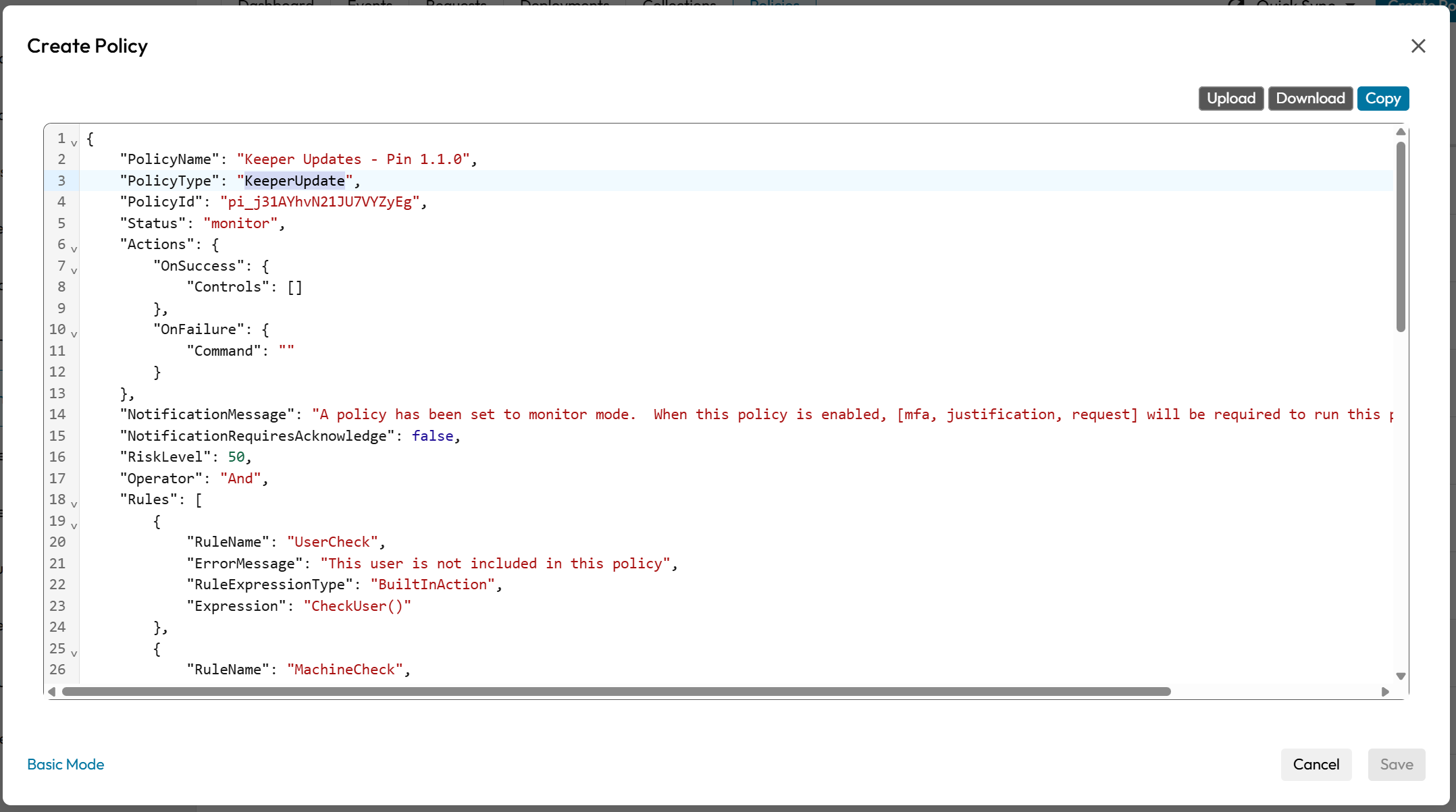
### **JSONでポリシータイプを再定義**

`PolicyType` を **`"KeeperUpdate"`** に設定します。

<figure><img src="/files/Or9zfej3FESsVHQ8p3IT" alt="" width="563"><figcaption></figcaption></figure>
{% endstep %}

{% step %}

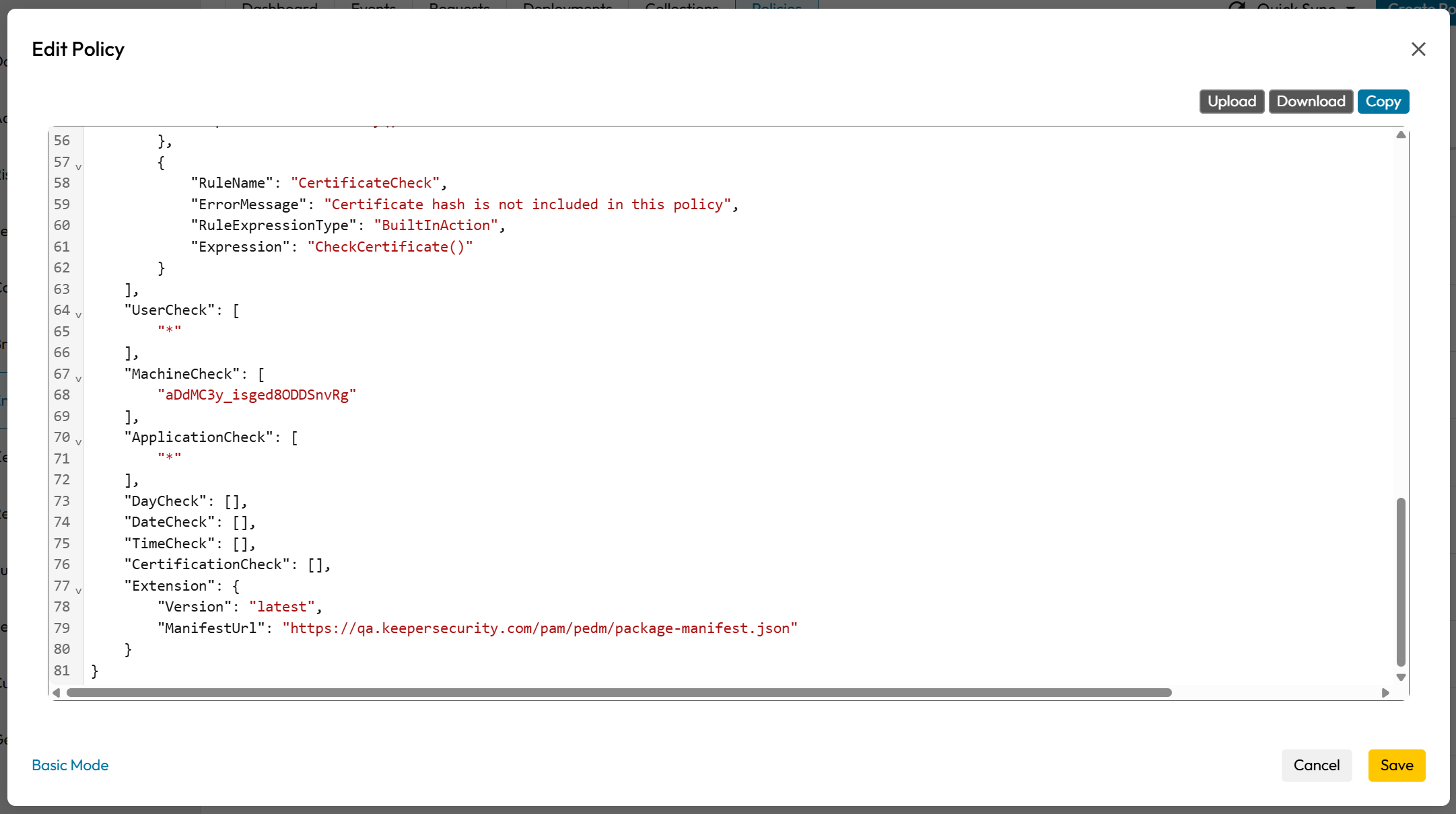
### **Extensionフィールドの定義**

[必須JSONフィールド](#required-json-fields)の説明に従い、希望する `Version` と `ManifestUrl` を含む `Extension` オブジェクトを追加します。

<figure><img src="/files/wrgedcmhXmOee0OkG9zt" alt="" width="563"><figcaption></figcaption></figure>
{% endstep %}

{% step %}

### **ポリシーの保存**

{% endstep %}

{% step %}

### エンドポイントでポリシーを検証

1. エンドポイントが `MachineCheck` で設定したマシンコレクションのメンバーであることを確認します。
2. ポリシーが**適用**モードのとき、チェックを起動します (エージェントを再起動する、スケジュール間隔を待つ、またはポリシー変更をプッシュする。ポリシー更新は自動的にチェックを起動します)。
3. エンドポイントが希望バージョンへ揃うことを確認します。すでに希望バージョンのエンドポイントは何も行いません。
4. ターゲット外のエンドポイントでバージョンが変わらないことを確認します。
   {% endstep %}
   {% endstepper %}

### 必須JSONフィールド <a href="#required-json-fields" id="required-json-fields"></a>

`PolicyType` を `"KeeperUpdate"` に設定し、以下の2フィールドを含む `Extension` オブジェクトを記述します。

<table><thead><tr><th width="209.5333251953125">フィールド</th><th width="107.4000244140625">必須</th><th>説明</th></tr></thead><tbody><tr><td><code>Extension.Version</code></td><td>はい</td><td>対象エンドポイントの希望バージョン。<code>"latest"</code> で最新リリースを自動追従するか、明示的なセマンティックバージョン (例: <code>"1.1.0"</code>) で固定します。</td></tr><tr><td><code>Extension.ManifestUrl</code></td><td>はい</td><td>アップデーターが更新アーティファクトの取得先と検証に使うパッケージマニフェストのURL。アップデーターはマニフェストをダウンロードし、コンポーネントとOSごとに正しいパッケージを選び、インストール前にチェックサムと署名を検証します。</td></tr></tbody></table>

**ターゲットフィールド** (UIで設定し、JSONに反映):

<table><thead><tr><th width="267.86669921875">フィールド</th><th>説明</th></tr></thead><tbody><tr><td><code>MachineCheck</code></td><td>ポリシーを適用する1つ以上のマシンコレクションUID。自動アップデートの適用範囲を決めるフィールドです。</td></tr><tr><td><code>UserCheck</code> / <code>ApplicationCheck</code></td><td>Keeperアップデートポリシーでは <code>["*"]</code> に設定します。</td></tr></tbody></table>

***

### JSONの例 <a href="#example-json" id="example-json"></a>

```json
{
  "PolicyName": "Keeper Updates – Track Latest",
  "PolicyType": "KeeperUpdate",
  "PolicyId": "Z7brWcTiyOqvtBjZKFTnww",
  "Status": "enforce",
  "Actions": {
    "OnSuccess": {
      "Controls": ["ALLOW"]
    },
    "OnFailure": {
      "Command": ""
    }
  },
  "NotificationRequiresAcknowledge": false,
  "RiskLevel": 50,
  "Operator": "And",
  "Rules": [
    {
      "RuleName": "UserCheck",
      "ErrorMessage": "This user is not included in this policy",
      "RuleExpressionType": "BuiltInAction",
      "Expression": "CheckUser()"
    },
    {
      "RuleName": "MachineCheck",
      "ErrorMessage": "This Machine is not included in this policy",
      "RuleExpressionType": "BuiltInAction",
      "Expression": "CheckMachine()"
    },
    {
      "RuleName": "ApplicationCheck",
      "ErrorMessage": "This application is not included in this policy",
      "RuleExpressionType": "BuiltInAction",
      "Expression": "CheckFile(false)"
    },
    {
      "RuleName": "DateCheck",
      "ErrorMessage": "Current date is not covered by this policy",
      "RuleExpressionType": "BuiltInAction",
      "Expression": "CheckDate()"
    },
    {
      "RuleName": "TimeCheck",
      "ErrorMessage": "Current time is not covered by this policy",
      "RuleExpressionType": "BuiltInAction",
      "Expression": "CheckTime()"
    },
    {
      "RuleName": "DayCheck",
      "ErrorMessage": "Today is not included in this policy",
      "RuleExpressionType": "BuiltInAction",
      "Expression": "CheckDay()"
    },
    {
      "RuleName": "CertificateCheck",
      "ErrorMessage": "Certificate hash is not included in this policy",
      "RuleExpressionType": "BuiltInAction",
      "Expression": "CheckCertificate()"
    }
  ],
  "UserCheck": ["*"],
  "MachineCheck": ["aDdMC3y_isged8ODDSnvRg"],
  "ApplicationCheck": ["*"],
  "DayCheck": [],
  "DateCheck": [],
  "TimeCheck": [],
  "CertificationCheck": [],
  "Extension": {
    "Version": "latest",
    "ManifestUrl": "https://qa.keepersecurity.com/pam/pedm/package-manifest.json"
  }
}
```

最新リリースの追従ではなく特定バージョンへ固定する場合は、`Extension.Version` を対象のセマンティックバージョンに変更します。

```json
"Extension": {
  "Version": "1.1.0",
  "ManifestUrl": "https://qa.keepersecurity.com/pam/pedm/package-manifest.json"
}
```

{% hint style="info" %}
固定すると、新しいリリースが公開されてもエンドポイントは指定バージョンに留まります。自動アップデートを再開するには、`Extension.Version` を `"latest"` に戻します。
{% endhint %}


---

# Agent Instructions
This documentation is published with GitBook. GitBook is the documentation platform designed so that both humans and AI agents can read, navigate, and reason over technical content effectively. Learn more at gitbook.com.

## Querying This Documentation
If you need additional information that is not directly available in this page, you can query the documentation dynamically by asking a question.

Perform an HTTP GET request on the current page URL with the `ask` query parameter, and the optional `goal` query parameter:

```
GET https://docs.keeper.io/keeperpam/jp/endpoint-privilege-manager/policies/policy-types/advanced-policy-types/keeper-updates.md?ask=<question>&goal=<endgoal>
```

`ask` is the immediate question: it should be specific, self-contained, and written in natural language.
`goal` is optional and describes the broader end goal you are ultimately trying to accomplish on behalf of the user. GitBook uses it to tailor the answer towards what is most useful for that goal.

The response will contain a direct answer to the question and relevant excerpts and sources from the documentation.

Use this mechanism when the answer is not explicitly present in the current page, you need clarification or additional context, or you want to retrieve related documentation sections.
