> For the complete documentation index, see [llms.txt](https://docs.keeper.io/llms.txt). Markdown versions of documentation pages are available by appending `.md` to page URLs; this page is available as [Markdown](https://docs.keeper.io/keeperpam/jp/privileged-access-manager/cloud-security.md).
# クラウドセキュリティ
KeeperPAMによるCNAPP検出結果のクローズドループ是正
## 概要
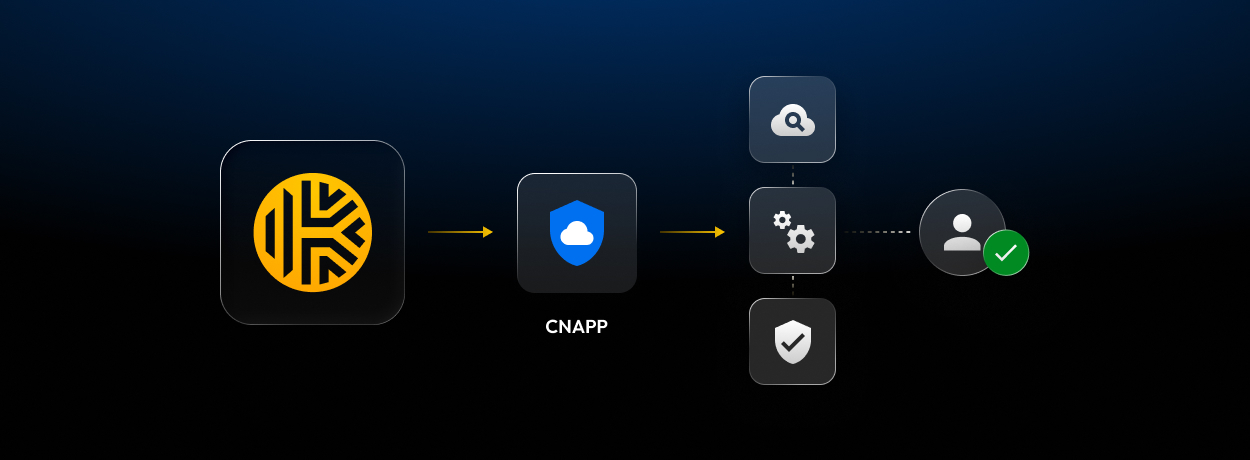
Keeperクラウドセキュリティでは、クラウドの検出結果を特権アクセスの是正につなげられます。認証情報のローテーション、JITアクセス、管理対象へのオンボードを通じて、検出から対応へ進められます。Keeperのゼロ知識モデルに基づいています。
### Keeperがこれを構築した理由
CNAPPプラットフォームはリスクの検出に優れていますが、アイデンティティの露出をそれだけで是正することはできません。認証情報のローテーション、アクセス制限、未管理リソースの管理下への取り込みは、引き続きチーム側の対応が必要です。
Keeperクラウドセキュリティでは、検出結果をKeeperに取り込み、アイデンティティやインフラストラクチャにマッピングして、追跡可能な是正作業につなげられます。
### 連携が重要な理由
* CNAPPからKeeperへの検出結果の直接送信
* ローテーション、JITアクセス、管理対象へのオンボードによる問題解決
* 両システム間での是正ステータスの同期
### Keeper Encrypterの位置づけ
Keeperはクラウド上でお客様データを復号しません。それでもクラウドセキュリティ連携には、検出結果の受信とステータス更新の返送を安全に行う仕組みが必要です。こうした送受信にはKeeper Encrypterが用いられます。
Keeper Encrypterは、お客様環境内に配置する自己ホスト型のDockerサービスで、CNAPPからのWebhook受信とKeeperとプロバイダ間の連携トラフィックの暗号化が可能です。暗号化キーはボルト内でお客様の管理下に置かれたままです。
認証と設定の取得には、Keeperシークレットマネージャーのデバイス構成とCNAPP構成レコードが使われます。連携はKeeperのゼロ知識アーキテクチャに沿ったままです。
デプロイの詳細は [Keeper Encrypter](/keeperpam/jp/privileged-access-manager/cloud-security/keeper-encrypter.md) をご参照ください。
### 利用可能な連携
* [Wiz](/keeperpam/jp/privileged-access-manager/cloud-security/wiz-integration.md)
* [Tenable](/keeperpam/jp/privileged-access-manager/cloud-security/tenable-integration.md)
* その他のプロバイダ (近日公開予定)
### 要件
KeeperクラウドセキュリティはKeeperPAMプラットフォームの一部であり、有効なKeeperPAMサブスクリプションをお持ちのお客様が利用できます。
有効化するには、以下を行います。
* PAM構成を作成するか、既存のPAM構成を選択します。
* **\[シークレットマネージャー] > \[PAM構成]** でCNAPPプロバイダを選択します。
* プロバイダのワークフロー向けにKeeper Encrypterをデプロイします。
### 検出結果でできること
* 露出または古くなった認証情報のローテーション
* [ジャストインタイム (JIT) アクセス](/keeperpam/jp/privileged-access-manager/just-in-time-access-jit.md)と承認ワークフローの適用
* ユーザー、マシン、データベースの管理対象のKeeperPAMリソースへのオンボード
オンボード後は、[接続](/keeperpam/jp/privileged-access-manager/connections.md)と[トンネル](/keeperpam/jp/privileged-access-manager/tunnels.md)でアクセスを標準化することもできます。
### ボルトインターフェース
CNAPPプロバイダを選択すると、Keeperボルトに **\[クラウドセキュリティ]** が表示されます。この画面から、管理者は検出結果を確認したり、プロバイダで開いたり、無視したり、削除したり、是正を開始したりできます。
CNAPPプロバイダ連携によるクラウドセキュリティ
### 検出結果の解決
{% stepper %}
{% step %}
### 検出結果の確認
クラウドセキュリティダッシュボードから検出結果を開きます。是正前に詳細を確認したい場合は、プロバイダ側のリンクから内容を確認できます。
{% endstep %}
{% step %}
### 影響を受けたリソースのマッピング
検出結果を是正するには、アイデンティティまたはマシンをKeeperPAMリソースとしてオンボードします。既存のKeeperPAMリソースに検出結果をマッピングすることもできます。
{% endstep %}
{% step %}
### 是正の実行
問題に最適な制御を選択します。
* [認証情報ローテーション](/keeperpam/jp/privileged-access-manager/password-rotation/rotation-overview.md)の実行
* [ジャストインタイム (JIT)](/keeperpam/jp/privileged-access-manager/just-in-time-access-jit.md)によるアクセス保護
* [ワークフロー制御](/keeperpam/jp/privileged-access-manager/just-in-time-access-jit/workflow.md)の適用と、起動可能なアクセスパスの設定
{% endstep %}
{% step %}
### プロバイダへのステータス返送
是正後、検出結果のステータスがCNAPPプロバイダへ更新されます。プロバイダはその後の検証サイクルで問題を解消済みとして扱います。
{% endstep %}
{% endstepper %}
---
# Agent Instructions
This documentation is published with GitBook. GitBook is the documentation platform designed so that both humans and AI agents can read, navigate, and reason over technical content effectively. Learn more at gitbook.com.
## Querying This Documentation
If you need additional information that is not directly available in this page, you can query the documentation by asking a question.
Perform an HTTP GET request on the following URL with the `ask` and `goal` query parameters:
```
GET https://docs.keeper.io/keeperpam/jp/privileged-access-manager/cloud-security.md?ask=&goal=
```
`ask` is the immediate question: it should be specific, self-contained, and written in natural language.
`goal` is what the user is ultimately trying to achieve, the reason they need the answer. Sharing it helps GitBook give you a better, more relevant answer. A goal is most helpful when it describes the outcome the user wants rather than restating the question. For example, with `ask=how do I create an API token`, a goal like `automate deployments from our CI pipeline` lets GitBook tailor the answer to that use case.
The response will contain a direct answer to the question and relevant excerpts and sources from the documentation.
Use this mechanism when the answer is not explicitly present in the current page, you need clarification or additional context, or you want to retrieve related documentation sections.
%20(3).png?alt=media)
%20(3).png?alt=media)
%20(3).png?alt=media)