> For the complete documentation index, see [llms.txt](https://docs.keeper.io/llms.txt). Markdown versions of documentation pages are available by appending `.md` to page URLs; this page is available as [Markdown](https://docs.keeper.io/keeperpam/jp/privileged-access-manager/discovery/discovery-using-the-vault.md).
# ボルトを使用した検出
Keeperボルトのユーザーインターフェイスを使用した検出の実行
### 概要
**Keeperディスカバリー**により、DevOps、ITセキュリティ、ソフトウェア開発チームは、ローカル、AWS、Azure環境にわたる特権アカウントとITアセットを一元的に把握できます。Keeperゲートウェイと統合され、未管理アカウント、設定ミス、セキュリティ上のリスクの把握に役立ちます。アセット検出の自動化と実行可能なインサイトの提供により、Keeperディスカバリーはセキュリティの強化、運用の効率化、複雑なインフラ構成におけるコンプライアンス対応を後押しします。
### 要件
検出を実行する前に、「[検出の基本](/keeperpam/jp/privileged-access-manager/discovery/discovery-basics.md)」のページをご参照ください。
### 検出
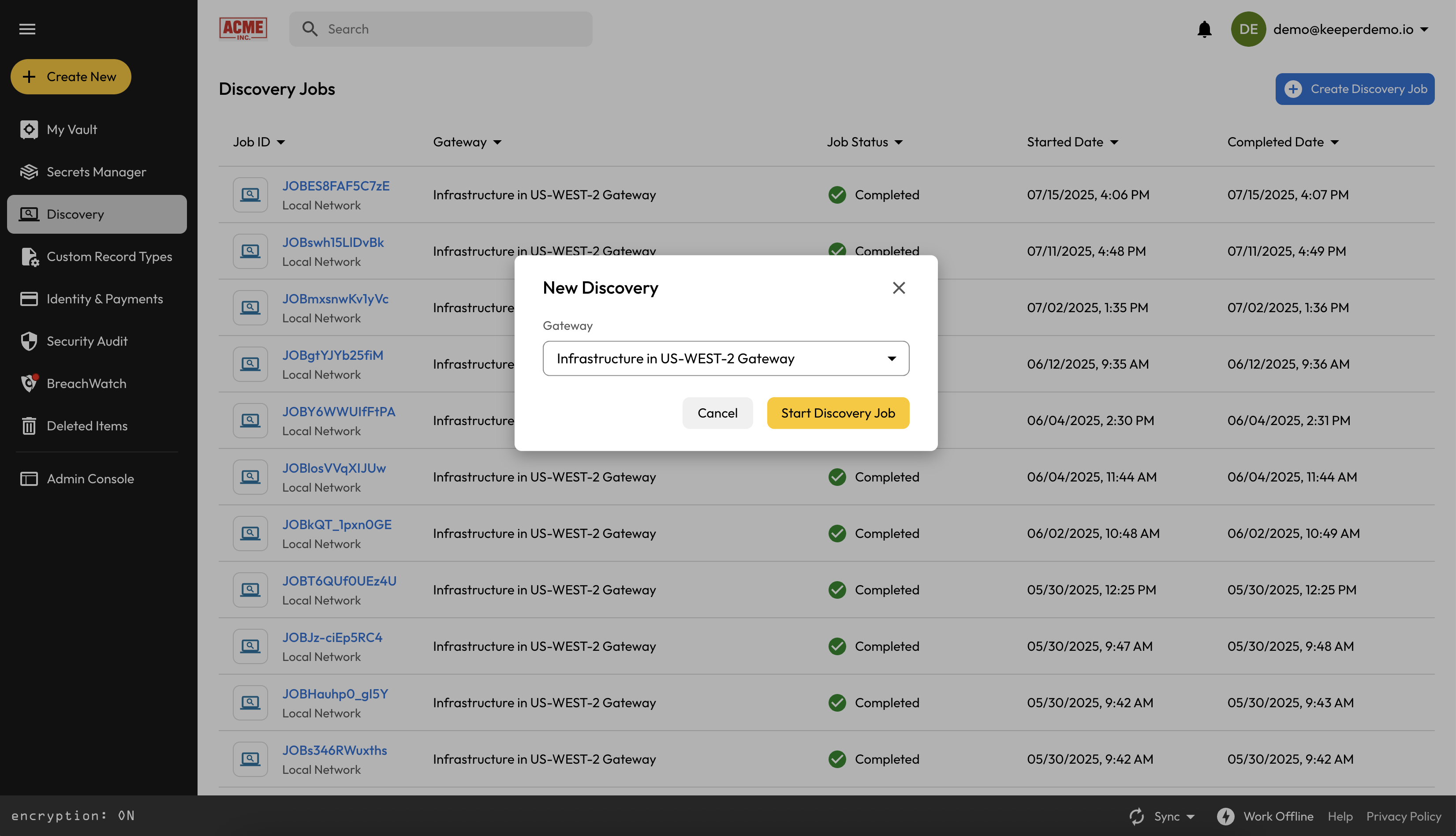
ディスカバリージョブを作成するには、**\[検出]** タブに移動し、**\[検出ジョブの作成]** をクリックします。続けて、スキャンを実行するアクティブな**Keeperゲートウェイ**を選択します。ゲートウェイは**PAM構成**に紐づいており、スキャン対象の環境タイプを定義します。
PAM構成にCIDR範囲やクラウドの認証情報などの必須項目が欠けている場合は、ジョブを進める前にその情報の入力を求められます。
### ジョブキュー
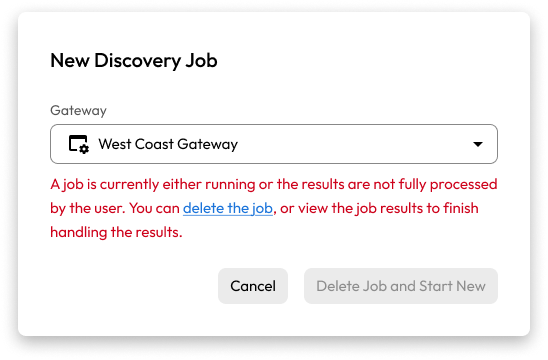
ディスカバリージョブは複数のKeeperゲートウェイにわたって並列実行できますが、1つのゲートウェイで同時に実行できるジョブは1つだけです。特定のゲートウェイでジョブがまだ実行中の場合はエラーメッセージが表示され、ジョブをキャンセルできます。
ジョブは現在実行中
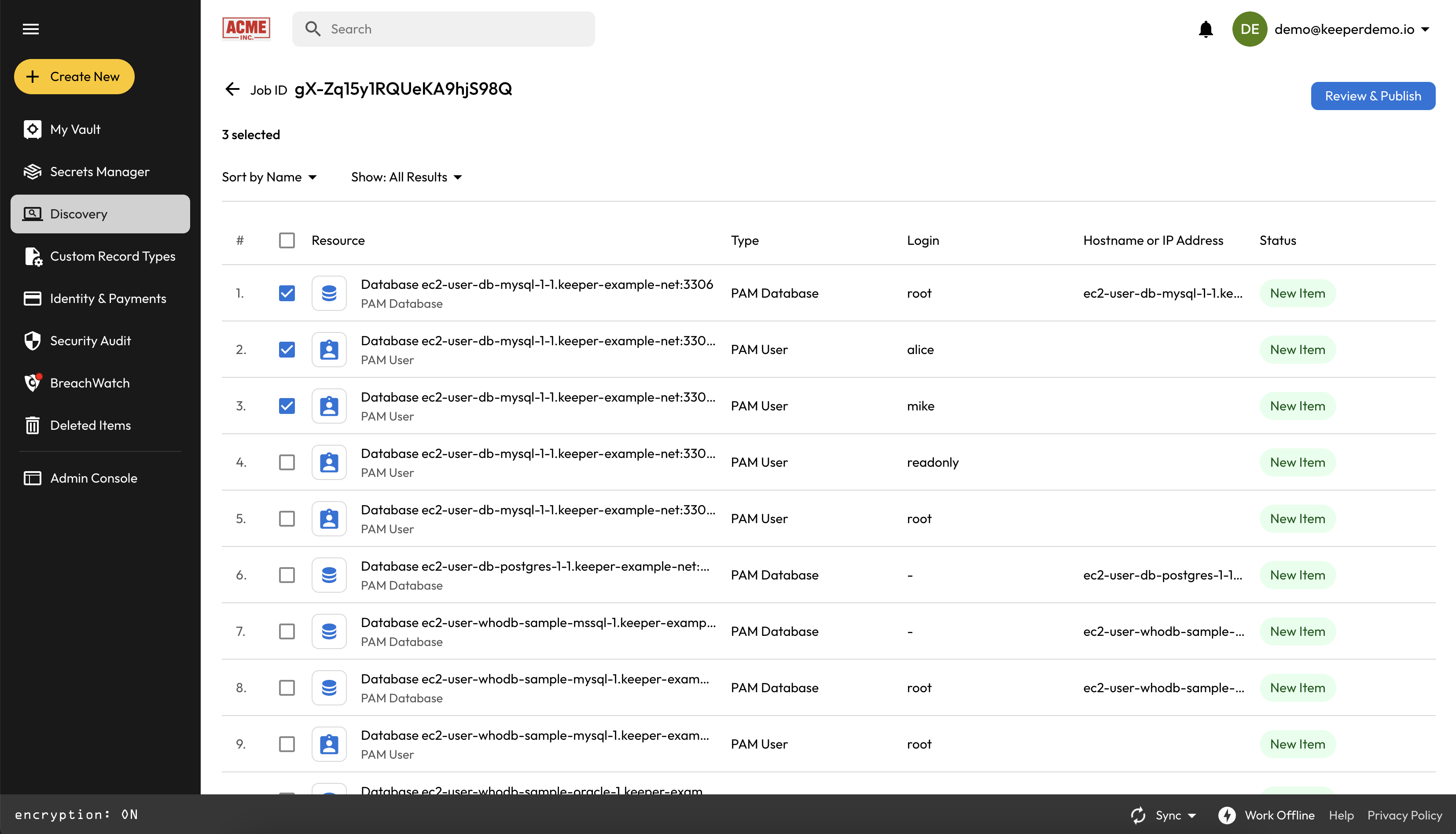
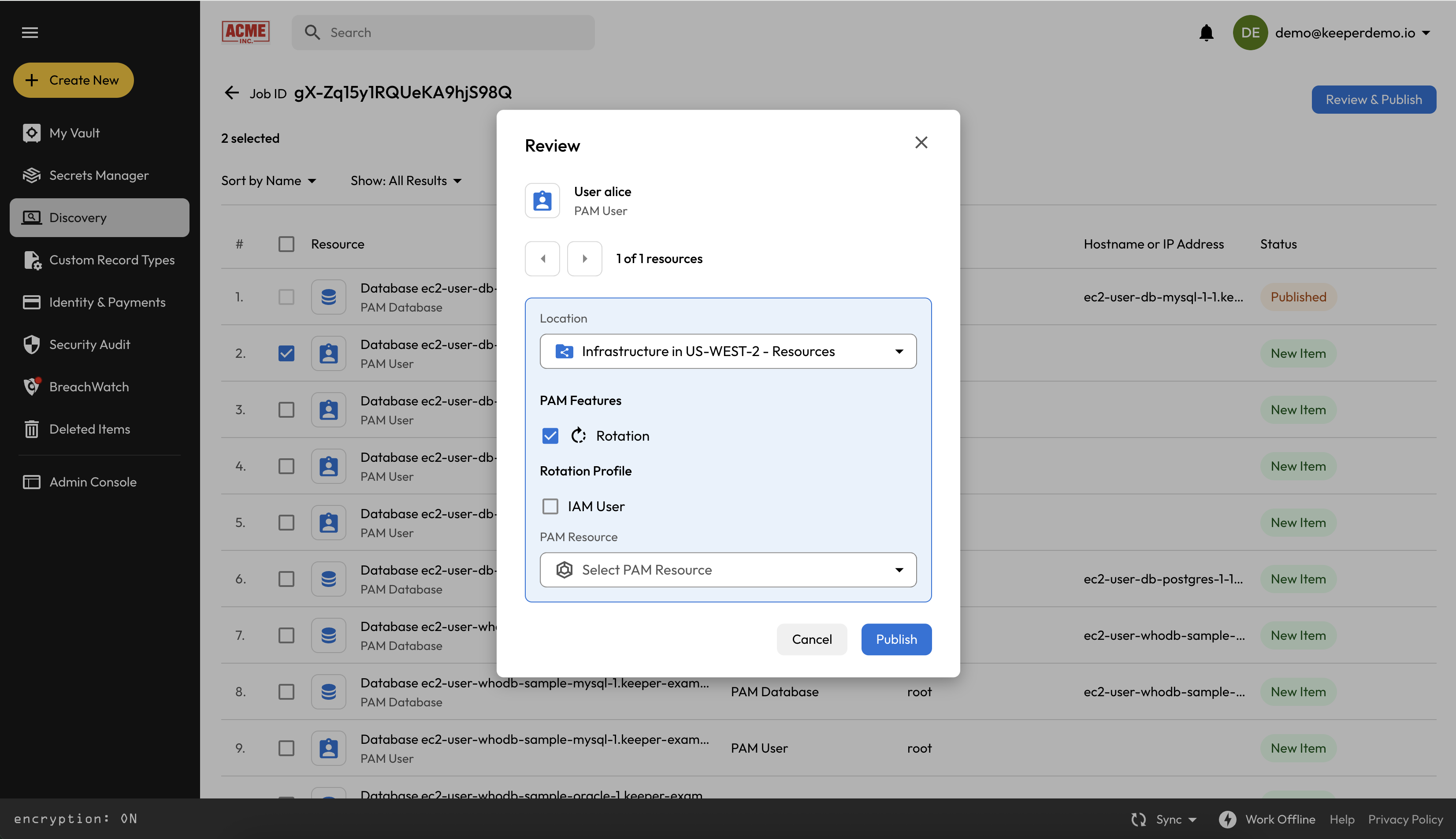
ディスカバリージョブが**完了**の状態になると、ジョブをクリックして検出結果を対話形式で確認し、処理できます。複数の項目を選択するか、個別に進め、最終的な結果を確定する前に検出内容をキューに追加できます。
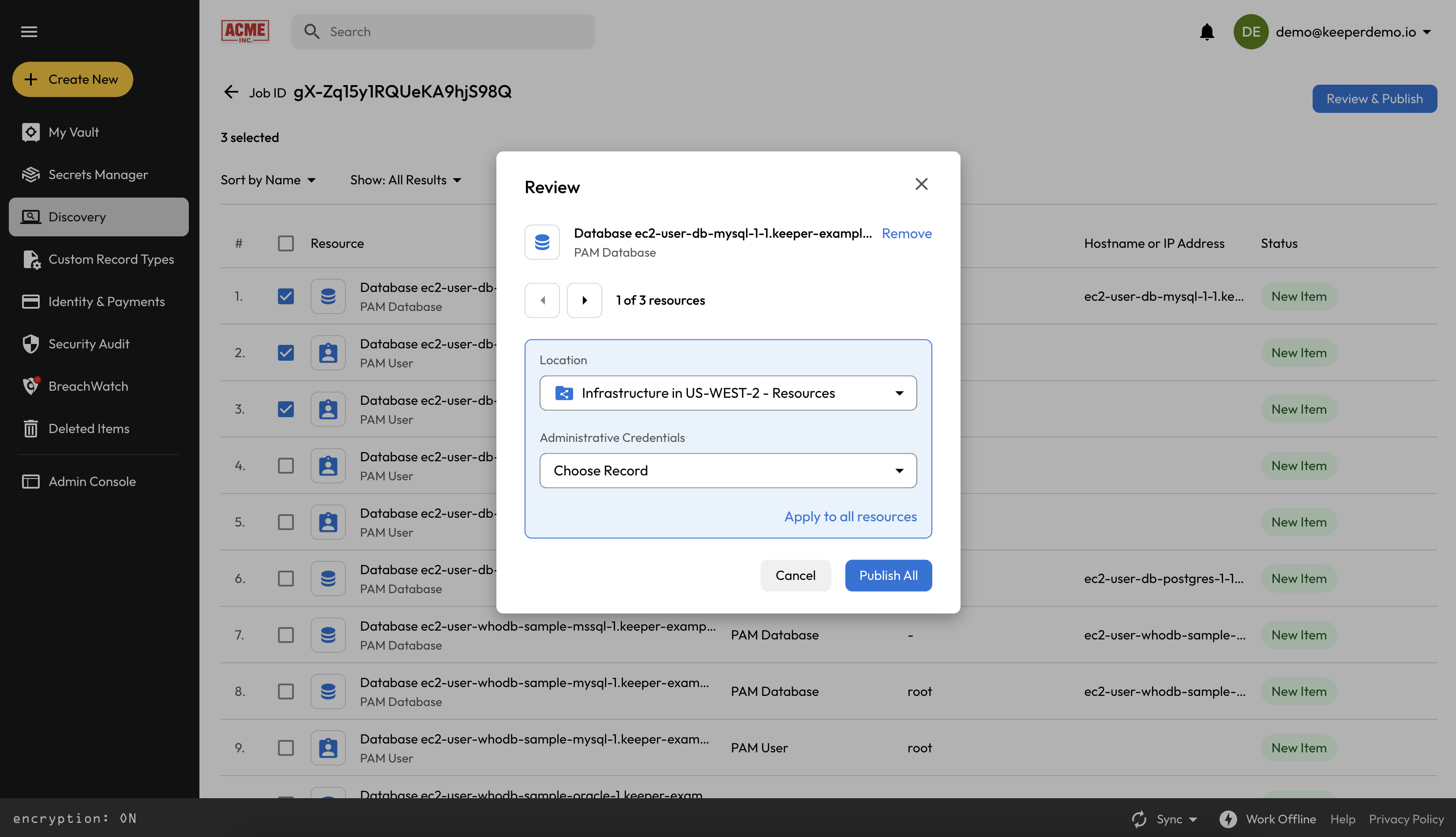
検出結果を確認する際、各リソースの保存先としてボルト内の場所を選び、適切な管理者用認証情報を割り当てできます。これらの認証情報には、主に以下の役割があります。
* **ユーザーアカウントの検出**: 今後のディスカバリージョブでリソースにリモート接続し、ローカルユーザーアカウントを特定するために使用されます
* **パスワードローテーション**: 検出されたアカウントに対して、オンデマンドおよびスケジュールに基づくパスワードローテーションを可能にします
加えて、ディスカバリーで特定されたPAMユーザーに対して**自動パスワードローテーション**を設定できます。
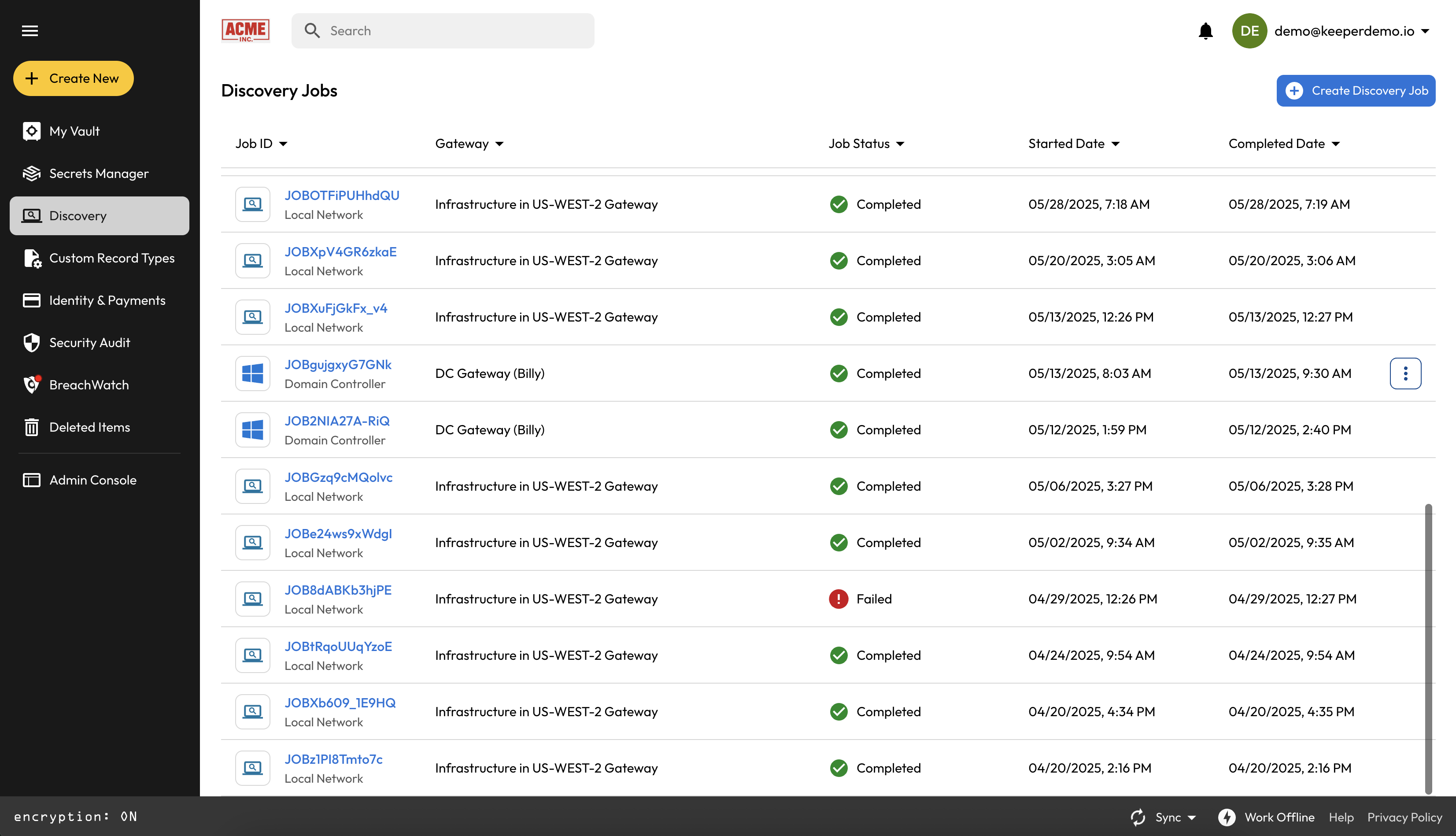
ディスカバリージョブのパネルでは、過去に実行したジョブと、そのステータス (完了、実行中、失敗など) を一覧できます。
### 次の手順
検出が完了したら、同じゲートウェイおよびPAM構成に対して別のジョブを実行することで、さらにリソースを見つけられます。管理者用認証情報がKeeperPAMリソースにリンクされている場合は、これらの認証情報を用いて各リソース内のローカルユーザーアカウントを検出します。
---
# Agent Instructions
This documentation is published with GitBook. GitBook is the documentation platform designed so that both humans and AI agents can read, navigate, and reason over technical content effectively. Learn more at gitbook.com.
## Querying This Documentation
If you need additional information that is not directly available in this page, you can query the documentation by asking a question.
Perform an HTTP GET request on the following URL with the `ask` and `goal` query parameters:
```
GET https://docs.keeper.io/keeperpam/jp/privileged-access-manager/discovery/discovery-using-the-vault.md?ask=&goal=
```
`ask` is the immediate question: it should be specific, self-contained, and written in natural language.
`goal` is what the user is ultimately trying to achieve, the reason they need the answer. Sharing it helps GitBook give you a better, more relevant answer. A goal is most helpful when it describes the outcome the user wants rather than restating the question. For example, with `ask=how do I create an API token`, a goal like `automate deployments from our CI pipeline` lets GitBook tailor the answer to that use case.
The response will contain a direct answer to the question and relevant excerpts and sources from the documentation.
Use this mechanism when the answer is not explicitly present in the current page, you need clarification or additional context, or you want to retrieve related documentation sections.