# クイックスタート (Sandbox)

<figure><img src="/files/CcBbxY9NkuSIqUbw2EBk" alt=""><figcaption></figcaption></figure>

## クイックスタートウィザード <a href="#quick-start-wizard" id="quick-start-wizard"></a>

KeeperPAMの機能を体験していただくため、ボルトに統合されたウィザードをご用意しました。Dockerインストール方法を選択した場合、このウィザードにより必要となるすべてのボルトレコード、構成、カスタマイズ済みDocker Composeファイルが自動的に生成され、迅速にサンドボックス環境を構築できます。

{% stepper %}
{% step %}
**KeeperPAMを有効にする**

* ご利用の地域で管理コンソールにログインします。

<table><thead><tr><th>地域</th><th width="412">URL</th></tr></thead><tbody><tr><td>米国</td><td><a href="https://keepersecurity.com/console">https://keepersecurity.com/console</a></td></tr><tr><td>欧州</td><td><a href="https://keepersecurity.eu/console">https://keepersecurity.eu/console</a></td></tr><tr><td>豪州</td><td><a href="https://keepersecurity.com.au/console">https://keepersecurity.com.au/console</a></td></tr><tr><td>日本</td><td><a href="https://keepersecurity.jp/console">https://keepersecurity.jp/console</a></td></tr><tr><td>公共機関</td><td><a href="https://govcloud.keepersecurity.us/console">https://govcloud.keepersecurity.us/console</a></td></tr></tbody></table>

* **\[管理者]** > **\[ロール]** で、PAM用に新しいロールを作成するか、既存のロールに変更を加えます。
* **\[強制適用ポリシー]** に移動し、**\[特権アクセス管理]** タブを開きます。
* PAM関連の強制適用ポリシーすべて有効にします。
* ご自身のアカウントをこのロールに割り当てます。
  {% endstep %}

{% step %}
**新しいゲートウェイウィザードを実行する**

* [Keeperボルト](https://keepersecurity.com/vault/)にログインします。
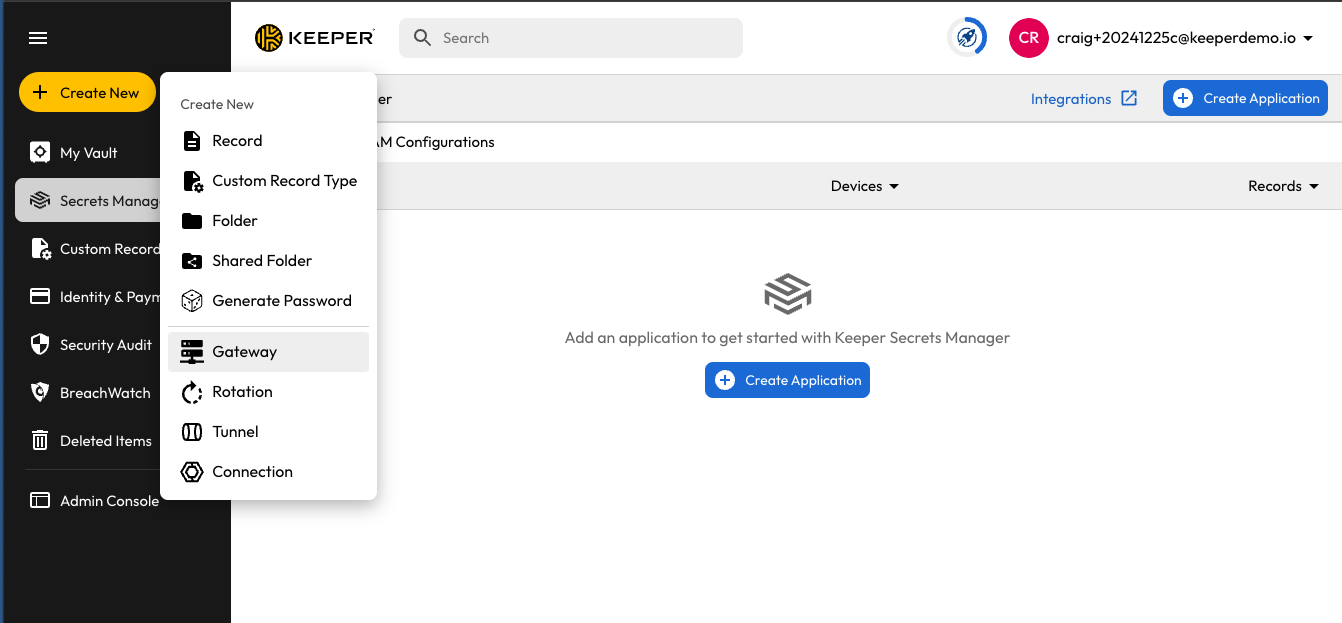
* **\[新規作成]** > **\[ゲートウェイ]** をクリックします。
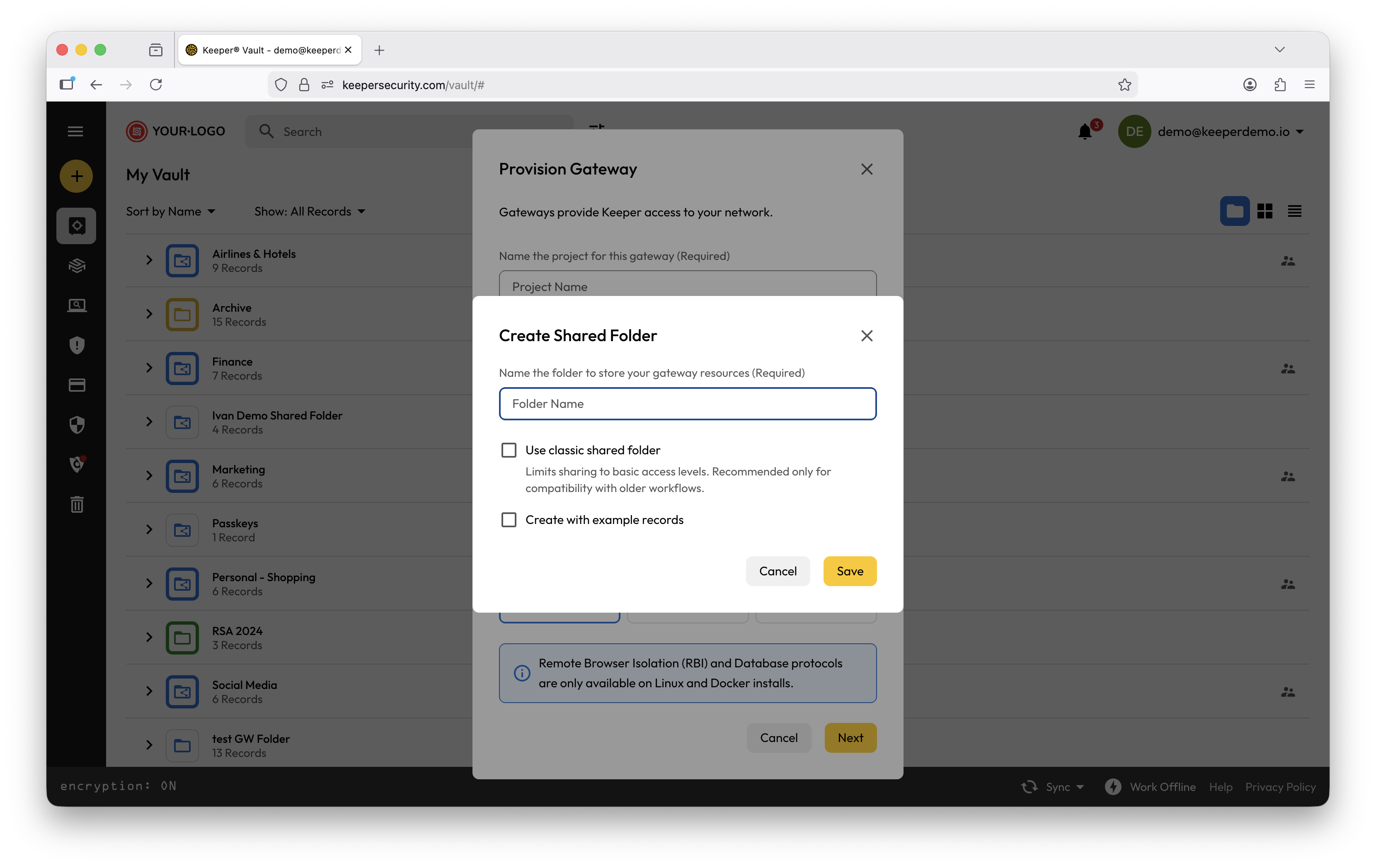
* プロジェクトの名前を入力します (「**My Infrastructure Demo**」など)。
* ゲートウェイに**Docker**を選択します。
* **\[サンプルレコードを作成]** を選択します。
* **\[次へ]** をクリックします。
* ウィザードが完了した後、インストーラを実行します。
  {% endstep %}

{% step %}
**PAM機能をテストする**

* レコードの詳細ビューから **\[起動]** をクリックすると、任意のリソースに即座に接続できるようになっています。
* MySQLアカウント、SSHパスワード、SSHキーは、ユーザーフォルダ内のレコード詳細から **\[ローテーション]** をクリックすることでローテーションできます。
* **注:** 一部のARMプロセッサでは、リモートブラウザ分離は動作しません。
  {% endstep %}
  {% endstepper %}

<figure><img src="/files/OIC8MpWUwK9GQbTsKBH2" alt=""><figcaption><p>サンドボックスの作成</p></figcaption></figure>

## 作成されるレコード <a href="#records-created" id="records-created"></a>

ウィザードにより、ボルトに以下が作成されます。

* リソースとユーザーを別々の共有フォルダに格納するフォルダ
* MySQLデータベース
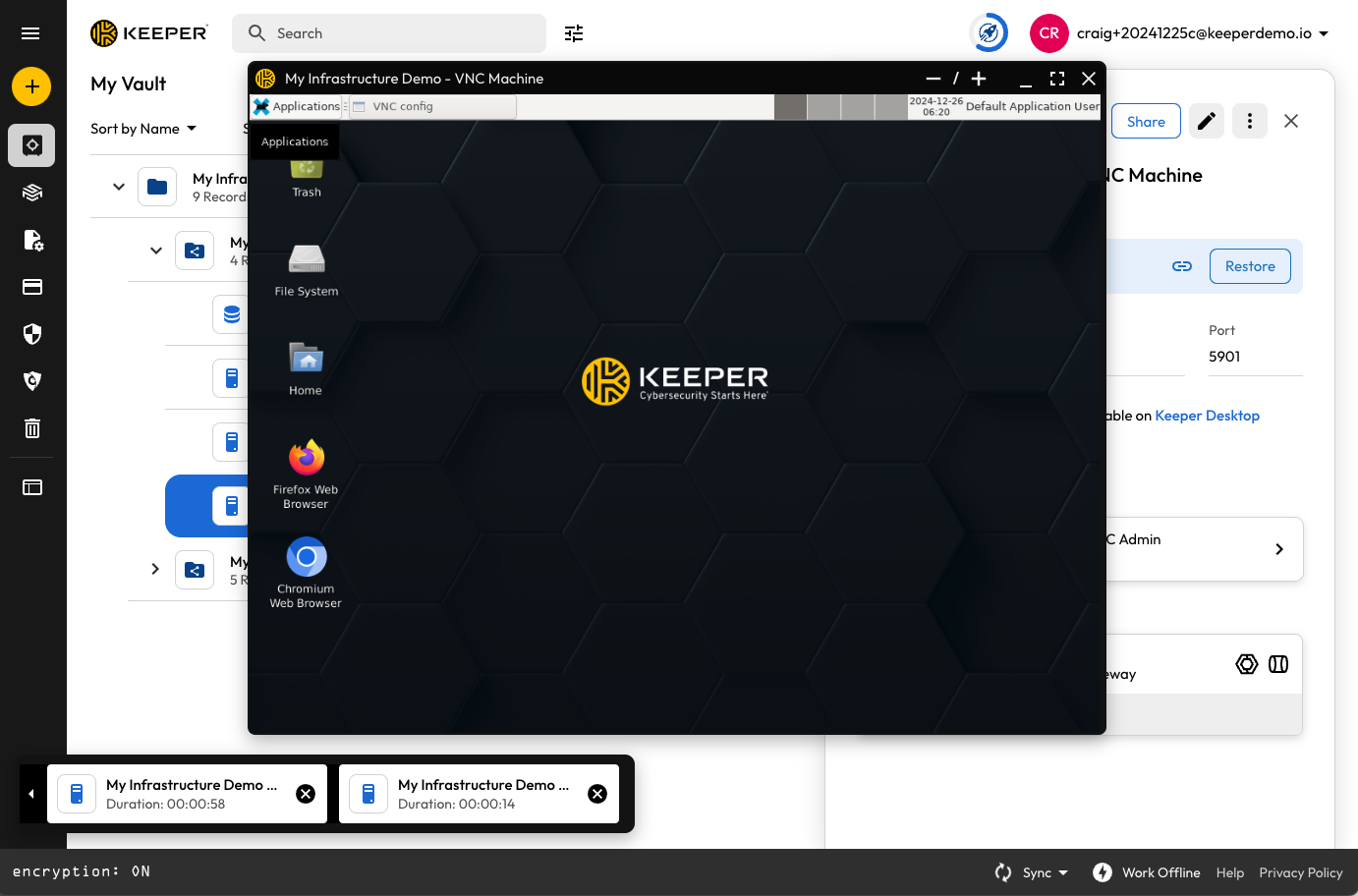
* デスクトップUIへのVNC接続を備えたLinuxマシン
* SSHキーを使用したSSH接続を備えたLinuxマシン
* パスワードを使用してSSH接続するLinuxマシン
* デスクトップUIへのRDP接続を備えたLinuxマシン
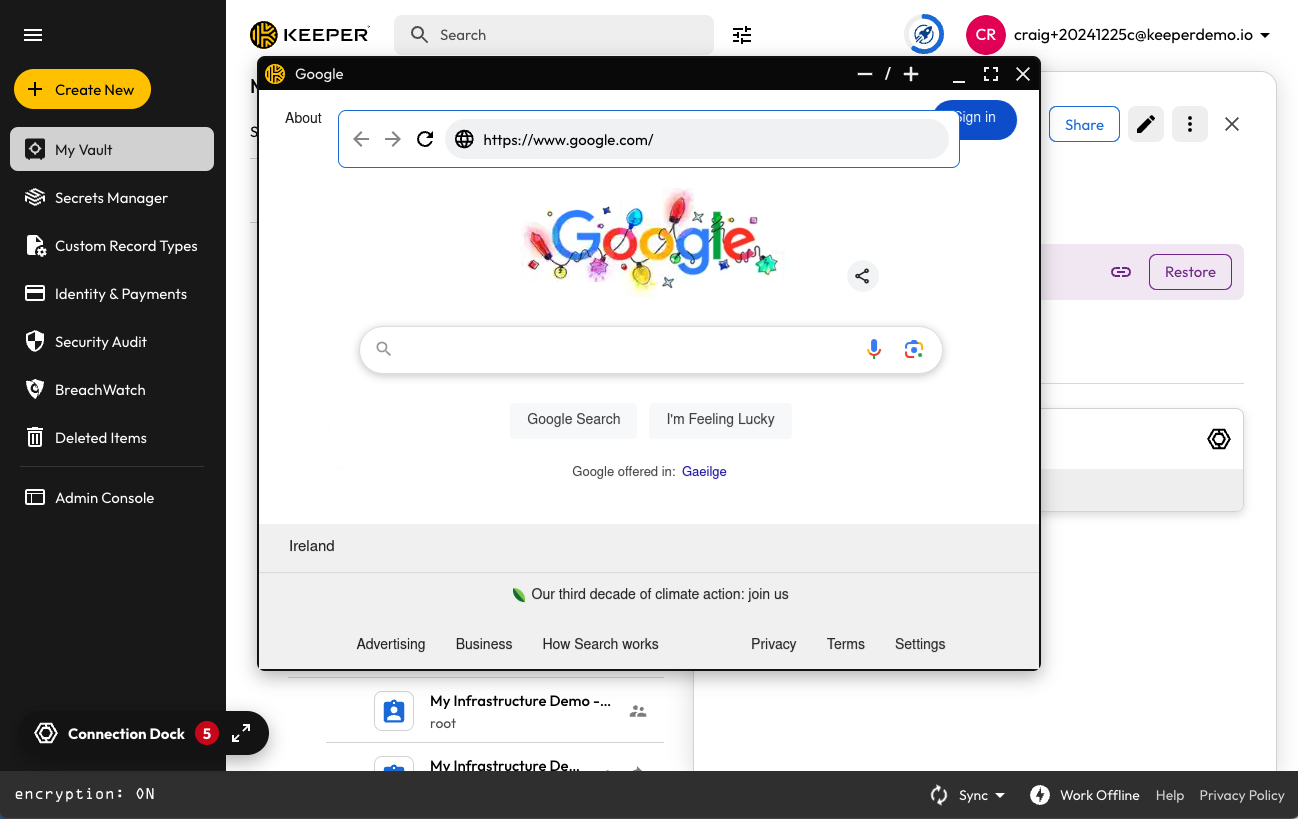
* bing.comへのリモートブラウザ分離セッション
* シークレットマネージャーアプリケーションとすべてのPAM機能が有効になったPAM構成
* 初期化準備が整ったKeeperゲートウェイ

{% hint style="warning" %}
「example records」によって作成されるサンドボックス仮想マシンは、学習およびデモンストレーション目的に限ります。
{% endhint %}

## クイックスタート動画 <a href="#screenshots" id="screenshots"></a>

サンドボックス環境の設定手順をご紹介する動画をご用意しました (英語)。

{% embed url="<https://vimeo.com/1053833331>" %}

## スクリーンショット <a href="#screenshots" id="screenshots"></a>

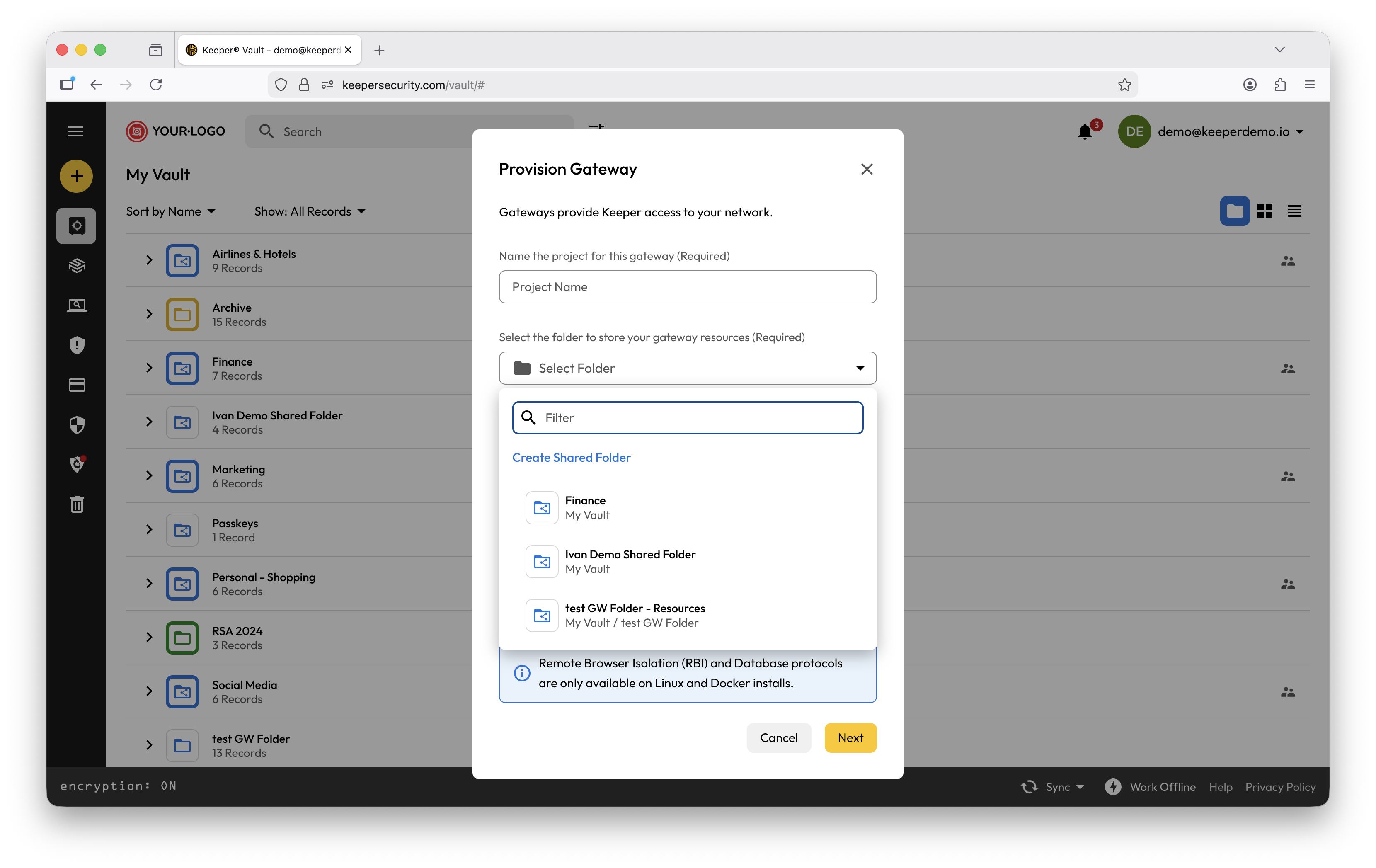
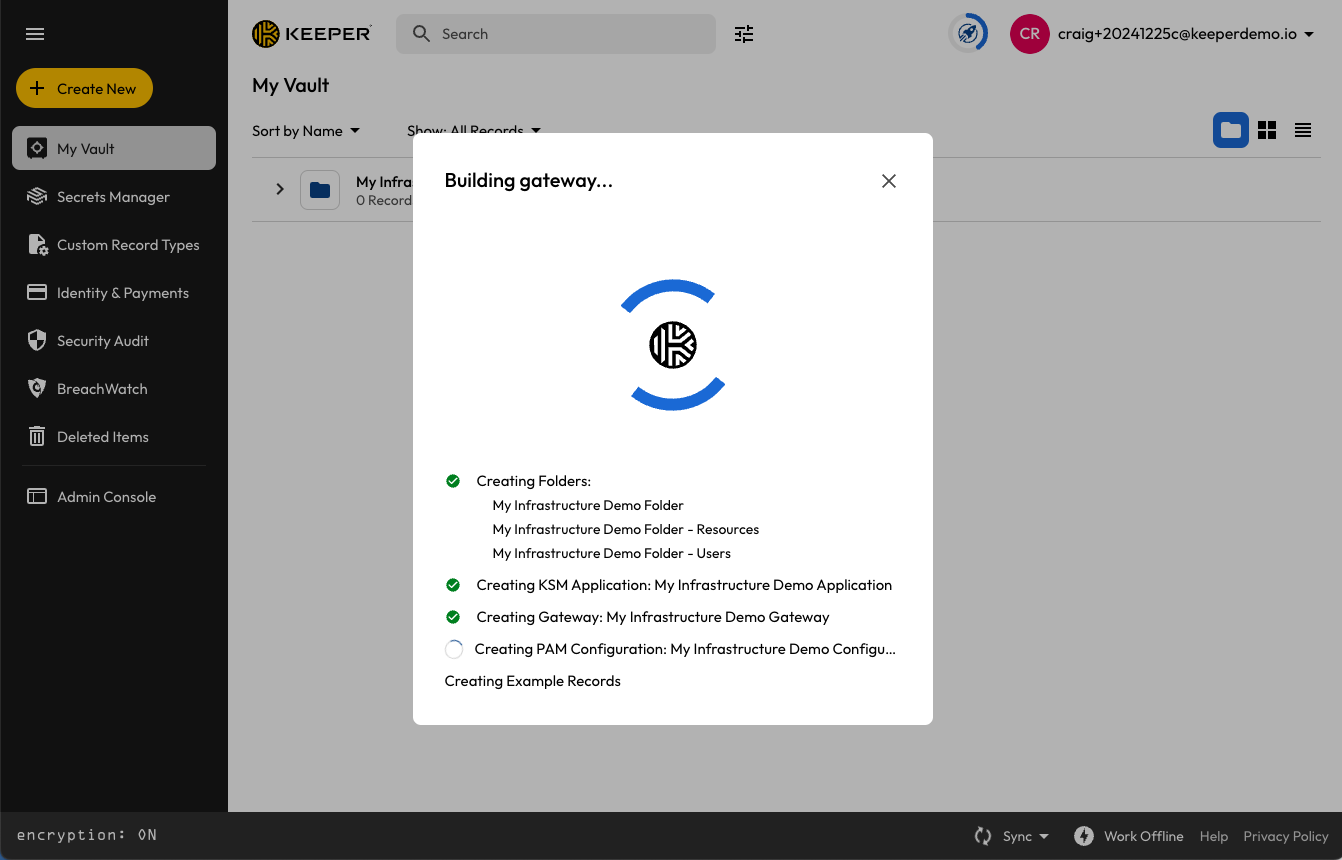
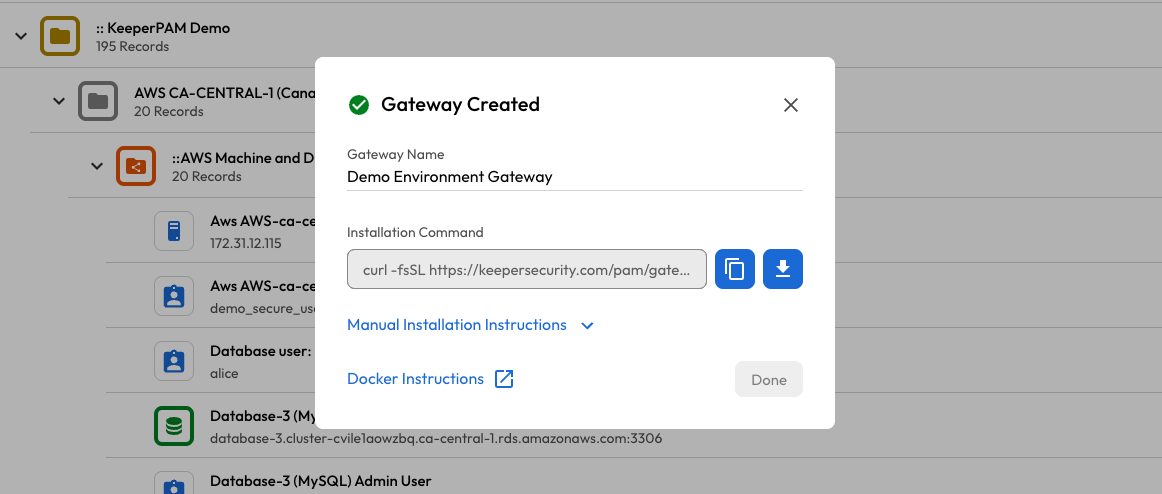
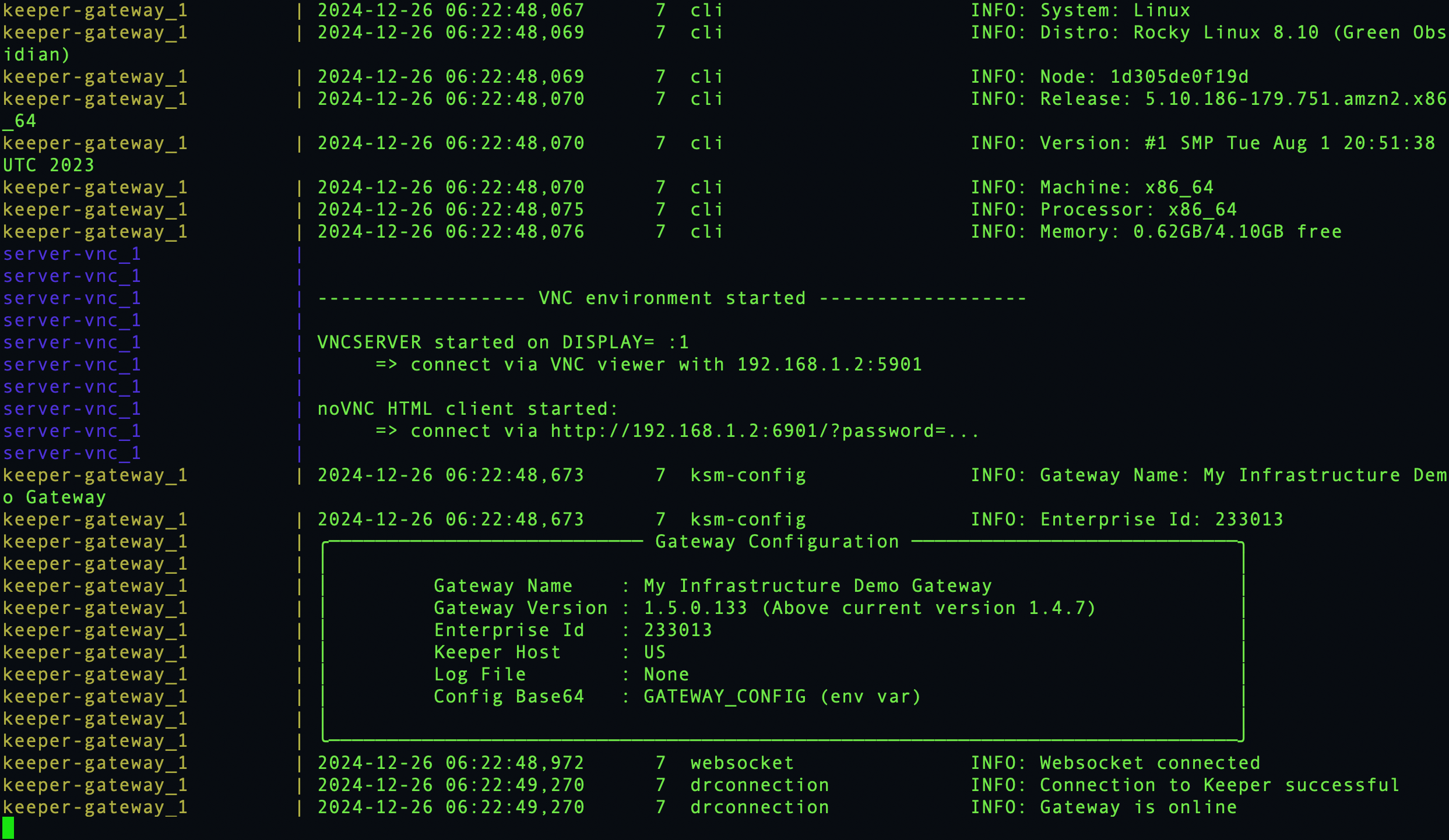
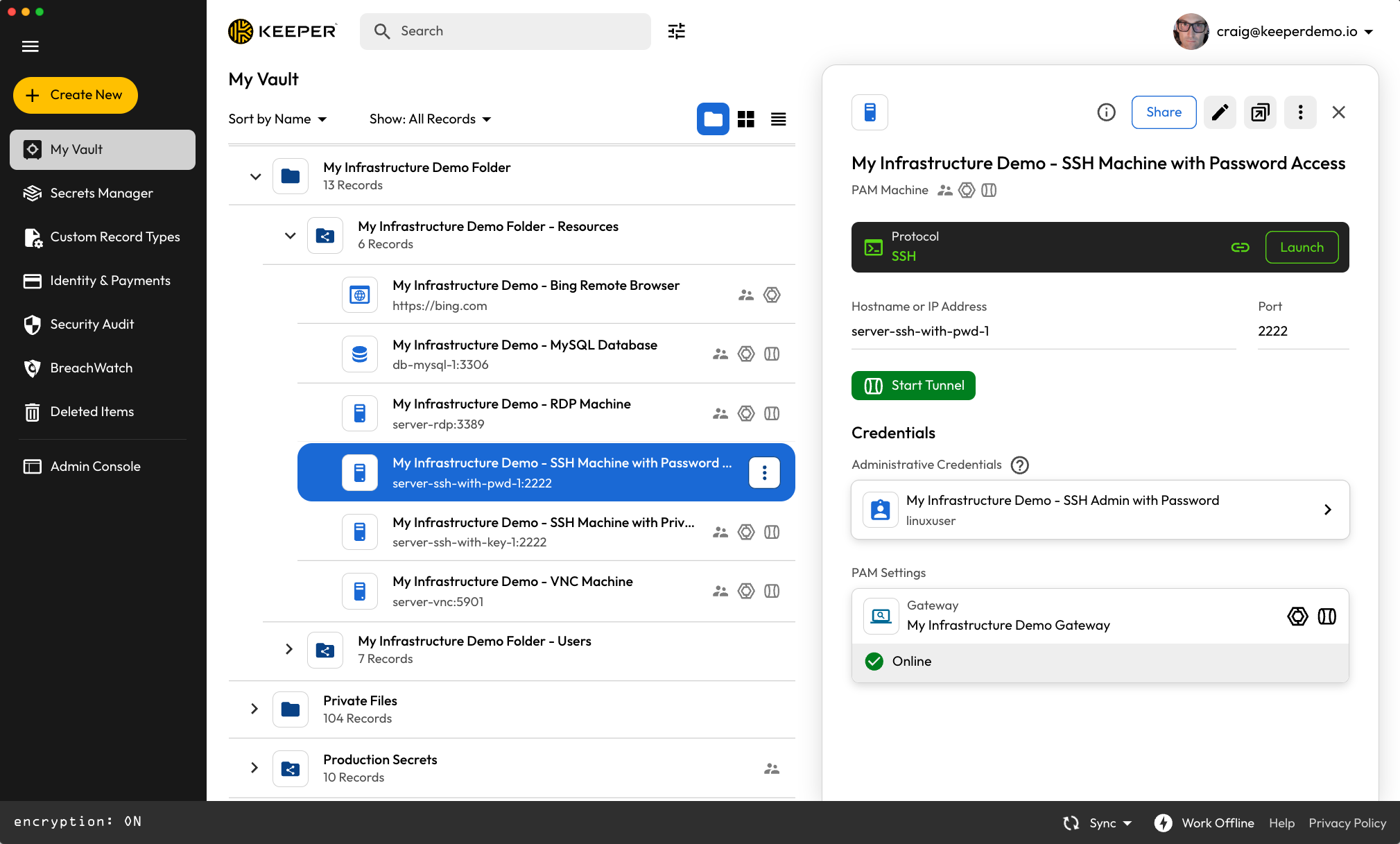
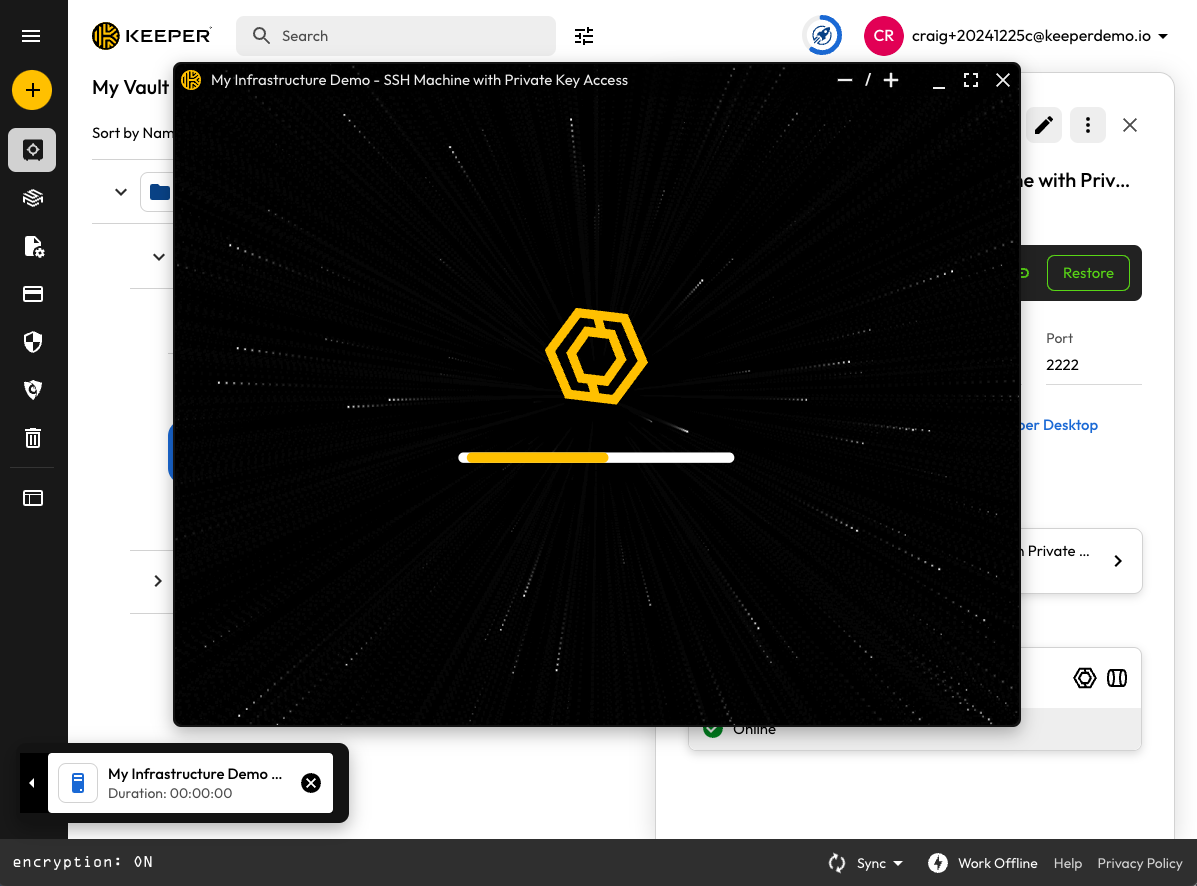
以下は、クイックスタートウィザードの開始から終了までのスクリーンショットとなります。

<figure><img src="/files/Bh4Te2N5D6wgia1Hshk2" alt=""><figcaption><p>ゲートウェイを作成</p></figcaption></figure>

<figure><img src="/files/hQk7tDttJbXT3GCKHmll" alt=""><figcaption><p>新しいプロジェクトとゲートウェイの作成</p></figcaption></figure>

<figure><img src="/files/8vd20RTxbaaxXyMkwKsk" alt=""><figcaption><p>ゲートウェイの構築</p></figcaption></figure>

<figure><img src="/files/JZR2uSUC6yZM9WqLPFEz" alt=""><figcaption><p>表示されるコマンドでゲートウェイをインストール</p></figcaption></figure>

<figure><img src="/files/MCR2kfbynEZ3MqGiSLLr" alt=""><figcaption><p>ゲートウェイとサンドボックスインフラストラクチャを実行するDocker</p></figcaption></figure>

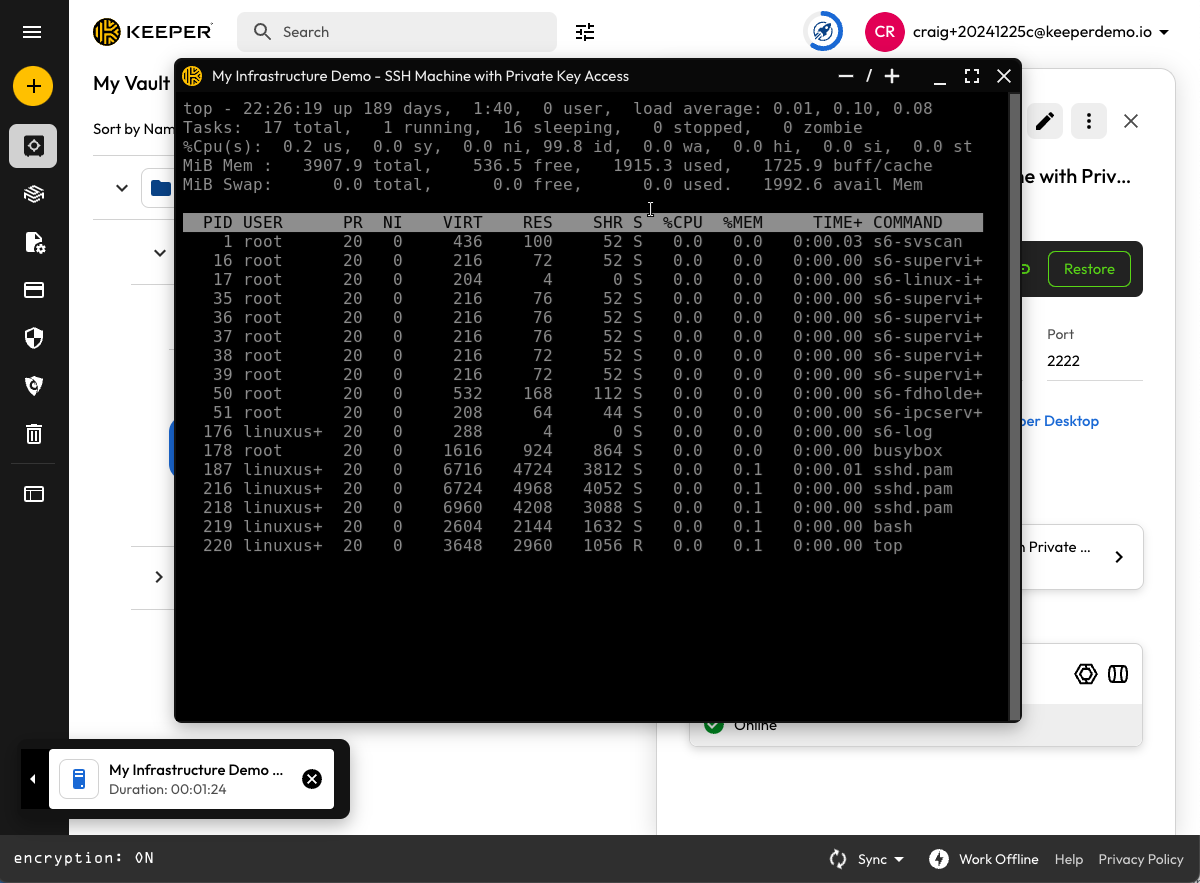
<figure><img src="/files/tfjdFS07zeJ4gGxtsnWS" alt=""><figcaption><p>SSHマシンの例</p></figcaption></figure>

<figure><img src="/files/ZHNvwV256pZWJdMTDgTJ" alt=""><figcaption><p>接続の開始</p></figcaption></figure>

<figure><img src="/files/t8PaNZtqgcZVfPrIgOsm" alt=""><figcaption><p>SSHでLinuxマシンに接続</p></figcaption></figure>

<figure><img src="/files/TRIGXe4agQxy1uFjGAWf" alt=""><figcaption><p>VNC経由で仮想Linuxマシンに接続</p></figcaption></figure>

<figure><img src="/files/g2sI0Lb4IjrRzsCXrspY" alt=""><figcaption><p>ウェブアプリへ接続</p></figcaption></figure>


---

# Agent Instructions: Querying This Documentation

If you need additional information that is not directly available in this page, you can query the documentation dynamically by asking a question.

Perform an HTTP GET request on the current page URL with the `ask` query parameter:

```
GET https://docs.keeper.io/keeperpam/jp/privileged-access-manager/quick-start-sandbox.md?ask=<question>
```

The question should be specific, self-contained, and written in natural language.
The response will contain a direct answer to the question and relevant excerpts and sources from the documentation.

Use this mechanism when the answer is not explicitly present in the current page, you need clarification or additional context, or you want to retrieve related documentation sections.