> For the complete documentation index, see [llms.txt](https://docs.keeper.io/llms.txt). Markdown versions of documentation pages are available by appending `.md` to page URLs; this page is available as [Markdown](https://docs.keeper.io/keeperpam/jp/secrets-manager/integrations/ai-agents/codex.md).

# Codex

***

### 要件 <a href="#requirements" id="requirements"></a>

* **Node.js 18+** (`npx` の実行に必要)

### 手順1: スキルをインストール <a href="#step-1-install-skills" id="step-1-install-skills"></a>

skills CLIで必要なスキルをインストールします。

```bash
npx skills add Keeper-Security/keeper-agent-kit -a codex
```

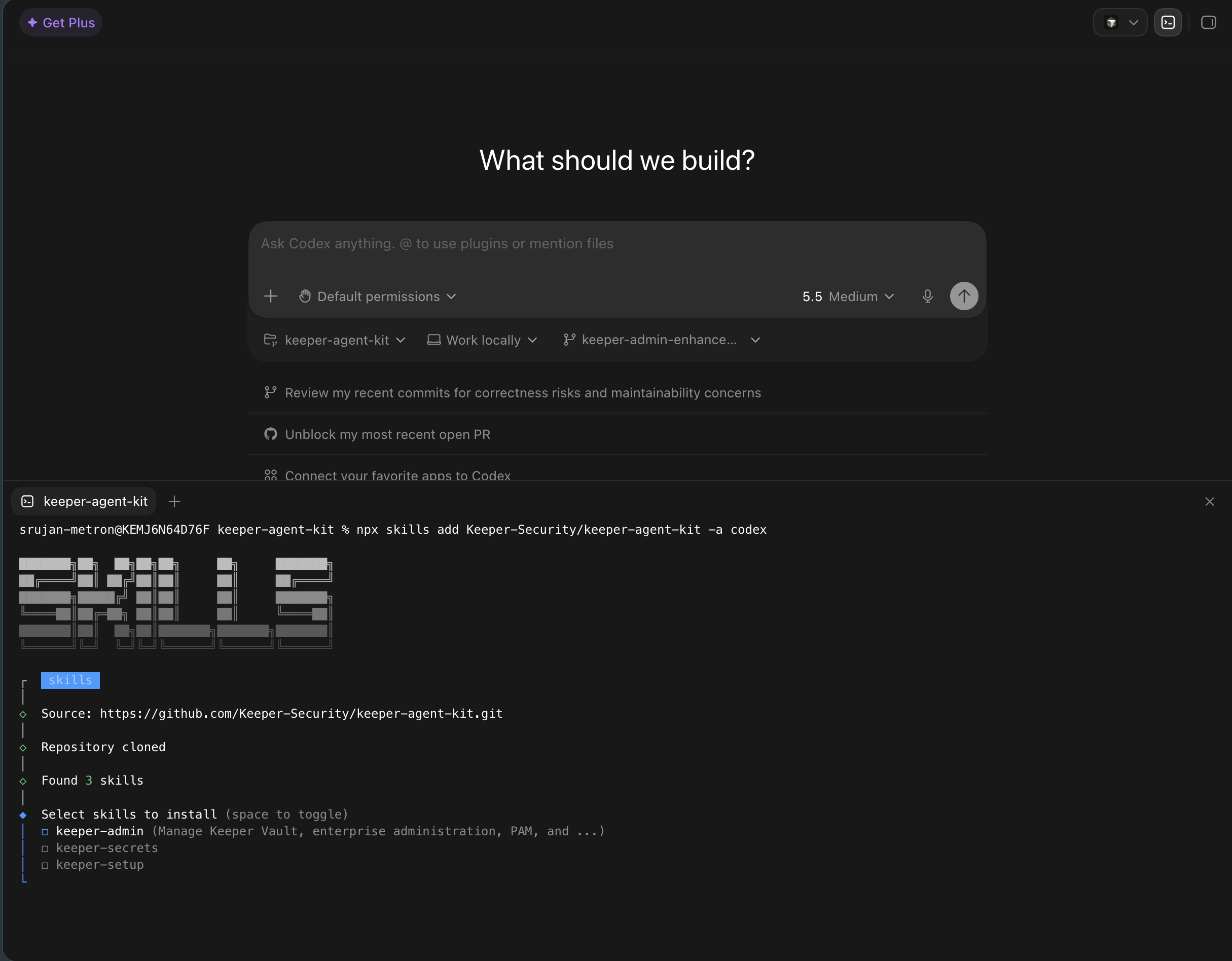
### 手順2: インストールするスキルを選択 <a href="#step-2-select-the-required-skills-to-install" id="step-2-select-the-required-skills-to-install"></a>

<figure><img src="/files/TCVfenBVhNqMWM0SRuRx" alt=""><figcaption></figcaption></figure>

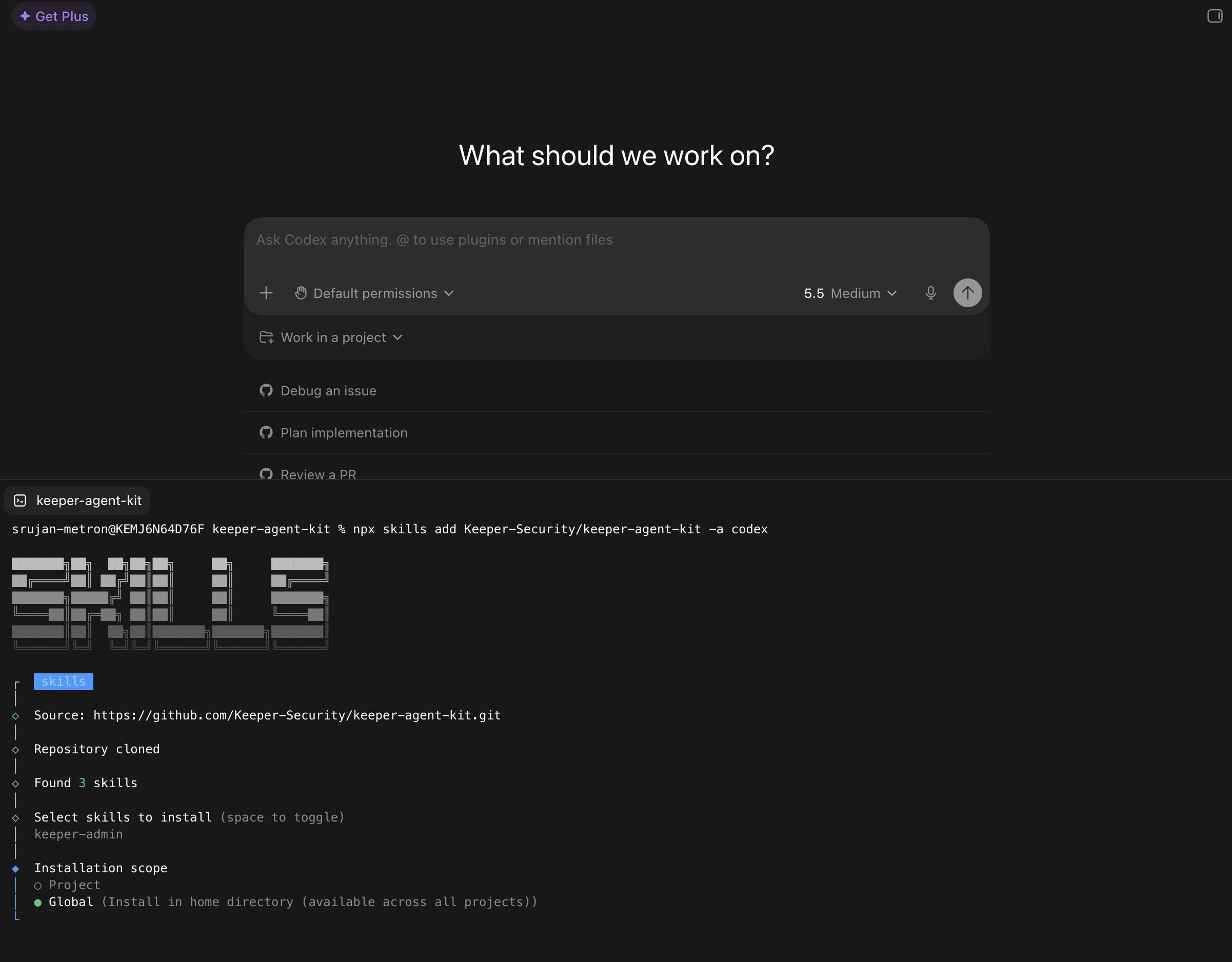
### 手順3: インストールスコープをglobalに設定 <a href="#step-3-select-installation-scope-as-global" id="step-3-select-installation-scope-as-global"></a>

Codexはユーザー単位でスキル用ディレクトリを作成するため、インストールスコープは **\[global]** を選択してください。ディレクトリは skills CLI により、以下の場所に作成されます。

```
~/.codex/skills/
```

<figure><img src="/files/n8MCetk8zE2Fcd2eYOM5" alt=""><figcaption></figcaption></figure>

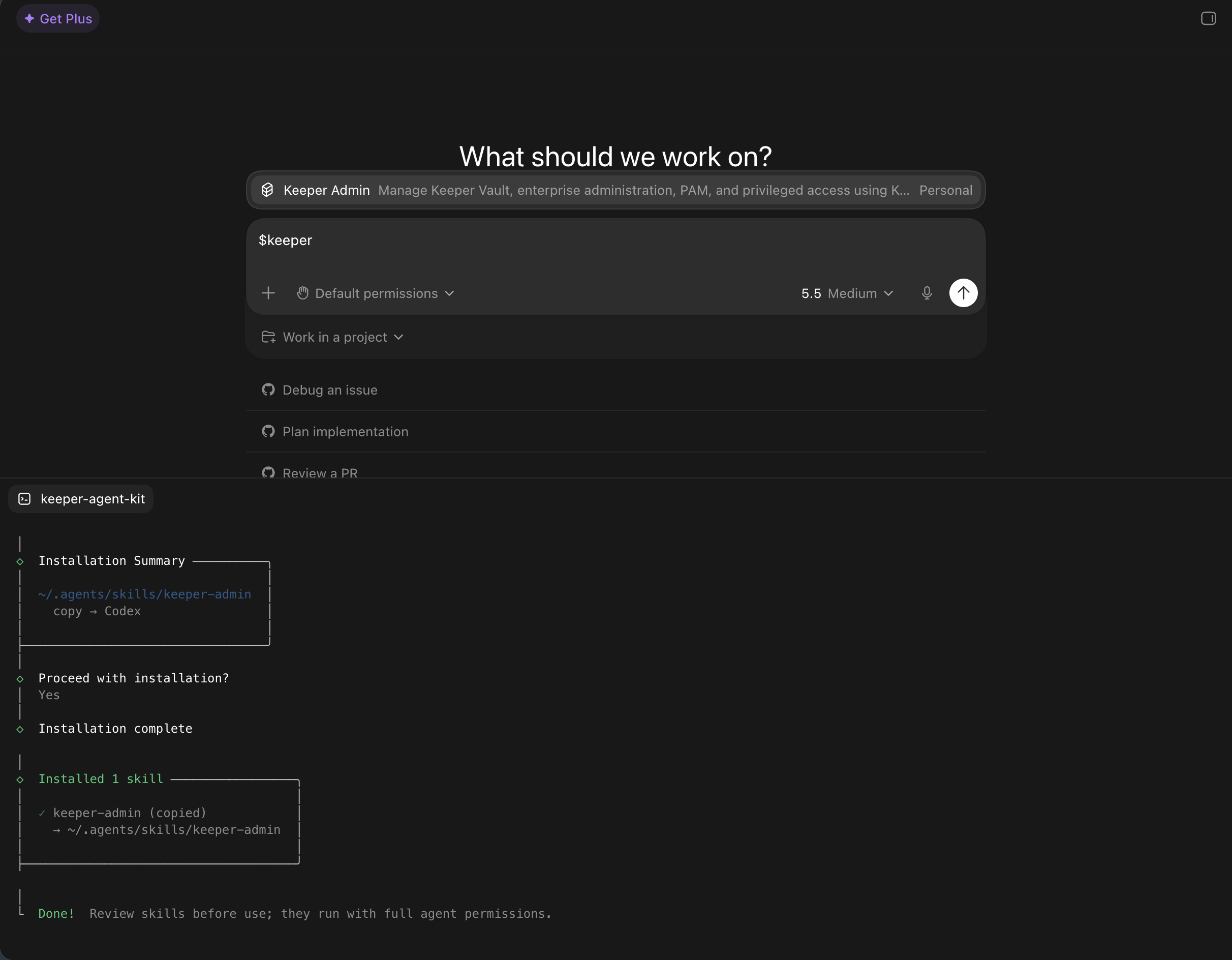
### 手順4: 動作確認 <a href="#step-3-verify" id="step-3-verify"></a>

Codexでは利用可能なスキルを `$` プレフィックスで一覧できます。スキルファイルが正しくインストールされていれば、以下のコマンドで確認できます。

```
$keeper-admin
```

<div data-full-width="false"><figure><img src="/files/UU2lnRPajZk9bR0AuPi1" alt=""><figcaption></figcaption></figure></div>

***

### アンインストール <a href="#uninstall" id="uninstall"></a>

<pre class="language-bash"><code class="lang-bash"><strong>npx skills remove keeper-secrets
</strong><strong>npx skills remove keeper-admin
</strong><strong>npx skills remove keeper-setup
</strong></code></pre>

削除されるのはエージェント用のスキルのみです。KSM CLIとコマンダーCLIはマシン上に残ります。


---

# Agent Instructions
This documentation is published with GitBook. GitBook is the documentation platform designed so that both humans and AI agents can read, navigate, and reason over technical content effectively. Learn more at gitbook.com.

## Querying This Documentation
If you need additional information that is not directly available in this page, you can query the documentation dynamically by asking a question.

Perform an HTTP GET request on the current page URL with the `ask` query parameter, and the optional `goal` query parameter:

```
GET https://docs.keeper.io/keeperpam/jp/secrets-manager/integrations/ai-agents/codex.md?ask=<question>&goal=<endgoal>
```

`ask` is the immediate question: it should be specific, self-contained, and written in natural language.
`goal` is optional and describes the broader end goal you are ultimately trying to accomplish on behalf of the user. GitBook uses it to tailor the answer towards what is most useful for that goal.

The response will contain a direct answer to the question and relevant excerpts and sources from the documentation.

Use this mechanism when the answer is not explicitly present in the current page, you need clarification or additional context, or you want to retrieve related documentation sections.