# PAM Resources

## Overview

KeeperPAM Resource records are special record types designed to organize and store information of your target infrastructure, machines, web apps, workloads and user accounts.

* [What's a Record Type?](/enterprise-guide/record-types.md)

### KeeperPAM Record Types

In your Keeper Vault, resources that represent your infrastructure are created with the following Record Types:

<table><thead><tr><th width="215">PAM Record Type</th><th>Target Infrastructure</th></tr></thead><tbody><tr><td><a href="/pages/XTyf98IFn0oRnCoEILhY">PAM Machine</a></td><td>Windows/macOS/Linux Machines, EC2 Instances, Azure VMs, etc.</td></tr><tr><td><a href="/pages/HRI2VkFUX0Hb1eZSFQ4n">PAM Database</a></td><td>MySQL, PostgreSQL, SQL Server, MongoDB, MariaDB, Oracle</td></tr><tr><td><a href="/pages/AvUEHA7Tb5C1wR6itR5U">PAM Directory</a></td><td>Active Directory, OpenLDAP</td></tr><tr><td><a href="/pages/7AHsnpdzarKPrJVcpQRz">PAM Remote Browser</a></td><td>Web-based Applications, internal apps or cloud apps</td></tr><tr><td><a href="/pages/T4j5fXFV7knAjQZ8QKj1">PAM User</a></td><td>Any local user, remote user, database credential or admin account. PAM User records can also be configured for scheduled or on-demand password rotation.</td></tr></tbody></table>

### Record Linking

The PAM User record is special because it can be [linked](/keeperpam/privileged-access-manager/getting-started/record-linking.md) from the other resources. This way, you can [share access](/keeperpam/privileged-access-manager/getting-started/access-controls.md) to a Machine, Database, Directory or Remote Browser without sharing access to the underlying credentials.

### Creating a PAM Record

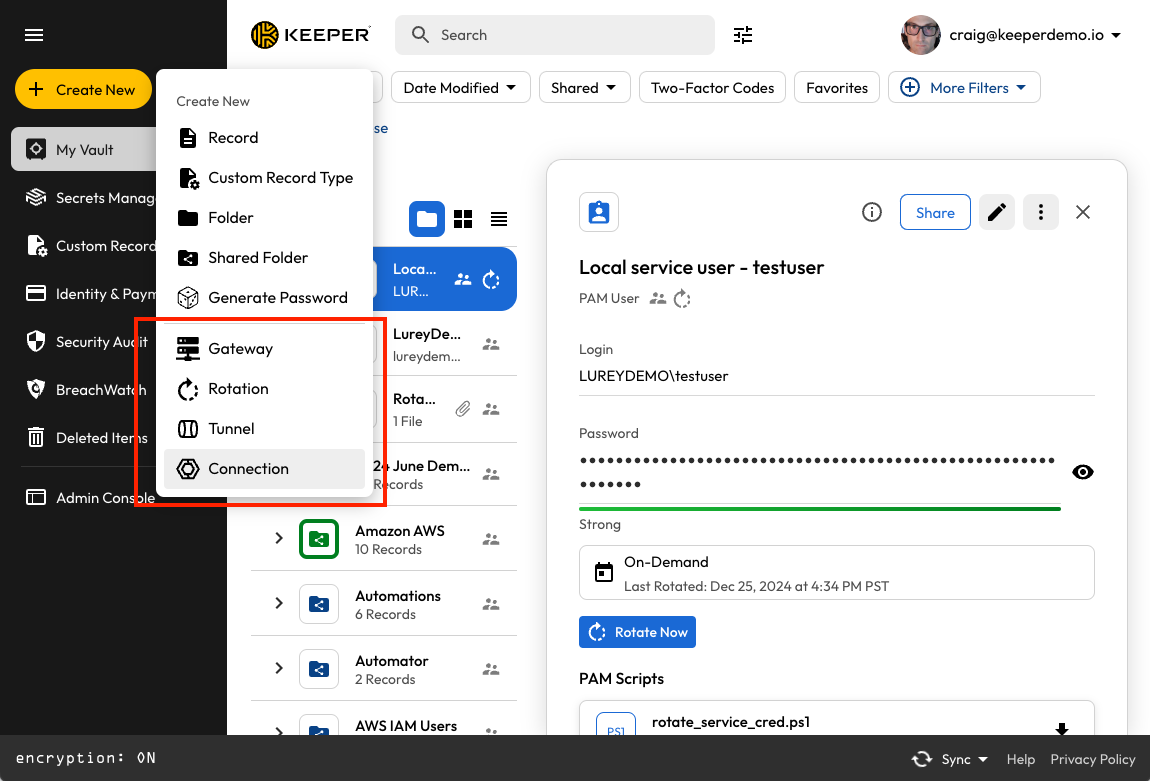
From the Vault UI, click on Create New and select either Rotation, Tunnel or Connection.

<figure><img src="/files/eidMrykyEvUOocmq1Mr9" alt=""><figcaption><p>Create a new PAM Resource Record</p></figcaption></figure>

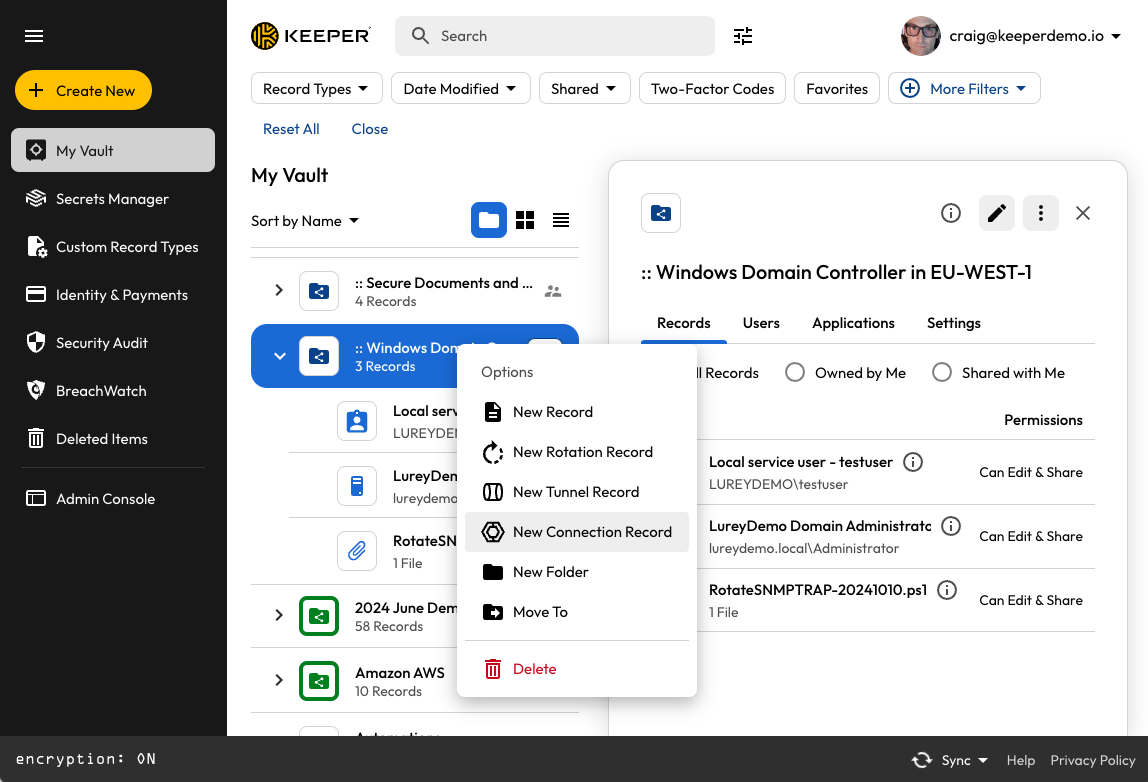
Alternatively, you can right-click on a folder and select Rotation, Tunnel or Connection.

<figure><img src="/files/OL4vMIuDqvJ58pkE2b9P" alt=""><figcaption><p>Right-click to create PAM Resource Records</p></figcaption></figure>

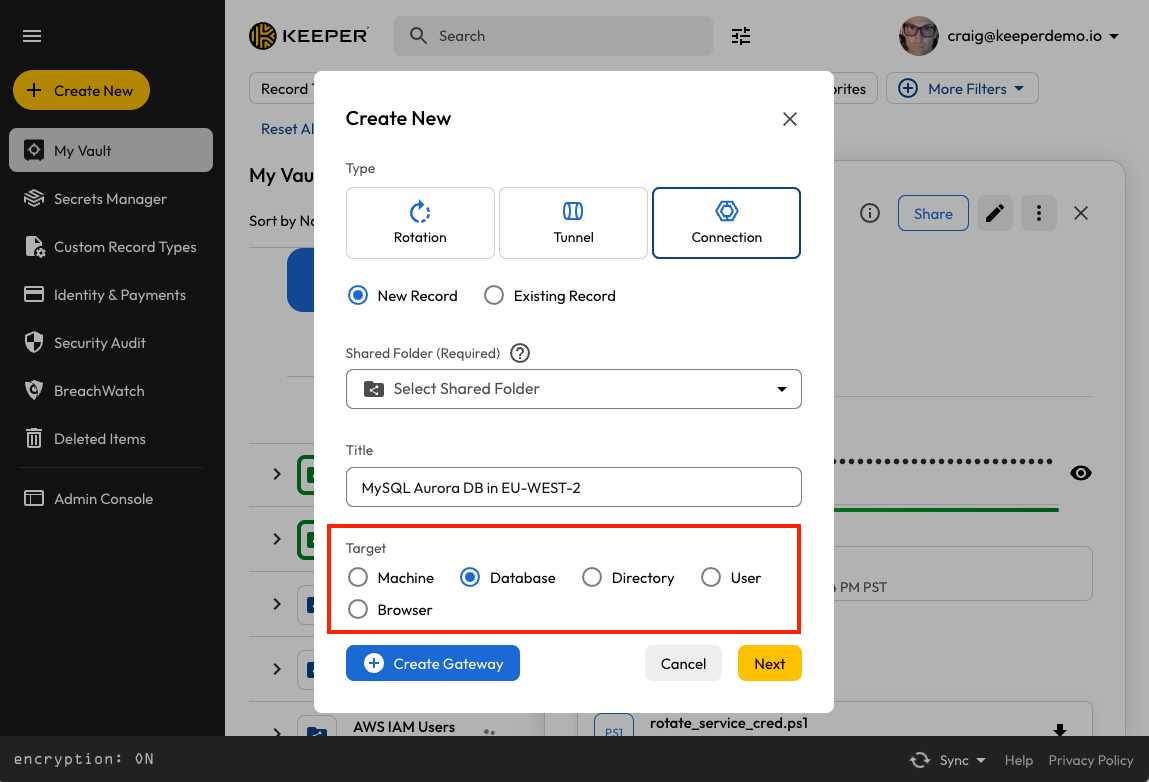
The "Target" selection will determine what type of record will be created.

<figure><img src="/files/kaW50434AHl4FUg9PHnu" alt=""><figcaption><p>Selecting a Target</p></figcaption></figure>

### Bulk Import of Resources

There are several ways of creating resources in the Keeper vault.

* Manually in the Keeper Vault
* Using Keeper Discovery
* Bulk Import with Keeper Commander

#### Manually in the Keeper Vault

As described in this section, you can create PAM Machines, Databases, Directories, Remote Browsers and Users directly in the Keeper Vault.

#### Using Keeper Discovery

KeeperPAM can perform discovery on a network or cloud resource to find all associated machines, accounts, etc. Visit the [Discovery](/keeperpam/privileged-access-manager/discovery.md) section to learn more.

#### Bulk Import with Keeper Commander

Keeper Commander CLI can perform import of resources based on a template. See this [Importing PAM Resources](/keeperpam/privileged-access-manager/references/importing-pam-resources.md) example for a step by step guide. See the [pam project import](/keeperpam/commander-cli/command-reference/keeperpam-commands.md) command for more advanced import options.

The following sections will describe each of the PAM resources.


---

# Agent Instructions: Querying This Documentation

If you need additional information that is not directly available in this page, you can query the documentation dynamically by asking a question.

Perform an HTTP GET request on the current page URL with the `ask` query parameter:

```
GET https://docs.keeper.io/keeperpam/privileged-access-manager/getting-started/pam-resources.md?ask=<question>
```

The question should be specific, self-contained, and written in natural language.
The response will contain a direct answer to the question and relevant excerpts and sources from the documentation.

Use this mechanism when the answer is not explicitly present in the current page, you need clarification or additional context, or you want to retrieve related documentation sections.