> For the complete documentation index, see [llms.txt](https://docs.keeper.io/llms.txt). Markdown versions of documentation pages are available by appending `.md` to page URLs; this page is available as [Markdown](https://docs.keeper.io/release-notes/jp/enterprise/admin-console/admin-console-17.11.3.md).
# 管理コンソール 17.11.3
2026年10月14日リリース
## 概要
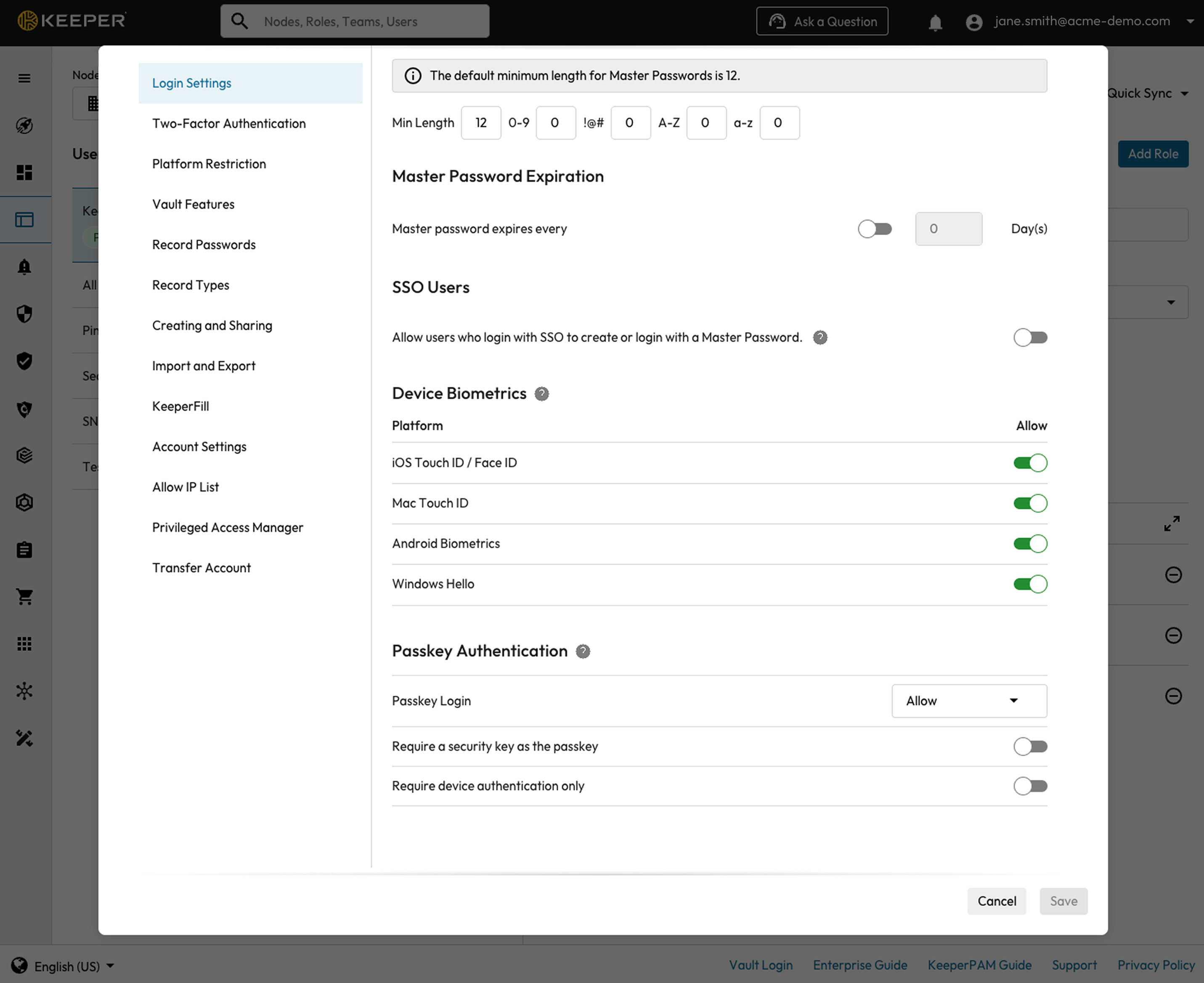
管理コンソール 17.11.3では、ノード分離のUIサポートを追加するとともに、パスキー認証の管理機能として新しいロール強制適用ポリシーを導入しました。また、エンドポイント特権マネージャーの機能強化、SCIMチームの可視性向上に加えて、GovCloud環境における重要な不具合の修正も行っています。
## 新機能
### ノード分離
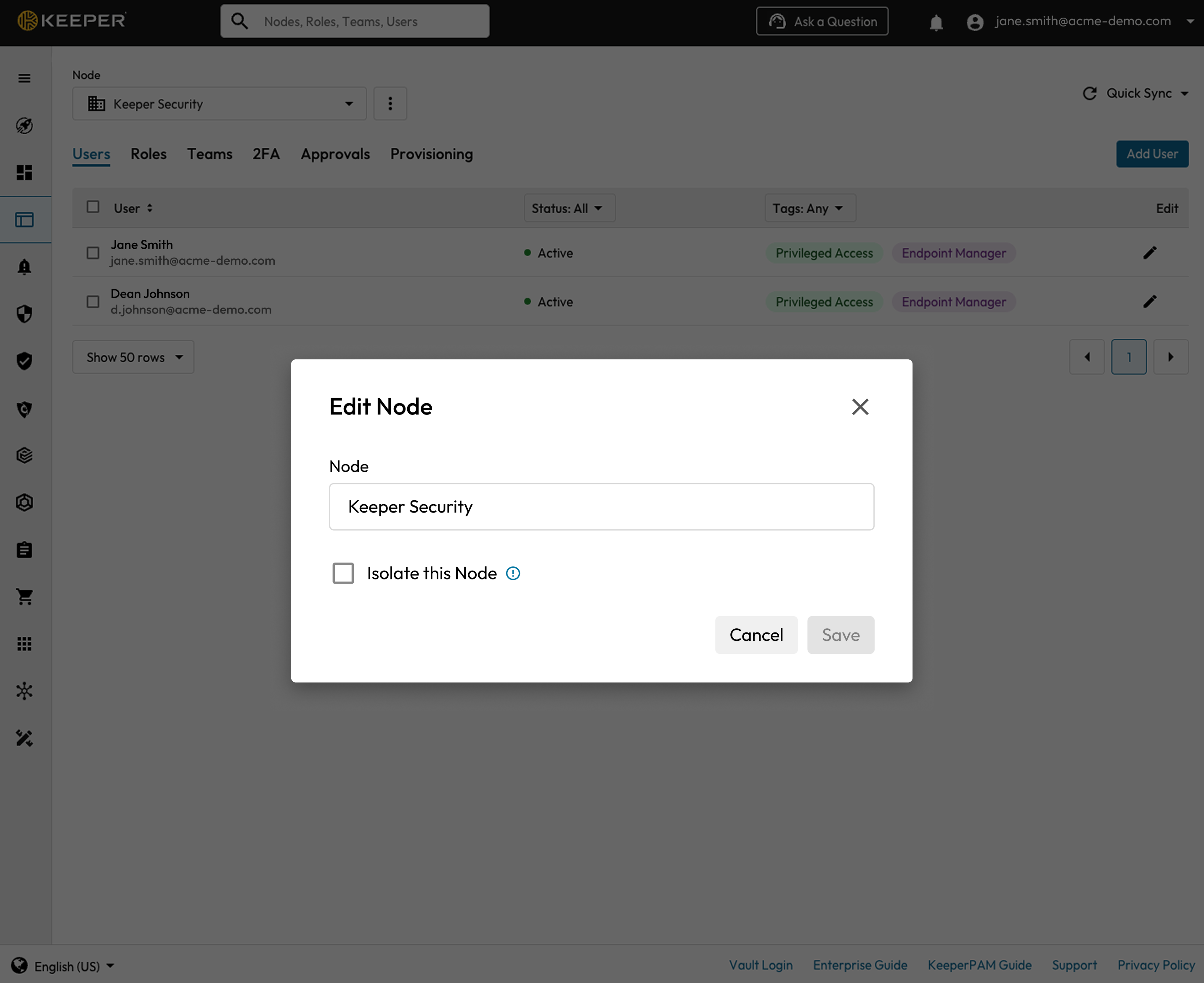
管理コンソール管理者タブ内の **\[ノードオプション]** から、ノード分離を直接有効化・無効化できるようになりました。これにより、KeeperコマンダーCLIでコマンドを実行することなく、並列ノード (兄弟ノード) 間の可視性を制限できます。
## 改善点とバグ修正
* **EM-9118:** KeeperDBの入門ガイドページにKeeper 101動画を追加。
* **EM-9159:** ノード画面に検索フィルターを追加し、目的のノードを見つけやすく改善。
* **EM-9082:** チームに **\[招待済み]** タブを追加し、SCIMでプロビジョニングされたまだ招待を承諾していないユーザーを表示できるように対応。
* **EM-8795:** ロール名またはチーム名が文字数の上限を超えた場合に、エラーメッセージを表示するように対応。
* **EM-7773:** メール自動プロビジョニングの確認・保存後に編集オプションを追加。
* **EM-9146:** KeeperPAMのすべての強制適用ポリシーにツールチップを追加。
* **EM-9104:** ユーザーステータスレポートのダウンロードファイル名に、レポート名と日付を含めるよう改善。
* **EM-8761:** 新規作成したロールが、作成時に自動的に選択されない不具合を修正。
* **EM-8680:** GovCloud環境において、一部のユーザーでリスク管理ダッシュボードのスコアが集計されない不具合を修正。
* **EM-8327:** 管理対象企業のダッシュボードにBreachWatchセクションが表示されない不具合を修正。
* **EM-8472:** エンドポイント特権マネージャーで、カスタムポリシータイプが正しく並べ替えられない不具合を修正。
* **EM-8970:** ページを再読み込みすると **\[ログイン状態を維持]** のトグルの切り替えが正しく機能しない不具合を修正。
* **EM-9226:** マネージドサービスプロバイダが管理対象企業のコンプライアンスレポートをダウンロードできない不具合を修正。
* **EM-9191:** GovCloud環境において、エンドポイント特権マネージャーのデプロイトークンのドメインを修正。
---
# Agent Instructions
This documentation is published with GitBook. GitBook is the documentation platform designed so that both humans and AI agents can read, navigate, and reason over technical content effectively. Learn more at gitbook.com.
## Querying This Documentation
If you need additional information that is not directly available in this page, you can query the documentation by asking a question.
Perform an HTTP GET request on the following URL with the `ask` and `goal` query parameters:
```
GET https://docs.keeper.io/release-notes/jp/enterprise/admin-console/admin-console-17.11.3.md?ask=&goal=
```
`ask` is the immediate question: it should be specific, self-contained, and written in natural language.
`goal` is what the user is ultimately trying to achieve, the reason they need the answer. Sharing it helps GitBook give you a better, more relevant answer. A goal is most helpful when it describes the outcome the user wants rather than restating the question. For example, with `ask=how do I create an API token`, a goal like `automate deployments from our CI pipeline` lets GitBook tailor the answer to that use case.
The response will contain a direct answer to the question and relevant excerpts and sources from the documentation.
Use this mechanism when the answer is not explicitly present in the current page, you need clarification or additional context, or you want to retrieve related documentation sections.