# iOS バージョン 17.6.0
## 機能強化
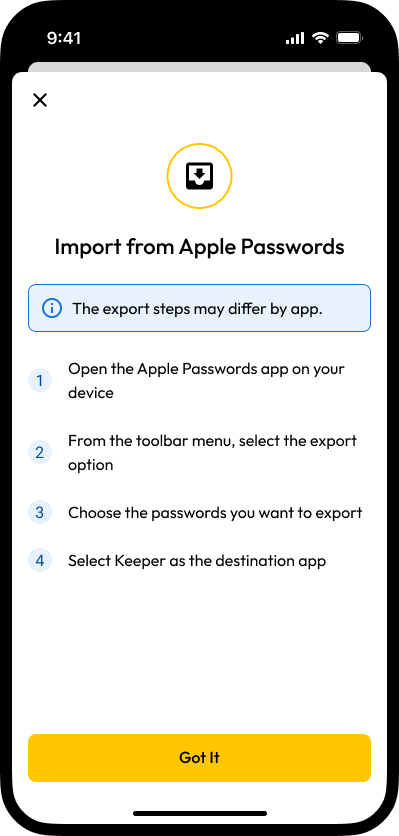
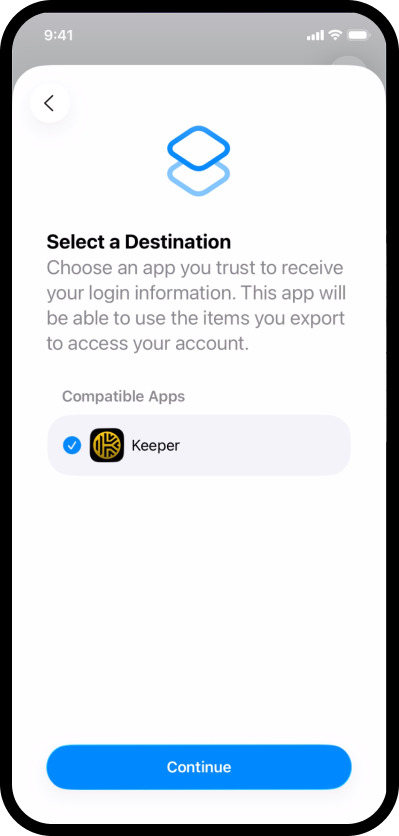
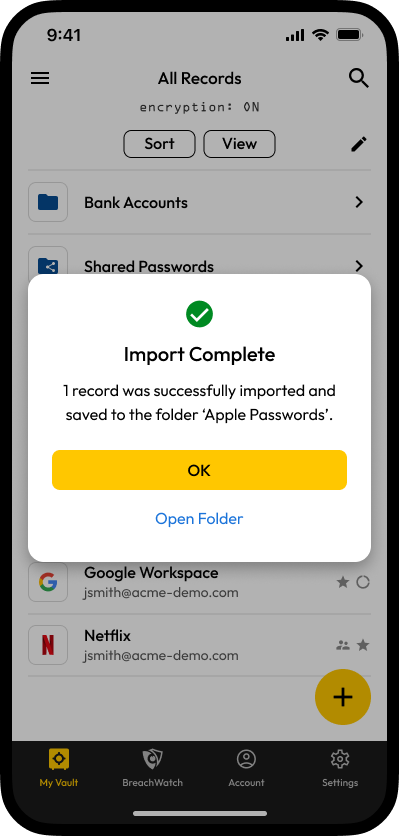
* **iOS-7817:** 他のアプリからパスワードを直接インポートできる方法を導入しました。これにより、Appleのパスワード管理機能などのソースから保存済みのパスワード、パスキー、2要素認証 (2FA) コードを簡単にKeeperボルトに移行できるようになりました。インポートされた項目は、元のアプリにちなんだ新しい名前のフォルダに自動的に整理されるため、管理もスムーズです。
{% hint style="info" %}
Appleのパスワード管理機能からのインポート方法について詳しくは[こちら](/user-guides/jp/ios.md#pasuwdonoinpto)のページをご参照ください。この機能を利用するには、iOSバージョン26以降が必要です。
{% endhint %}
## バグ修正
* **iOS-7832:** 大規模なエンタープライズ環境で、メールアドレスを手動で入力した際にレコードやフォルダを共有できなくなる不具合を修正。
* **iOS-7567:** ボルト内でログイン情報の追加や更新などの変更を行った際、自動入力機能に即時反映されない不具合を修正。
* **iOS-7833:** ダークモード有効時に、自動入力機能の設定ポップアップ上でKeeperのロゴが表示されない不具合を修正。
* **iOS-7840:** iOS 18を搭載しているデバイスで、パスワードの誤ったインポート手順が表示される不具合を修正。
* **iOS-7843:** iOS 16を搭載しているデバイスで、パスワード生成ツールのサイコロアイコンをタップするとアプリがクラッシュする不具合を修正。
* **iOS-7842:** iPadのパスワードのインポート手順画面において、表示の位置ずれが発生していた不具合を修正。
* **iOS-7844:** パスワードのインポートの過程で新規アカウントを作成したユーザーに対し、インポート完了後に不要なアラートが表示される不具合を修正。
* **iOS-7846:** アカウントのメールアドレスを変更した後に、アプリが読み込み画面で止まってしまう不具合を修正。
* **iOS-7849:** パスワードのインポートを制限するポリシーが正しく適用されない不具合を修正。
---
# Agent Instructions: Querying This Documentation
If you need additional information that is not directly available in this page, you can query the documentation dynamically by asking a question.
Perform an HTTP GET request on the current page URL with the `ask` query parameter:
```
GET https://docs.keeper.io/release-notes/jp/mobile/apple-ios/ios-version-17.6.0.md?ask=
```
The question should be specific, self-contained, and written in natural language.
The response will contain a direct answer to the question and relevant excerpts and sources from the documentation.
Use this mechanism when the answer is not explicitly present in the current page, you need clarification or additional context, or you want to retrieve related documentation sections.