# iOS バージョン 16.11.0
## 機能強化
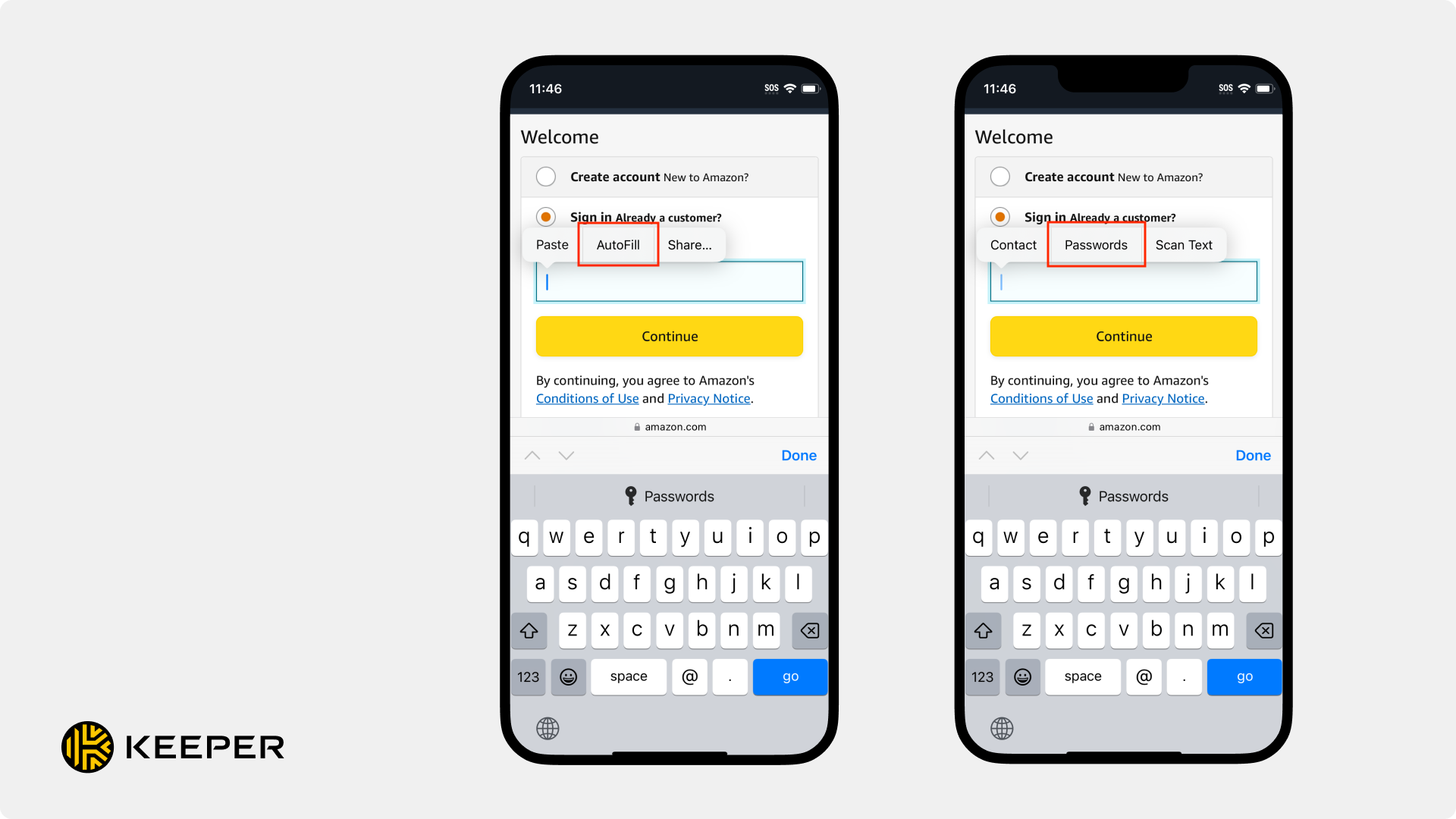
* **IOS-7429**: 自動入力に最新の長押し操作を導入し、Keeperの認証情報を入力する際の効率が向上しました。
* iOS18搭載の端末では、アプリケーションやウェブサイトサイトで任意のフィールドを長押しし、Keeperレコードから情報を選択するだけで認証情報を入力できるようになりました。
* **IOS-7401**: 確認コードの自動入力機能が改善され、ログイン時に必要に応じて確認コードの候補が自動的に表示されるようになりました。
* 確認コードまたは時間に基づいたワンタイムパスワード (TOTP) を入力するのにアプリを離れたりコピーして貼り付けたりすることなく、ログインフローの中でそのままユーザーに提供されます。
{% hint style="info" %}
新しい自動入力機能をご利用になるには、[iOS 18](https://www.apple.com/ios/ios-18/)が必要となります。iOS 18での[Keeperfill](/user-guides/jp/quick-start-guides/ios-iphone-ipad.md#enable-keepeerfill)の詳細については、 [ユーザー ガイド](/user-guides/jp/ios.md)をご覧ください。
{% endhint %}
## バグ修正
* **iOS-7437**: ボルト (保管庫) 内のレコード数が多いアカウントで検索中にアプリケーションがフリーズする不具合を修正。
* **iOS-7438:** iOS 18用に非推奨のopenURLインスタンスを最新のものに置き換えました。
* **iOS-7439**: iOS 18でのタブバーの動作に関連した修正。iOS 18より前のバージョンでユーザーが慣れ親しんだ機能を保持するためコンパクトモードに入るように更新。
* **iOS-7444**: 新しい長押し自動入力機能を使用する際のテキストの不具合を修正。
* **iOS-7425**: 共有ユーザーを削除しようとしたとき、または共有ユーザーを新しい所有者にしようとしたときにアプリケーションがフリーズする不具合を修正。
* **iOS-7449**: 新規のUS\[GOV]ユーザーをオンボーディングする際の地域のルーティングの不具合を修正。
* **iOS-7451**: 最新の長押し自動入力画面で、タイトルとメールアドレスが長い場合に不揃いに折り返して表示される不具合を修正。
---
# Agent Instructions: Querying This Documentation
If you need additional information that is not directly available in this page, you can query the documentation dynamically by asking a question.
Perform an HTTP GET request on the current page URL with the `ask` query parameter:
```
GET https://docs.keeper.io/release-notes/jp/mobile/apple-ios/older/ios-version-16.11.0.md?ask=
```
The question should be specific, self-contained, and written in natural language.
The response will contain a direct answer to the question and relevant excerpts and sources from the documentation.
Use this mechanism when the answer is not explicitly present in the current page, you need clarification or additional context, or you want to retrieve related documentation sections.