> For the complete documentation index, see [llms.txt](https://docs.keeper.io/llms.txt). Markdown versions of documentation pages are available by appending `.md` to page URLs; this page is available as [Markdown](https://docs.keeper.io/release-notes/mobile/apple-ios/ios-version-17.6.0.md).
# iOS Version 17.6.0
Released October 16, 2025
### Enhancements
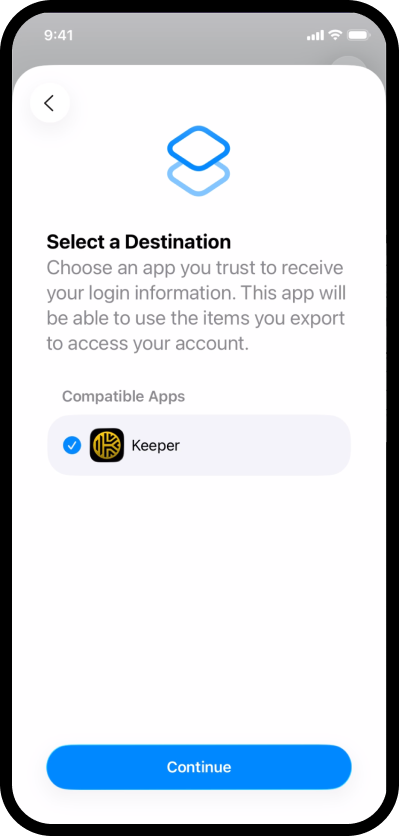
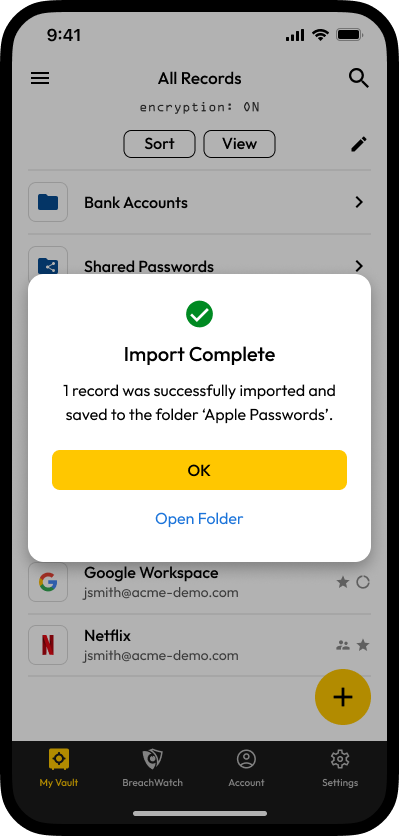
* **iOS-7817**: Introduces a new and secure way to import your passwords directly from other apps! You can now easily transfer your saved passwords, passkeys, and two-factor authentication (2FA) codes from sources like Apple Passwords right into your vault. When you import your items, we'll automatically organize them into a new folder named after the source app (e.g., "Apple Passwords") for your convenience.
{% hint style="info" %}
To learn how to import from Apple Passwords click [here](https://docs.keeper.io/user-guides/ios.md#ios-version-26). You must be running iOS version 26 or higher to utilize this feature.
{% endhint %}
### Bug Fixes
* **iOS-7832**: Fixed an issue that could prevent users in large enterprise environments from sharing records or folders with colleagues, which sometimes occurred when the colleague's email was entered manually.
* **iOS-7567**: Resolved an issue where changes made to records in the main app vault, such as adding or updating a login, were not immediately available in Autofill.
* **iOS-7833**: Addressed a display issue where the Keeper logo was not visible on the iOS Autofill settings pop-up when Dark Mode was enabled.
* **iOS-7840**: Corrected an issue where the wrong password import instructions were shown on devices running iOS 18.
* **iOS-7843**: Fixed a crash that could occur on devices running iOS 16 when tapping the dice icon in the password generator.
* **iOS-7842**: Corrected a visual alignment issue on the "Import Passwords" instructions screen on iPad.
* **iOS-7844**: Resolved an issue where new users who created an account during the password import process would receive unnecessary "create your first record" alerts after the import was complete.
* **iOS-7846**: Fixed an issue where the app would get stuck on a loading screen after changing the account email address.
* **iOS-7849**: Addressed an issue where enterprise policies restricting password imports were not always enforced correctly upon login.
---
# Agent Instructions
This documentation is published with GitBook. GitBook is the documentation platform designed so that both humans and AI agents can read, navigate, and reason over technical content effectively. Learn more at gitbook.com.
## Querying This Documentation
If you need additional information that is not directly available in this page, you can query the documentation by asking a question.
Perform an HTTP GET request on the following URL with the `ask` and `goal` query parameters:
```
GET https://docs.keeper.io/release-notes/mobile/apple-ios/ios-version-17.6.0.md?ask=&goal=
```
`ask` is the immediate question: it should be specific, self-contained, and written in natural language.
`goal` is what the user is ultimately trying to achieve, the reason they need the answer. Sharing it helps GitBook give you a better, more relevant answer. A goal is most helpful when it describes the outcome the user wants rather than restating the question. For example, with `ask=how do I create an API token`, a goal like `automate deployments from our CI pipeline` lets GitBook tailor the answer to that use case.
The response will contain a direct answer to the question and relevant excerpts and sources from the documentation.
Use this mechanism when the answer is not explicitly present in the current page, you need clarification or additional context, or you want to retrieve related documentation sections.