> For the complete documentation index, see [llms.txt](https://docs.keeper.io/llms.txt). Markdown versions of documentation pages are available by appending `.md` to page URLs; this page is available as [Markdown](https://docs.keeper.io/user-guides/es/keeper-forcefield.md).
# Keeper Forcefield
Guía de usuario final de Keeper Forcefield: protección de endpoint Windows para datos sensibles
## Keeper Forcefield: protección de endpoint Windows
### Descripción general
Keeper Forcefield es una función avanzada de seguridad de endpoint para Microsoft Windows que protege aplicaciones y procesos sensibles contra el acceso no autorizado. Está diseñada específicamente para defender contra amenazas como infostealers y malware que roba contraseñas, instalado mediante phishing u otros ataques.
Forcefield se incluye con la aplicación de escritorio de Keeper para Windows y opera en segundo plano de forma silenciosa para garantizar la protección de datos sin afectar el rendimiento ni la usabilidad.
{% hint style="info" %}
Esta es la guía de usuario final de Keeper Forcefield. La [guía Enterprise](/enterprise-guide/keeper-forcefield.md) (en inglés) incluye opciones de implementación más avanzadas para administradores.
{% endhint %}
***
### Primeros pasos
#### Instalar Keeper Forcefield mediante la aplicación de escritorio de Keeper
Para activar Forcefield desde la aplicación de escritorio de Keeper, instale la [aplicación de escritorio de Keeper](https://www.keepersecurity.com/download.html) más reciente.
Después de la instalación:
* Vaya a **Configuración > Seguridad** en la aplicación de escritorio de Keeper
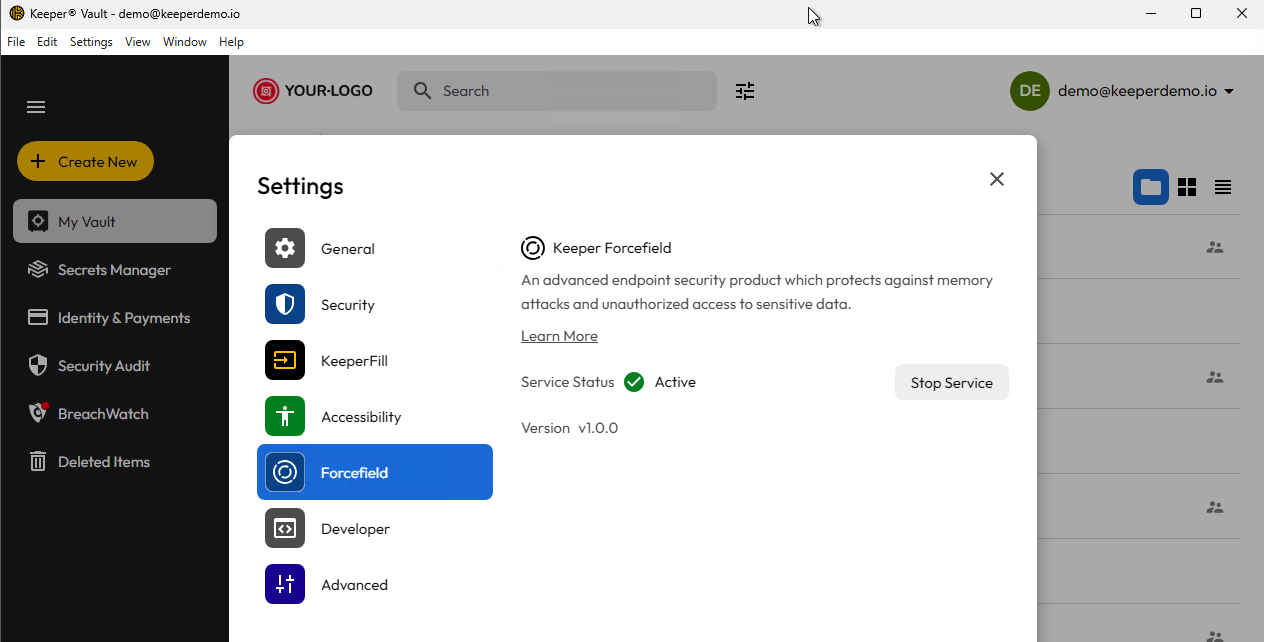
* Abra la pantalla **Forcefield** y active el servicio.
Una vez activado, Forcefield comenzará de inmediato a proteger su computadora.
Pantalla Keeper Forcefield en la aplicación de escritorio
**Instalación independiente**
La instalación de la versión independiente de Keeper Forcefield está disponible mediante un instalador MSI según la arquitectura.
**x86/64-bit**
**ARM/64-bit**
***
### Estado y actualizaciones
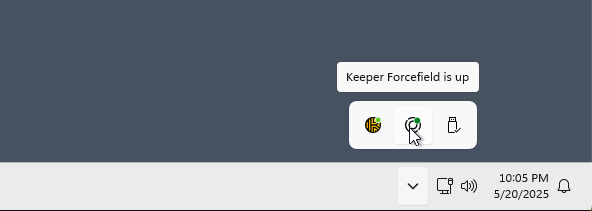
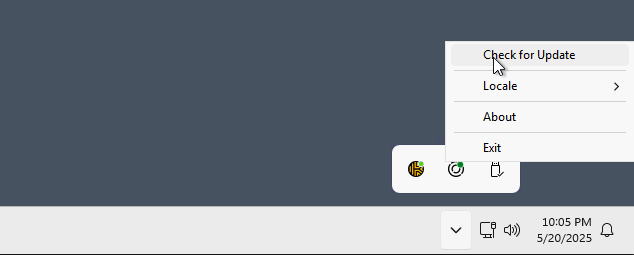
La bandeja del sistema ofrece un icono de estado de Forcefield y la posibilidad de buscar una versión nueva. Keeper buscará a diario una versión nueva, pero el usuario debe instalar la actualización de forma explícita.
Estado de Forcefield
Buscar actualizaciones
***
### Aplicaciones protegidas por ForceField
Forcefield está diseñado para proteger aplicaciones designadas al verificar el nombre del proceso, el nombre del archivo y la firma de código. Las siguientes aplicaciones se protegen con este enfoque de validación:
**Aplicaciones de Keeper:**
* Keeper Desktop App
* KeeperDB Desktop App
* Keeper Secrets Manager
* Keeper Commander
* Keeper Gateway
* Keeper Bridge
* KeeperChat
* Keeper Importer
**Navegadores web:**
* Chrome
* Microsoft Edge
* Firefox
* Brave
* Opera
* Vivaldi
Si desea que Keeper Forcefield proteja aplicaciones adicionales, envíe un correo a **** y revisaremos su solicitud.
***
### Prueba rápida
Para verificar que Keeper Forcefield está protegiendo su equipo:
1. Abra el Administrador de tareas.
2. Haga clic derecho en un proceso protegido.
3. Elija **Crear archivo de volcado de memoria**.
4. El archivo `.dmp` debe tener 0 bytes si se bloqueó.
{% hint style="info" %}
Forcefield está diseñado para proteger aplicaciones específicas. Contáctenos en **** para solicitar aplicaciones adicionales.
{% endhint %}
***
### Documentación avanzada
Para información más detallada sobre Keeper Forcefield, incluidas especificaciones técnicas e implementación para administradores de TI, consulte la Enterprise Guide:
* [Keeper ForceField for Enterprise Admins](/enterprise-guide/keeper-forcefield.md) (en inglés)
---
# Agent Instructions
This documentation is published with GitBook. GitBook is the documentation platform designed so that both humans and AI agents can read, navigate, and reason over technical content effectively. Learn more at gitbook.com.
## Querying This Documentation
If you need additional information that is not directly available in this page, you can query the documentation by asking a question.
Perform an HTTP GET request on the following URL with the `ask` and `goal` query parameters:
```
GET https://docs.keeper.io/user-guides/es/keeper-forcefield.md?ask=&goal=
```
`ask` is the immediate question: it should be specific, self-contained, and written in natural language.
`goal` is what the user is ultimately trying to achieve, the reason they need the answer. Sharing it helps GitBook give you a better, more relevant answer. A goal is most helpful when it describes the outcome the user wants rather than restating the question. For example, with `ask=how do I create an API token`, a goal like `automate deployments from our CI pipeline` lets GitBook tailor the answer to that use case.
The response will contain a direct answer to the question and relevant excerpts and sources from the documentation.
Use this mechanism when the answer is not explicitly present in the current page, you need clarification or additional context, or you want to retrieve related documentation sections.