> For the complete documentation index, see [llms.txt](https://docs.keeper.io/llms.txt). Markdown versions of documentation pages are available by appending `.md` to page URLs; this page is available as [Markdown](https://docs.keeper.io/user-guides/it/keeper-forcefield.md).
# Keeper Forcefield
Guida per l'utente finale a Keeper Forcefield: protezione degli endpoint Windows per i dati sensibili
## Keeper Forcefield: protezione degli endpoint Windows
### Panoramica
Keeper Forcefield è una funzione avanzata di sicurezza degli endpoint per Microsoft Windows che protegge applicazioni e processi sensibili dall'accesso non autorizzato. È progettata specificamente per difendere da minacce come infostealer e malware per il furto di password installati tramite phishing o altri attacchi.
Forcefield è incluso nell'applicazione Keeper Desktop per Windows e opera silenziosamente in background per garantire la protezione dei dati senza influire su prestazioni o usabilità.
{% hint style="info" %}
Questa è la guida per l'utente finale a Keeper Forcefield. La [Enterprise Guide](/enterprise-guide/keeper-forcefield.md) (in inglese) include opzioni di distribuzione più avanzate per gli amministratori.
{% endhint %}
***
### Per iniziare
#### Installare Keeper Forcefield tramite Keeper Desktop
Per attivare Forcefield dall'applicazione Keeper Desktop, installi l'ultima versione dell'[App desktop di Keeper](https://www.keepersecurity.com/download.html).
Dopo l'installazione:
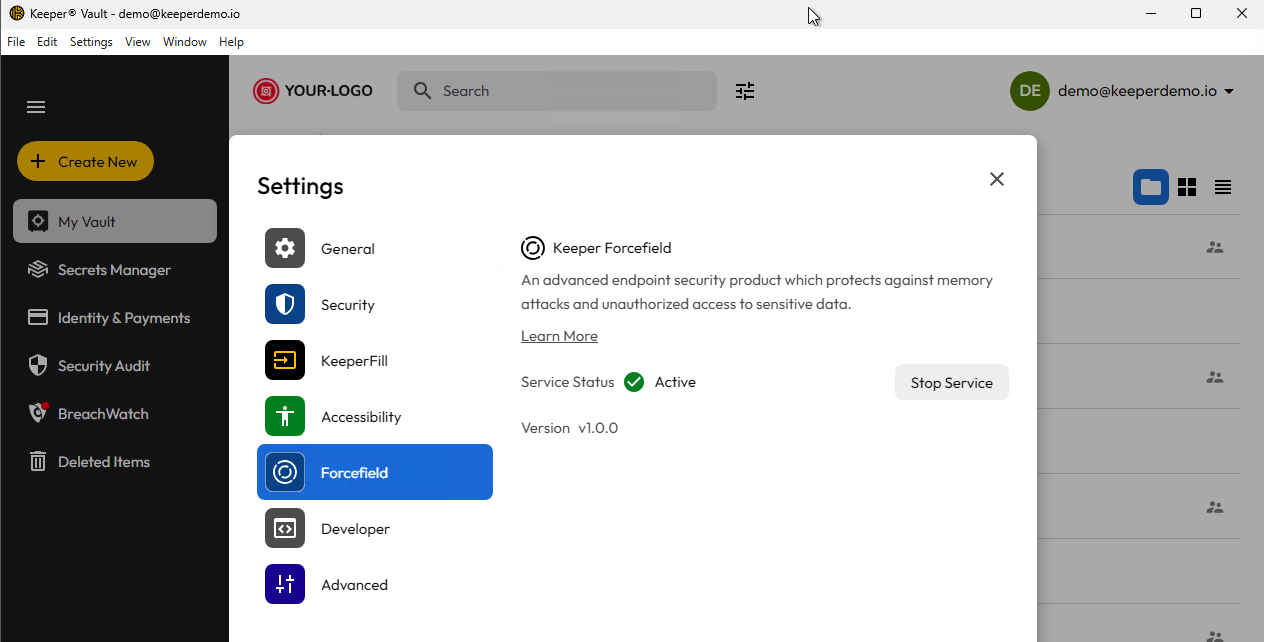
* Vada a **Impostazioni > Sicurezza** in Keeper Desktop
* Apra la schermata **Forcefield** e attivi il servizio.
Una volta abilitato, Forcefield inizierà immediatamente a proteggere il computer.
Schermata Keeper Forcefield nell'App desktop
**Installazione standalone**
L'installazione della versione standalone di Keeper Forcefield è disponibile tramite un installer MSI in base all'architettura.
**x86/64-bit**
**ARM/64-bit**
***
### Stato e aggiornamenti
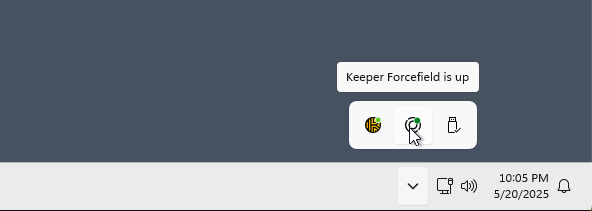
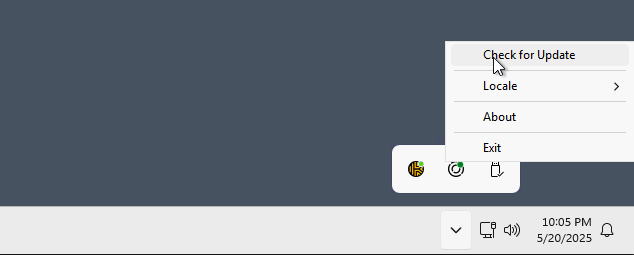
La system tray fornisce un'icona di stato di Forcefield e la possibilità di verificare la presenza di una nuova versione. Keeper verifica quotidianamente la disponibilità di una nuova versione, ma l'aggiornamento deve essere installato esplicitamente dall'utente.
Stato di Forcefield
Verifica degli aggiornamenti
***
### Applicazioni protette da Forcefield
Forcefield è progettato per proteggere le applicazioni designate verificandone il nome del processo, il nome del file e la firma del codice. Le seguenti applicazioni sono protette con questo approccio di convalida:
**Applicazioni Keeper:**
* Keeper Desktop App
* KeeperDB Desktop App
* Keeper Secrets Manager
* Keeper Commander
* Keeper Gateway
* Keeper Bridge
* KeeperChat
* Keeper Importer
**Browser web:**
* Chrome
* Microsoft Edge
* Firefox
* Brave
* Opera
* Vivaldi
Se desidera che Keeper Forcefield protegga altre applicazioni, ci scriva a **** e valuteremo la richiesta.
***
### Test rapido
Per verificare che Keeper Forcefield stia proteggendo il computer:
1. Apra Task Manager.
2. Faccia clic con il pulsante destro del mouse su un processo protetto.
3. Scelga **Create memory dump file**.
4. Il file `.dmp` dovrebbe essere di 0 byte se bloccato.
{% hint style="info" %}
Forcefield è progettato per proteggere applicazioni specifiche. Ci contatti a **** per richiedere applicazioni aggiuntive.
{% endhint %}
***
### Documentazione avanzata
Per informazioni più approfondite su Keeper Forcefield, incluse le specifiche tecniche e il rollout per IT Admin, consulti la Enterprise Guide:
* [Keeper ForceField for Enterprise Admins](/enterprise-guide/keeper-forcefield.md) (in inglese)
---
# Agent Instructions
This documentation is published with GitBook. GitBook is the documentation platform designed so that both humans and AI agents can read, navigate, and reason over technical content effectively. Learn more at gitbook.com.
## Querying This Documentation
If you need additional information that is not directly available in this page, you can query the documentation by asking a question.
Perform an HTTP GET request on the following URL with the `ask` and `goal` query parameters:
```
GET https://docs.keeper.io/user-guides/it/keeper-forcefield.md?ask=&goal=
```
`ask` is the immediate question: it should be specific, self-contained, and written in natural language.
`goal` is what the user is ultimately trying to achieve, the reason they need the answer. Sharing it helps GitBook give you a better, more relevant answer. A goal is most helpful when it describes the outcome the user wants rather than restating the question. For example, with `ask=how do I create an API token`, a goal like `automate deployments from our CI pipeline` lets GitBook tailor the answer to that use case.
The response will contain a direct answer to the question and relevant excerpts and sources from the documentation.
Use this mechanism when the answer is not explicitly present in the current page, you need clarification or additional context, or you want to retrieve related documentation sections.