> For the complete documentation index, see [llms.txt](https://docs.keeper.io/llms.txt). Markdown versions of documentation pages are available by appending `.md` to page URLs; this page is available as [Markdown](https://docs.keeper.io/user-guides/jp/export-and-reports/shared-records-report.md).
# 共有レコードレポート
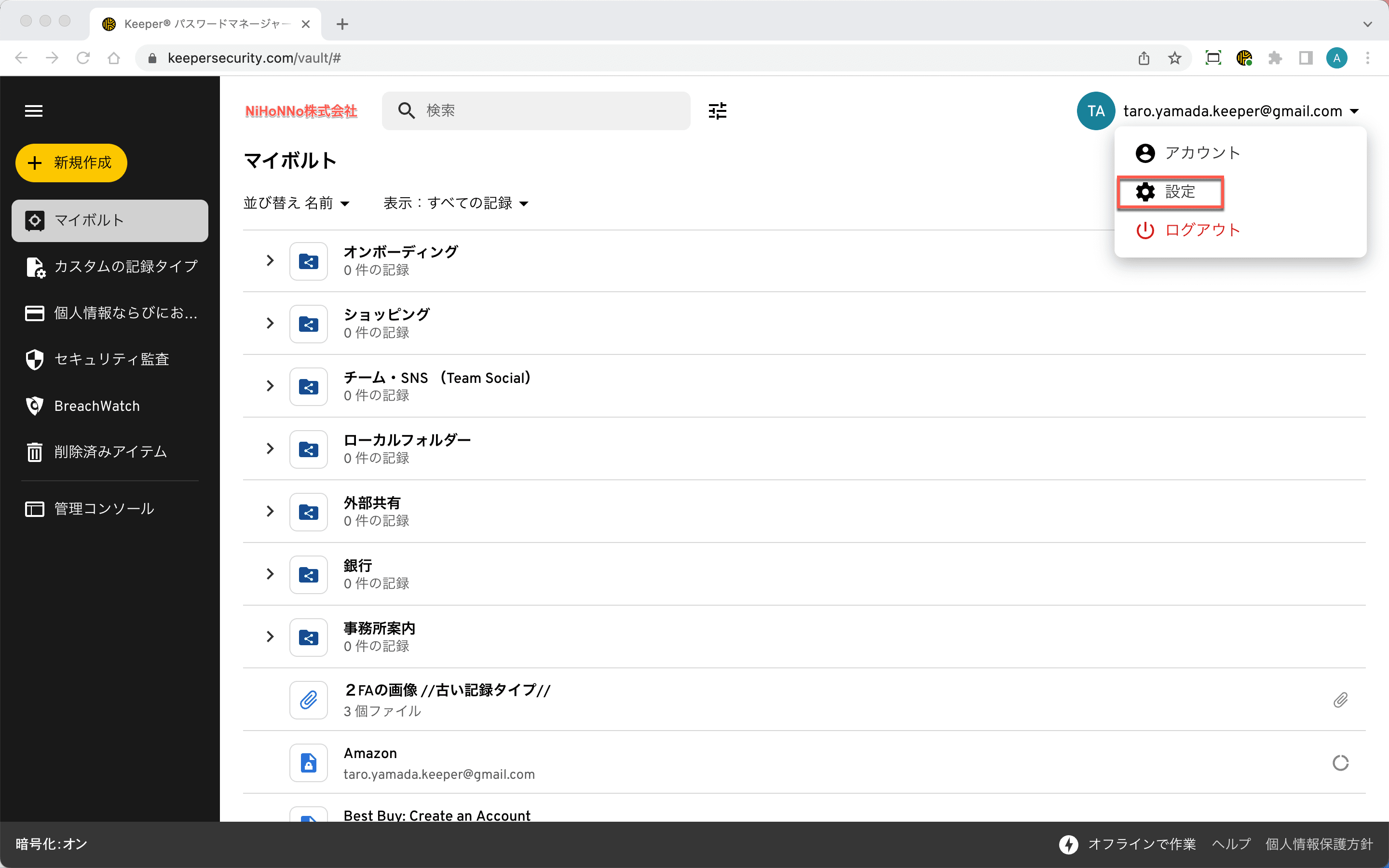
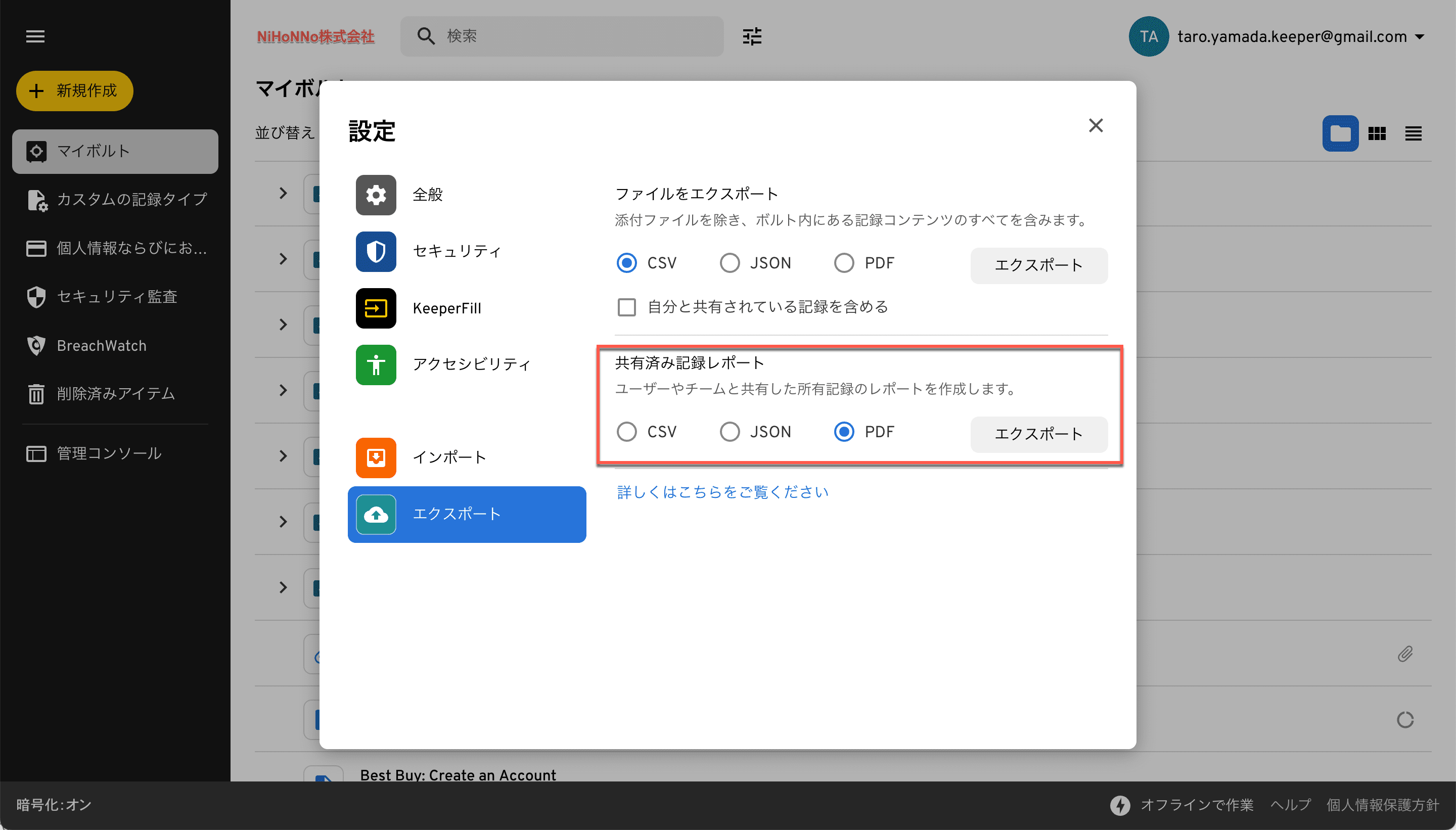
Keeperの**共有レコードレポート**は、ウェブボルトおよびKeeperデスクトップの設定メニューからご利用になれます。
{% hint style="info" %}
エンタープライズユーザーの場合、ロール強制適用ポリシーでエクスポートが許可されている必要があります。
{% endhint %}
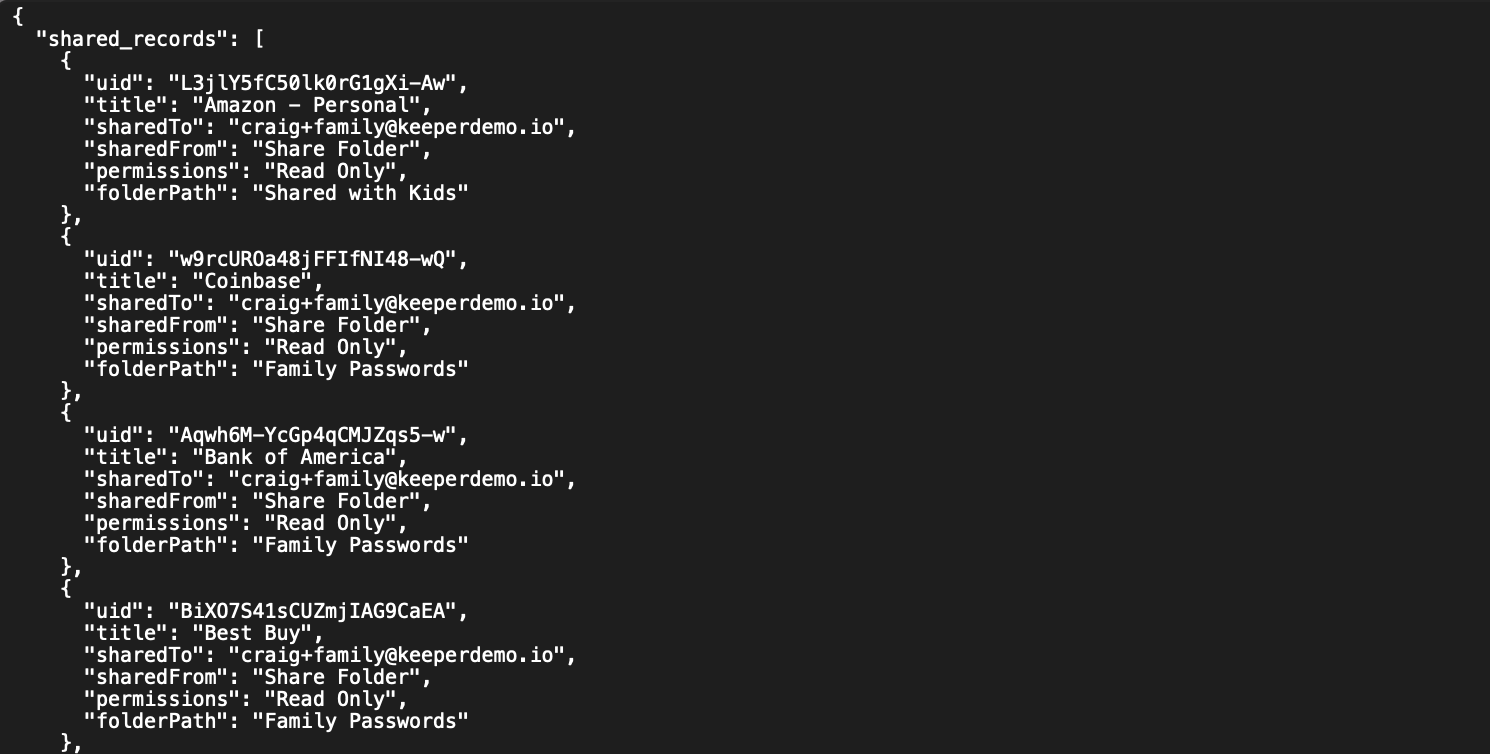
共有レコードレポートを使用して、各共有レコード (直接共有したレコードも共有フォルダ内のレコードも) を監査できます。 エクスポートには、以下のフィールドが含まれます。
* レコードUID
* レコードのタイトル
* 共有先 (メールアドレス)
* 共有元 (共有フォルダまたは直接共有したもの)
* 権限 (読み取り専用、編集、編集と共有設定)
* フォルダパス
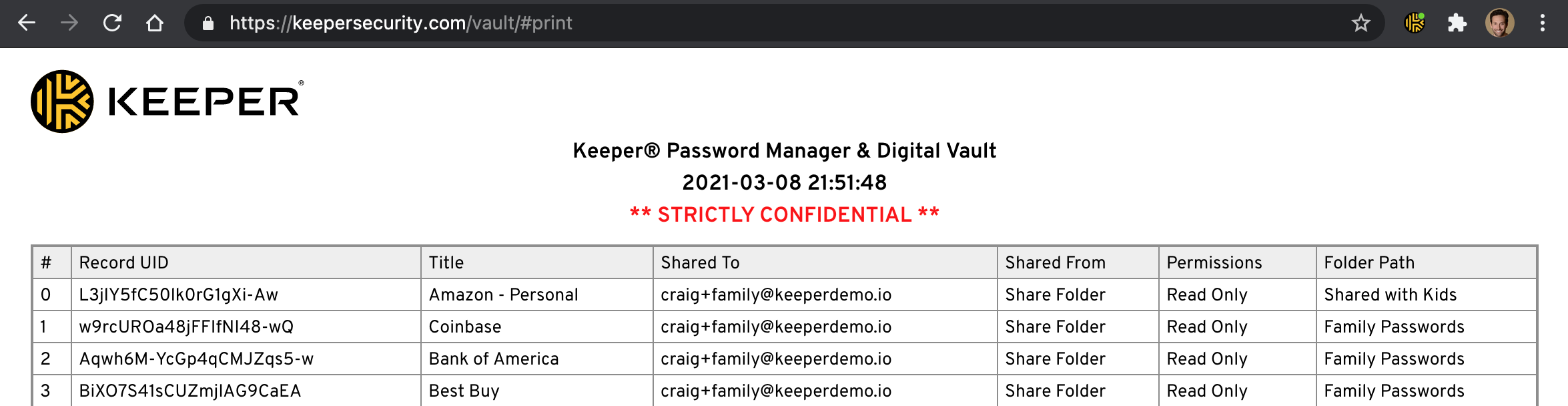
### PDF
レポートの印刷に適したPDFバージョンもご利用になれます。
PDFを印刷するには、下部のプリンターアイコンをクリックします。
PDFを印刷
## コマンダー
コマンダーには、共有レコードレポート用に以下のようなCLIも用意されています。\
\
コマンド: **shared-records-report** (または**srr**)
```
My Vault> shared-records-report -h
usage: shared-records-report|srr [-h] [--format {json,csv,table}] [name]
Report shared records for a logged-in user.
positional arguments:
name file name
optional arguments:
-h, --help show this help message and exit
--format {json,csv,table}
Data format output
```
出力サンプル
## 管理レベルのアクセス権限レポート
エンタープライズユーザーは、Keeperコンプライアンスレポート機能を使用して組織全体の詳細なアクセスレポートをご利用になれます。
コンプライアンスレポートを利用することで、企業内のレコードおよび認証情報に対するアクセス権限を必要に応じて可視化でき、Sarbanes Oxley (SOX) や、定期的なアクセス制御監査を必要とする規制のコンプライアンス監査プロセスが簡素化されます。
Keeperコンプライアンスレポートの詳細については、[こちらのページ](/enterprise-guide/jp/compliance-reports.md)をご参照ください。
---
# Agent Instructions
This documentation is published with GitBook. GitBook is the documentation platform designed so that both humans and AI agents can read, navigate, and reason over technical content effectively. Learn more at gitbook.com.
## Querying This Documentation
If you need additional information that is not directly available in this page, you can query the documentation by asking a question.
Perform an HTTP GET request on the following URL with the `ask` and `goal` query parameters:
```
GET https://docs.keeper.io/user-guides/jp/export-and-reports/shared-records-report.md?ask=&goal=
```
`ask` is the immediate question: it should be specific, self-contained, and written in natural language.
`goal` is what the user is ultimately trying to achieve, the reason they need the answer. Sharing it helps GitBook give you a better, more relevant answer. A goal is most helpful when it describes the outcome the user wants rather than restating the question. For example, with `ask=how do I create an API token`, a goal like `automate deployments from our CI pipeline` lets GitBook tailor the answer to that use case.
The response will contain a direct answer to the question and relevant excerpts and sources from the documentation.
Use this mechanism when the answer is not explicitly present in the current page, you need clarification or additional context, or you want to retrieve related documentation sections.