> For the complete documentation index, see [llms.txt](https://docs.keeper.io/llms.txt). Markdown versions of documentation pages are available by appending `.md` to page URLs; this page is available as [Markdown](https://docs.keeper.io/user-guides/jp/tips-and-tricks/one-record-with-multiple-url-domains.md).
# 1つのレコードで複数のURLドメインを管理する
## 1つのレコードに複数のドメインを登録する
同じログイン名とパスワードを使用するサイトでも、複数のドメイン (ウェブサイトのアドレス) が存在する場合があります。このような場合、ドメインごとに別のレコードを作成する必要はありません。Keeper では、**1つのレコードに複数のウェブサイトドメインを登録**できます。
これにより、どのドメインからログインしても、KeeperFill がそのドメインをエイリアスとして認識し、同じ保存済み認証情報で自動入力できるようになります。
1つのレコードに複数のウェブサイトドメインを登録するには、次の手順を実行します。
1. レコードを表示して、**編集ボタン**をクリックします。
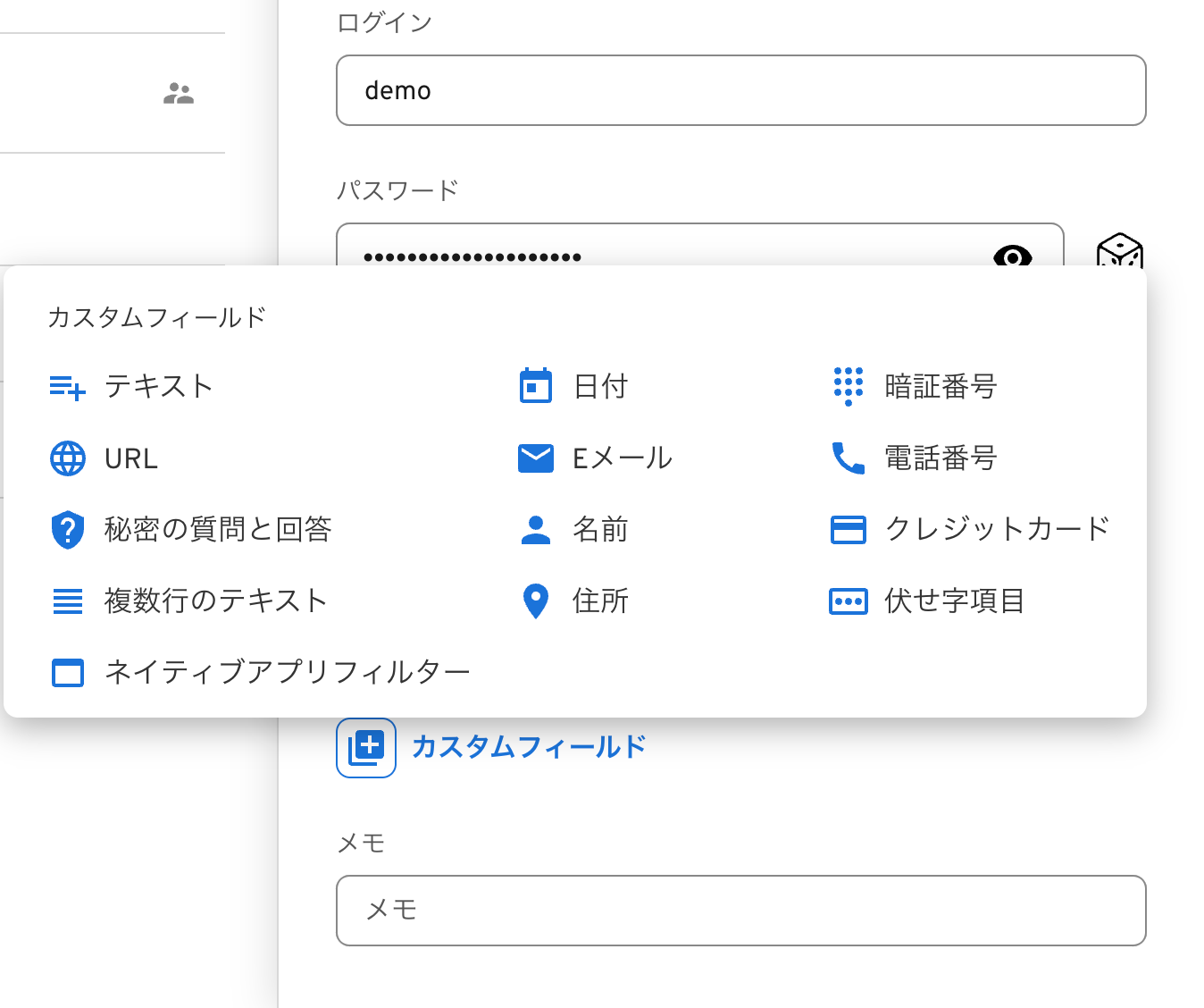
2. **\[カスタムフィールドを追加]** をクリックします。
3. **カスタムフィールドタイプ**から **\[URL]** を選択します
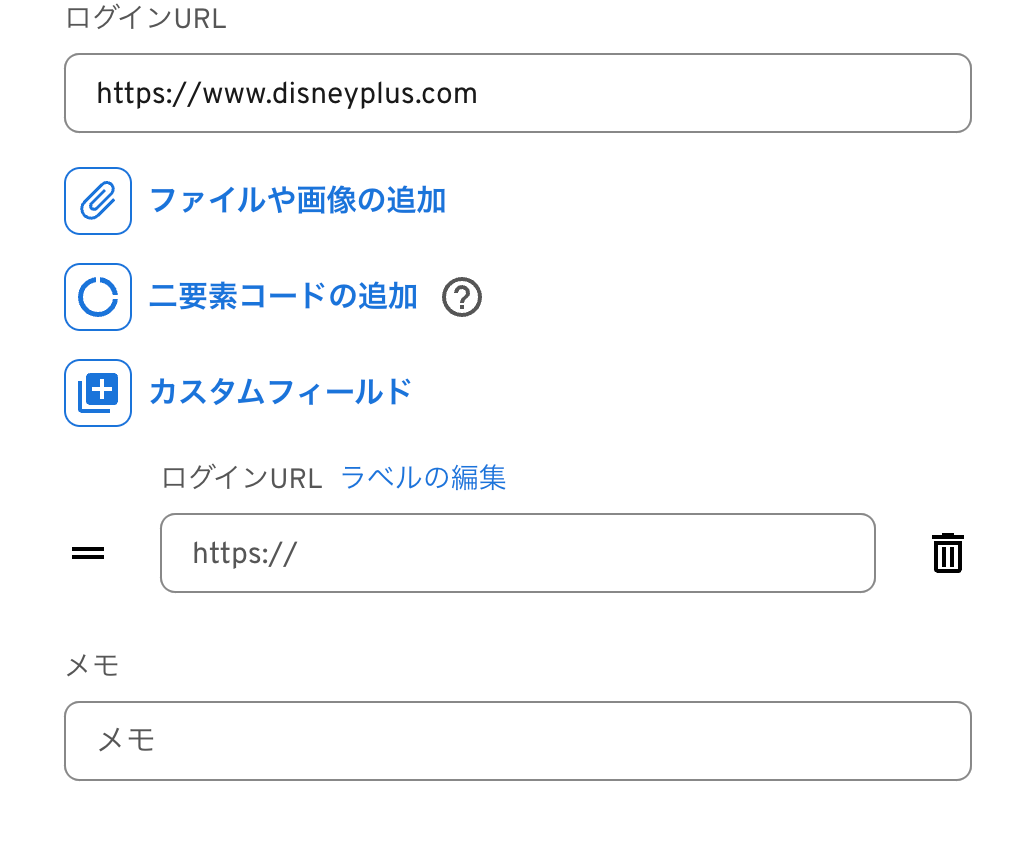
4. **\[ログインURL]** にサイトの別のドメイン名を入力します。
5. **\[保存]** をクリックして完了します。
6. さらに別のドメインを追加する場合は、再度 **\[カスタムフィールドを追加]** をクリックして同じ手順を繰り返してください。
「URL」カスタムフィールドをレコードに追加
レコードに追加されたウェブサイトアドレスのURL
---
# Agent Instructions
This documentation is published with GitBook. GitBook is the documentation platform designed so that both humans and AI agents can read, navigate, and reason over technical content effectively. Learn more at gitbook.com.
## Querying This Documentation
If you need additional information that is not directly available in this page, you can query the documentation by asking a question.
Perform an HTTP GET request on the following URL with the `ask` and `goal` query parameters:
```
GET https://docs.keeper.io/user-guides/jp/tips-and-tricks/one-record-with-multiple-url-domains.md?ask=&goal=
```
`ask` is the immediate question: it should be specific, self-contained, and written in natural language.
`goal` is what the user is ultimately trying to achieve, the reason they need the answer. Sharing it helps GitBook give you a better, more relevant answer. A goal is most helpful when it describes the outcome the user wants rather than restating the question. For example, with `ask=how do I create an API token`, a goal like `automate deployments from our CI pipeline` lets GitBook tailor the answer to that use case.
The response will contain a direct answer to the question and relevant excerpts and sources from the documentation.
Use this mechanism when the answer is not explicitly present in the current page, you need clarification or additional context, or you want to retrieve related documentation sections.