> For the complete documentation index, see [llms.txt](https://docs.keeper.io/llms.txt). Markdown versions of documentation pages are available by appending `.md` to page URLs; this page is available as [Markdown](https://docs.keeper.io/user-guides/nl/keeper-forcefield.md).
# Keeper Forcefield
Eindgebruikersgids voor Keeper Forcefield: Windows-eindpuntbeveiliging voor gevoelige gegevens
## Keeper Forcefield: Windows-eindpuntbeveiliging
### Overzicht
Keeper Forcefield is een geavanceerde eindpuntbeveiligingsfunctie voor Microsoft Windows die gevoelige toepassingen en processen beschermt tegen ongeautoriseerde toegang. De functie is speciaal ontworpen om bescherming te bieden tegen bedreigingen zoals infostealers en wachtwoordstelende malware die via phishing of andere aanvallen wordt geïnstalleerd.
Forcefield wordt meegeleverd met de Keeper Desktop-toepassing voor Windows en werkt onopgemerkt op de achtergrond, zodat gegevens worden beschermd zonder dat dit ten koste gaat van de prestaties of gebruiksvriendelijkheid.
{% hint style="info" %}
Dit is de eindgebruikersgids voor Keeper Forcefield. De [Enterprise-gids](/enterprise-guide/keeper-forcefield.md) (Engels) bevat meer geavanceerde implementatieopties voor beheerders.
{% endhint %}
***
### Aan de slag
#### Keeper Forcefield installeren via Keeper Desktop
Om Forcefield te activeren vanuit de Keeper Desktop-toepassing, installeert u de nieuwste [Keeper Desktop-app](https://www.keepersecurity.com/download.html).
Na de installatie:
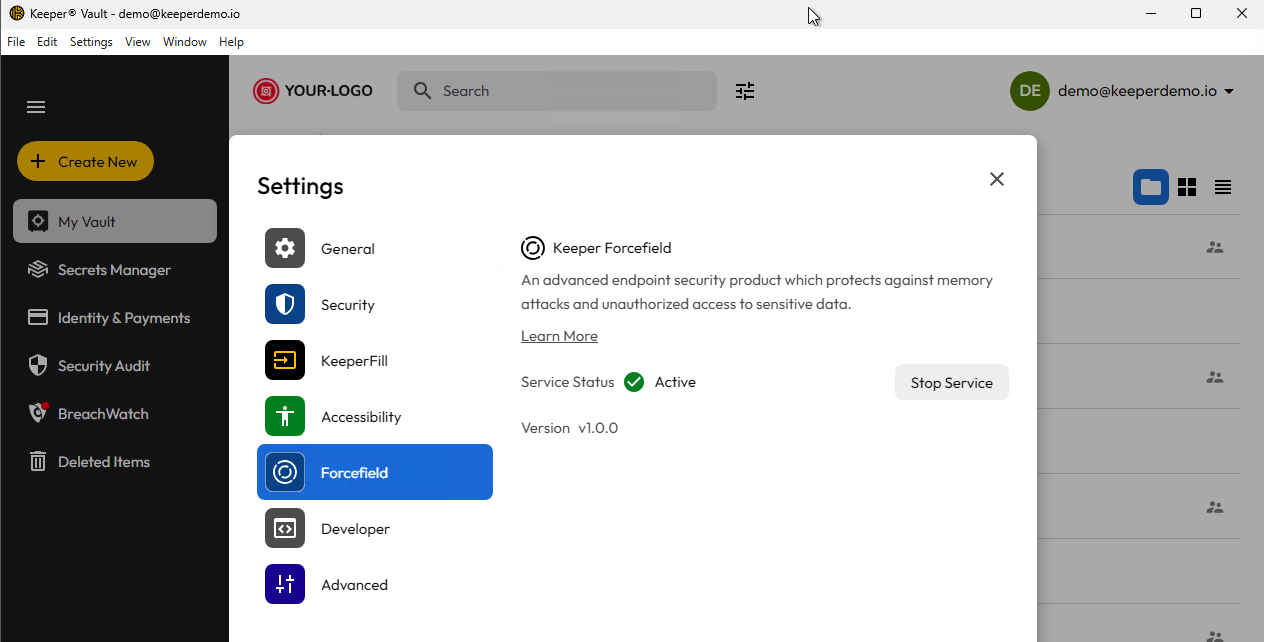
* Ga naar **Instellingen > Beveiliging** in Keeper Desktop
* Ga naar het scherm **Forcefield** en activeer de service.
Zodra Forcefield is ingeschakeld, begint het direct met het beschermen van uw computer.
Het scherm Keeper Forcefield in de desktop-app
**Zelfstandige installatie**
De zelfstandige versie van Keeper Forcefield kunt u installeren via een MSI-installatieprogramma, afhankelijk van de architectuur.
**x86/64-bit**
**ARM/64-bit**
***
### Status en updates
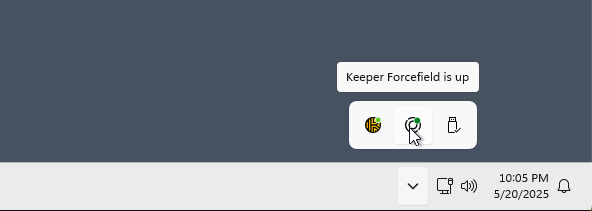
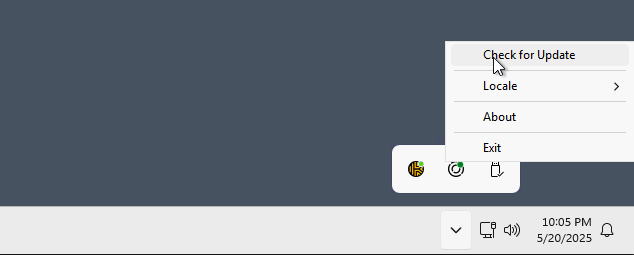
Het systeemvak bevat een statuspictogram voor Forcefield en de mogelijkheid om te controleren op een nieuwe versie. Keeper controleert dagelijks op een nieuwe versie, maar de update moet expliciet door de gebruiker worden geïnstalleerd.
Forcefield-status
Controleren op updates
***
### Door Forcefield beschermde toepassingen
Forcefield is ontwikkeld om aangewezen toepassingen te beschermen door de procesnaam, bestandsnaam en codehandtekening te controleren. De volgende toepassingen worden met deze validatiemethode beveiligd:
**Keeper-toepassingen**:
* Keeper Desktop App
* KeeperDB Desktop App
* Keeper Secrets Manager
* Keeper Commander
* Keeper Gateway
* Keeper Bridge
* KeeperChat
* Keeper Importer
**Webbrowsers**:
* Chrome
* Microsoft Edge
* Firefox
* Brave
* Opera
* Vivaldi
Als u wilt dat Keeper Forcefield extra toepassingen beschermt, e-mailt u ons op ****. Wij bekijken dan uw verzoek.
***
### Snel testen
Om te controleren of Keeper Forcefield uw computer beschermt:
1. Open Taakbeheer.
2. Klik met de rechtermuisknop op een beschermd proces.
3. Kies **Een geheugendumpbestand maken**.
4. Het bestand `.dmp` moet 0 bytes zijn als het is geblokkeerd.
{% hint style="info" %}
Forcefield is ontworpen om specifieke toepassingen te beschermen. Neem contact met ons op via **** om extra toepassingen aan te vragen.
{% endhint %}
***
### Uitgebreide documentatie
Voor meer diepgaande informatie over Keeper Forcefield, waaronder technische specificaties en uitrol door IT-beheerders, raadpleegt u de Enterprise-gids:
* [Keeper Forcefield voor Enterprise-beheerders](/enterprise-guide/keeper-forcefield.md) (Engels)
---
# Agent Instructions
This documentation is published with GitBook. GitBook is the documentation platform designed so that both humans and AI agents can read, navigate, and reason over technical content effectively. Learn more at gitbook.com.
## Querying This Documentation
If you need additional information that is not directly available in this page, you can query the documentation by asking a question.
Perform an HTTP GET request on the following URL with the `ask` and `goal` query parameters:
```
GET https://docs.keeper.io/user-guides/nl/keeper-forcefield.md?ask=&goal=
```
`ask` is the immediate question: it should be specific, self-contained, and written in natural language.
`goal` is what the user is ultimately trying to achieve, the reason they need the answer. Sharing it helps GitBook give you a better, more relevant answer. A goal is most helpful when it describes the outcome the user wants rather than restating the question. For example, with `ask=how do I create an API token`, a goal like `automate deployments from our CI pipeline` lets GitBook tailor the answer to that use case.
The response will contain a direct answer to the question and relevant excerpts and sources from the documentation.
Use this mechanism when the answer is not explicitly present in the current page, you need clarification or additional context, or you want to retrieve related documentation sections.