> For the complete documentation index, see [llms.txt](https://docs.keeper.io/llms.txt). Markdown versions of documentation pages are available by appending `.md` to page URLs; this page is available as [Markdown](https://docs.keeper.io/user-guides/pl/keeper-forcefield.md).
# Keeper Forcefield
Przewodnik dla użytkowników końcowych po usłudze Keeper Forcefield: ochronie poufnych danych na punktach końcowych z systemem Windows
## Keeper Forcefield: ochrona punktów końcowych w systemie Windows
### Przegląd
Keeper Forcefield to zaawansowana funkcja zabezpieczająca punkty końcowe z systemem Microsoft Windows. Chroni poufne aplikacje i procesy przed nieautoryzowanym dostępem. Została zaprojektowana z myślą o obronie przed takimi zagrożeniami jak infostealery i złośliwe oprogramowanie kradnące hasła, instalowane w wyniku phishingu lub innych ataków.
Forcefield jest dołączony do aplikacji Keeper na komputery z systemem Windows i działa po cichu w tle, chroniąc dane bez wpływu na wydajność i wygodę pracy.
{% hint style="info" %}
To przewodnik dla użytkowników końcowych po usłudze Keeper Forcefield. [Przewodnik dla Enterprise](https://docs.keeper.io/enterprise-guide/keeper-forcefield.md) (po angielsku) zawiera bardziej zaawansowane opcje wdrażania dla administratorów.
{% endhint %}
***
### Pierwsze kroki
#### Instalowanie usługi Keeper Forcefield w aplikacji Keeper na komputery
Aby aktywować usługę Forcefield w aplikacji Keeper na komputery, zainstaluj najnowszą [aplikację Keeper na komputery](https://www.keepersecurity.com/download.html).
Po instalacji:
* Przejdź do **Ustawienia > Bezpieczeństwo** w aplikacji Keeper na komputery.
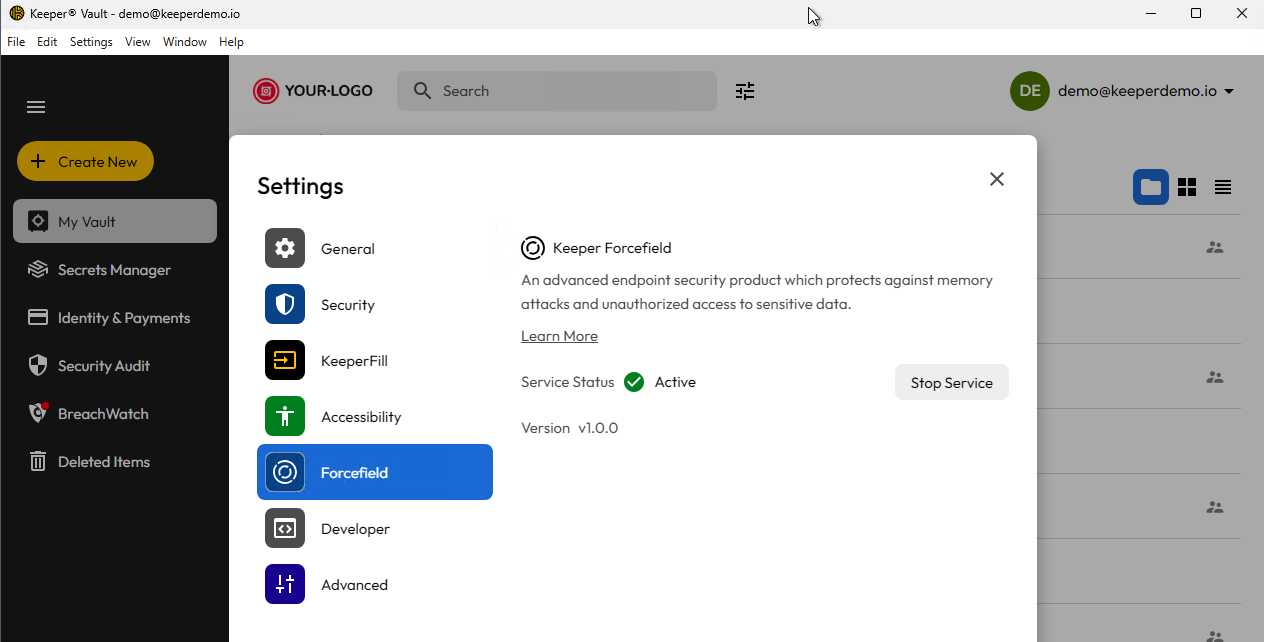
* Otwórz ekran **Forcefield** i aktywuj usługę.
Po włączeniu usługa Forcefield od razu zacznie chronić komputer.
Ekran Keeper Forcefield w aplikacji na komputery
**Instalacja wersji samodzielnej**
Wersję samodzielną usługi Keeper Forcefield można zainstalować za pomocą instalatora MSI. Dla każdej architektury dostępny jest osobny instalator.
**x86/64-bit**
**ARM/64-bit**
***
### Stan i aktualizacje
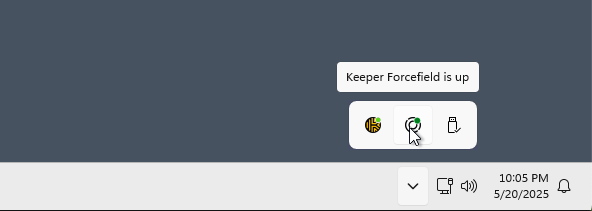
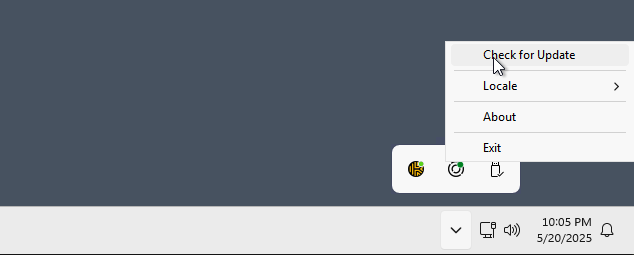
W zasobniku systemowym znajduje się ikona stanu usługi Forcefield oraz możliwość sprawdzenia, czy jest dostępna nowa wersja. Keeper sprawdza to codziennie, ale aktualizację musisz zainstalować ręcznie.
Stan usługi Forcefield
Sprawdzanie aktualizacji
***
### Aplikacje chronione przez Forcefield
Forcefield chroni wskazane aplikacje, weryfikując nazwę procesu, nazwę pliku i podpis kodu. W ten sposób zabezpieczone są następujące aplikacje:
**Aplikacje Keeper**:
* Keeper Desktop App
* KeeperDB Desktop App
* Keeper Secrets Manager
* Keeper Commander
* Keeper Gateway
* Keeper Bridge
* KeeperChat
* Keeper Importer
**Przeglądarki internetowe**:
* Chrome
* Microsoft Edge
* Firefox
* Brave
* Opera
* Vivaldi
Jeśli chcesz, aby Keeper Forcefield chronił dodatkowe aplikacje, napisz do nas na adres ****. Rozpatrzymy Twoją prośbę.
***
### Szybki test
Aby sprawdzić, czy Keeper Forcefield chroni komputer:
1. Otwórz Task Manager.
2. Kliknij prawym przyciskiem myszy chroniony proces.
3. Wybierz **Create memory dump file**.
4. Jeśli utworzenie zrzutu zostało zablokowane, plik `.dmp` powinien mieć 0 bajtów.
{% hint style="info" %}
Forcefield chroni wyłącznie wybrane aplikacje. Aby poprosić o ochronę dodatkowych aplikacji, napisz na adres ****.
{% endhint %}
***
### Dokumentacja zaawansowana
Więcej informacji o usłudze Keeper Forcefield, w tym dane techniczne i wdrożenie dla administratorów IT, znajdziesz w przewodniku dla Enterprise:
* [Keeper Forcefield dla administratorów Enterprise](https://docs.keeper.io/enterprise-guide/keeper-forcefield.md) (po angielsku)
---
# Agent Instructions
This documentation is published with GitBook. GitBook is the documentation platform designed so that both humans and AI agents can read, navigate, and reason over technical content effectively. Learn more at gitbook.com.
## Querying This Documentation
If you need additional information that is not directly available in this page, you can query the documentation by asking a question.
Perform an HTTP GET request on the following URL with the `ask` and `goal` query parameters:
```
GET https://docs.keeper.io/user-guides/pl/keeper-forcefield.md?ask=&goal=
```
`ask` is the immediate question: it should be specific, self-contained, and written in natural language.
`goal` is what the user is ultimately trying to achieve, the reason they need the answer. Sharing it helps GitBook give you a better, more relevant answer. A goal is most helpful when it describes the outcome the user wants rather than restating the question. For example, with `ask=how do I create an API token`, a goal like `automate deployments from our CI pipeline` lets GitBook tailor the answer to that use case.
The response will contain a direct answer to the question and relevant excerpts and sources from the documentation.
Use this mechanism when the answer is not explicitly present in the current page, you need clarification or additional context, or you want to retrieve related documentation sections.