> For the complete documentation index, see [llms.txt](https://docs.keeper.io/llms.txt). Markdown versions of documentation pages are available by appending `.md` to page URLs; this page is available as [Markdown](https://docs.keeper.io/keeperpam/secrets-manager/integrations/servicenow-workflow.md).
# ServiceNow Workflow
A unified portal for governed, self-service request management services leveraging Keeper security services via ServiceNow.
## Overview
The ServiceNow Workflow app empowers administrators and security teams to seamlessly manage Keeper Vault operations directly within the ServiceNow platform. This integration leverages the capabilities of the Keeper Commander CLI, enabling automation and secure password management as part of ServiceNow’s IntegrationHub and Flow Designer workflows with a service catalog portal.
This integration is available from the ServiceNow catalog at the URL below:
## Features
| Feature | Details | Description |
| ---------------------------------------- | --------------------------------------------------------------------------------------------------------------------------------------------------------------------------------------------------- | ---------------------------------------------------------------------------------------------- |
| **Endpoint Privilege Manager Approvals** |
Approve or Deny EPM Requests
| Automated SIR incident flow for EPM Approval Request. |
| **Request Access To Record or Folder** |
Request Access To Folder
Request Access to Record
Request Access to Nested Sub Folder or Record
Request One Time Share
| Grant or revoke user access to record(s) or folder(s) given that record or folder path or UID. |
| **Store Records To Keeper Vault** |
Add Database Credentials
Add Login Record
Add Server Credentials
Add SSH Key
Add Software License
Add Secure Note
Add Memberships
| Securely store your credentials in keeper vault. |
| **Search** |
Search Record
Search Folder
| Search for a given record or folder. |
## Example Use Cases
#### Request access to a record
1. Requestor raises a request ticket to access a record stored in a company Keeper vault.
2. App admin approves the request
3. Fulfillment groups manages the task and share a requested record via service-now dedicated app
4. Result: Record is successfully shared to ServiceNow user.
#### Endpoint Privilege Management
1. An request is raised form endpoint device.
2. ServiceNow security incident will be created for that request.
3. ServiceNow app admin approves / deny the request.
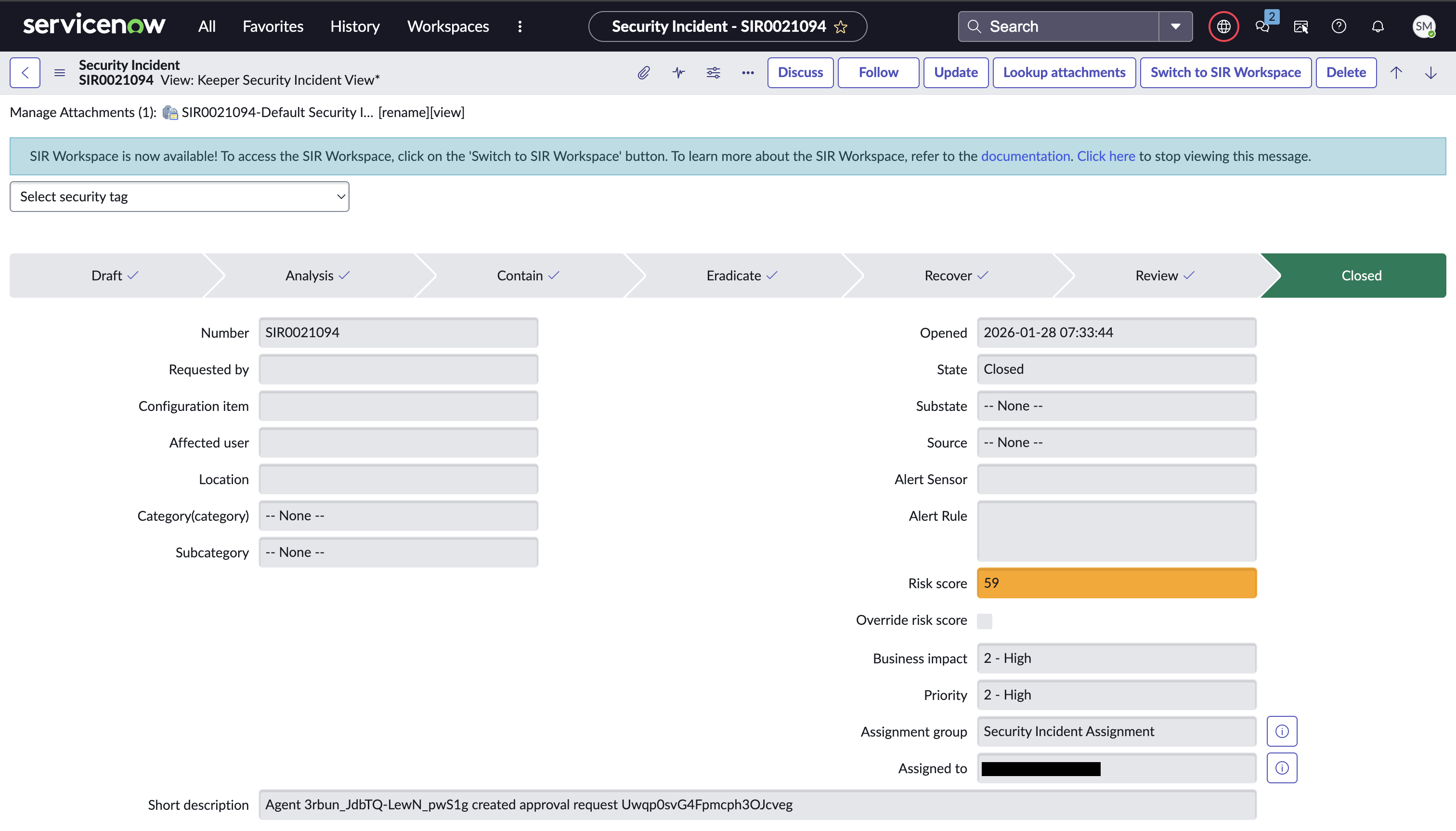
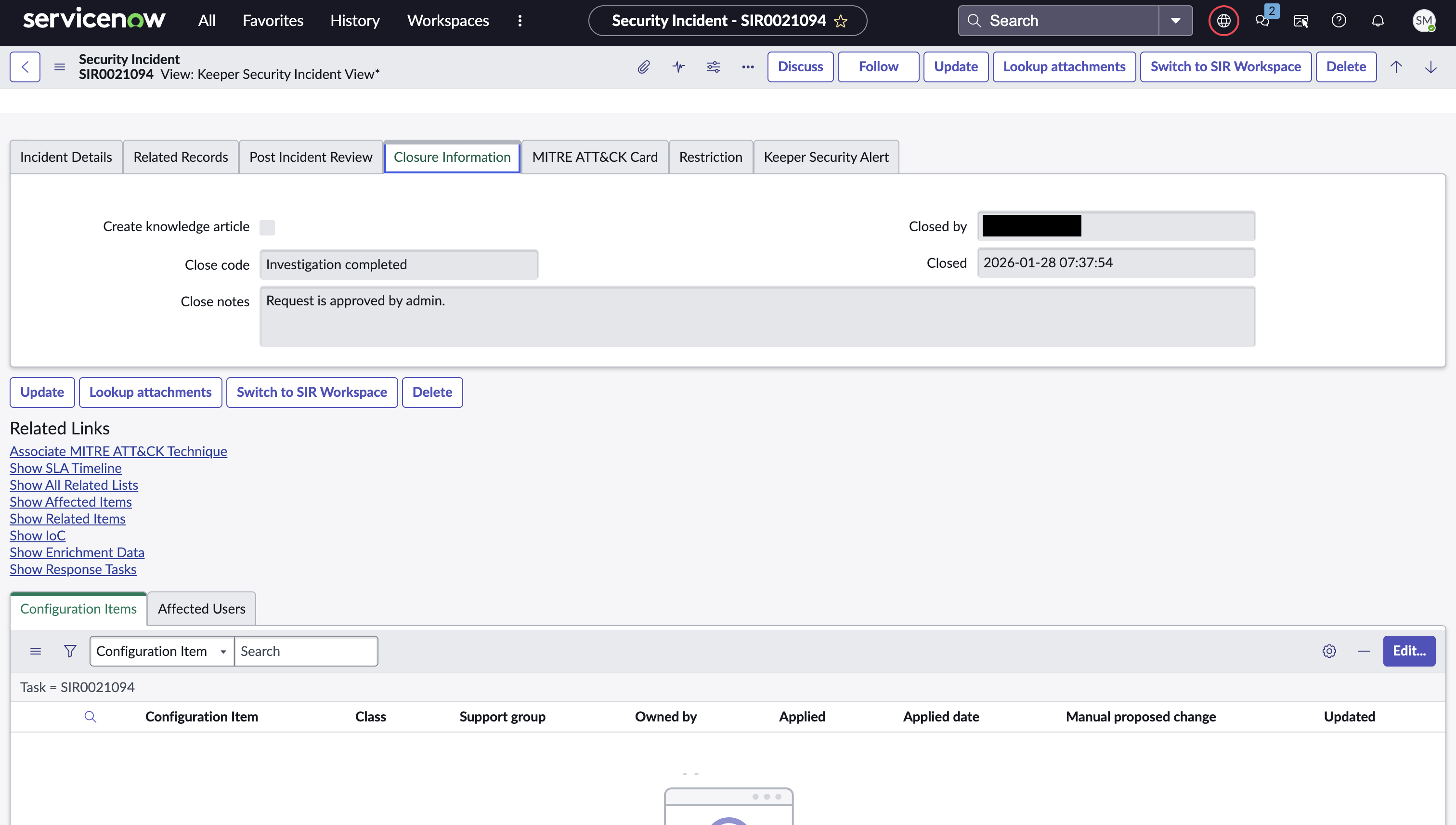
4. Security incident ticket will be marked closed with appropriate comments.
## Prerequisites
* Mid server configuration in ServiceNow.
* Commander CLI installed in mid server.
* ServiceNow [Keeper Security ITSM app](/keeperpam/secrets-manager/integrations/servicenow-itsm.md) (Optional - For EPM Approval)
## Roles Required In ServiceNow
#### App admin user roles and accessibilities
| Application Menu | Required Roles |
| --------------------------------------------------------------------------------- | ----------------------------------------------------------------------------------------------------------------------------------------------------------- |
|
Guided Setup
|
x\_keese\_ks\_inthub.ks\_admin
|
|
Keeper Sevice Portal
|
x\_keese\_ks\_inthub.ks\_admin
catalog-admin
mid\_server
|
|
Service Catalog Requests
Service Catalog Task
|
x\_keese\_ks\_inthub.ks\_admin
catalog-admin
itil
mid\_server
|
|
My Approvals
|
x\_keese\_ks\_inthub.ks\_admin
|
#### Approver user roles
| Application Menu | Required Roles |
| ------------------------------ | ------------------------------------------------------------ |
|
My Approvals
|
x\_keese\_ks\_inthub.approver
|
#### Requestor user roles
| Application Menu | Required Roles |
| --------------------------------------- | ---------------------------------------------------------------------------------------------------------------------- |
|
Keeper Service Portal
|
x\_keese\_ks\_inthub.ks\_app
itil
mid\_server
|
## Support user roles
| Application Menu | Required Roles |
| --------------------------------------------------------------------------------- | ------------------------------------------------------------------------------------------------------ |
|
Application Log
Support Page
App Privacy Policy
|
workflow\_admin
x\_keese\_ks\_inthub.support\_user
|
## Download And Install Application
Users who have the **System Administrator (`admin`)** role are authorised to install applications from the ServiceNow Store.
1. Go the [ServiceNow Store Listing](https://store.servicenow.com/store/app/4b6de27987ebfe14e95f40c5cebb35d9)
2. Click Get.
3. Once the app is added successfully to the ServiceNow instance navigate to **All > System Applications > All Available Applications > All**
4. Click install
## Configuration Instructions
### MID Server Configurations
To configure Keeper Security Workflow app for ServiceNow, the admin needs a MID server configured and validated in ServiceNow.
Mid server is an agent in ServiceNow where Keeper commander CLI and service mode will be hosted.
To configure MID Server follow below steps
1. Log in to the ServiceNow instance using your Administrator privileges.
2. Navigate to the **All tab** > Search for **keeper security Workflow**> **Guided Setup > MID Server**
Please follow the ServiceNow guidelines [here](https://www.servicenow.com/docs/bundle/zurich-servicenow-platform/page/product/mid-server/concept/mid-server-installation.html) for any MID server installation troubleshooting.
### Keeper Security Workflow Configurations
Once, MID server is configured and validated, perform below steps to configure the application.
1. Log in to the ServiceNow instance using your Administrator privileges.
2. Navigate to the **All tab** > Search for **Keeper Security Workflow**> **Guided Setup**
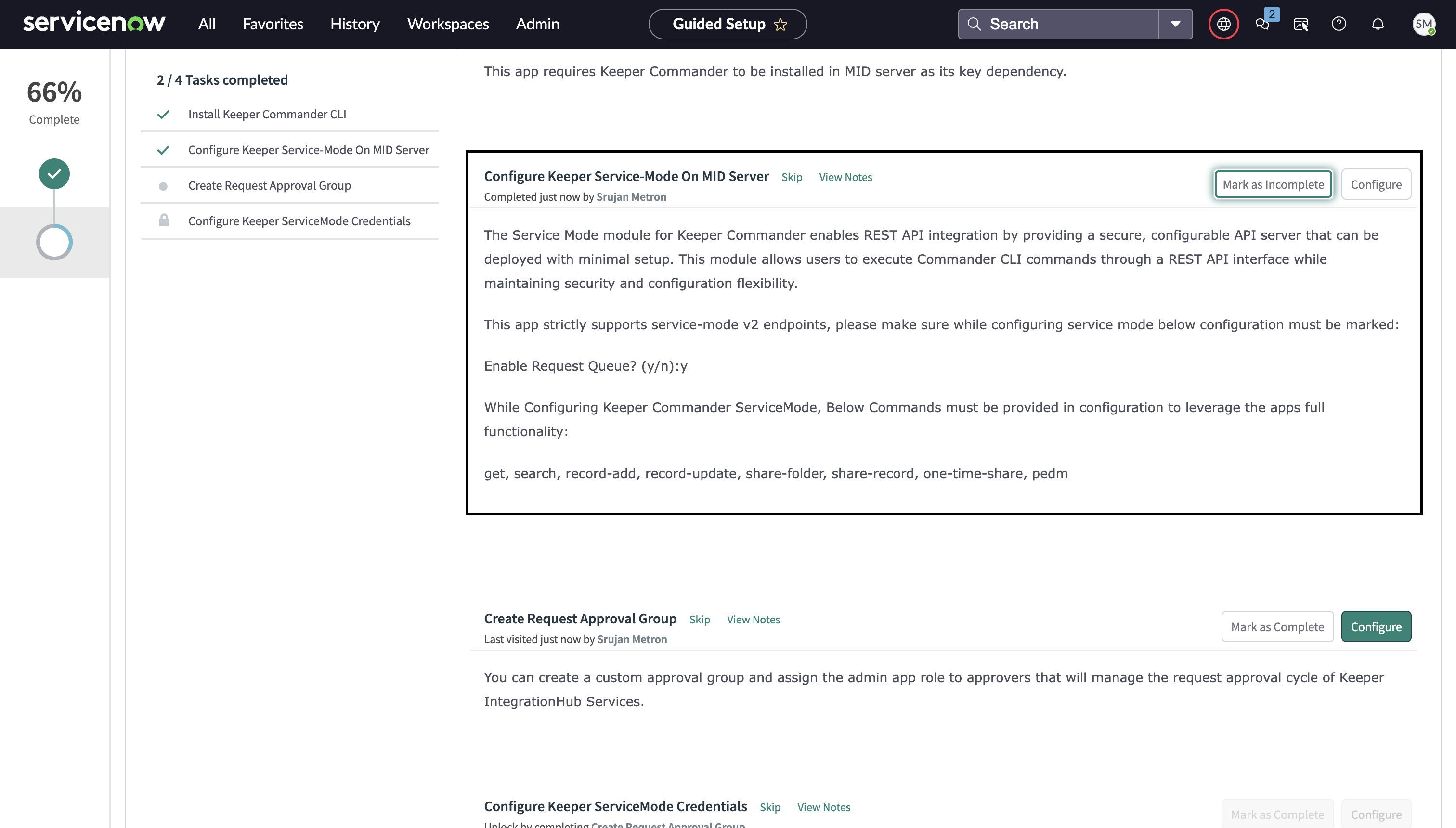
3. Click on **Install Keeper Commander CLI**, click on **Configure**, and follow the steps to install Keeper Commander CLI on the MID Server.
4. Move on to the next step Configure Keeper Service Mode On MID Server, click on configure and follow the steps to configure and start Service Mode on the MID server.
Below is an sample configuration
```
My Vault> service-create
Enter Port No:9090
Enable Ngrok Tunneling? (y/n):n
Enable TLS Certificate (y/n):n
Enable Request Queue? (y/n):y
Enable Advanced Security? (y/n):n
Select Run Mode (foreground/background):foreground
List of supported commands, Enter comma separated: get, list-sf, sync-down, search, record-add, nsf-record-add, record-update, nsf-record-update, share-folder, nsf-share-record, nsf-share-folder, share-record, one-time-share, epm
Select configuration format (json/yaml):json
Generated API key: xxxxxxxxxxxxxxxxxxxxxxxxxxxxxxxxxxx
```
```
Uploading service_config.yaml ...
Commander Service starting on https://localhost:9090/api/v2/
Commander Service started with PID: 35215
```
### Approval Group
Once service mode is up and running in the MID server, head over to the guided setup to configure approval groups.
Approval group members will get the requests for approval for each request raised by requestor.
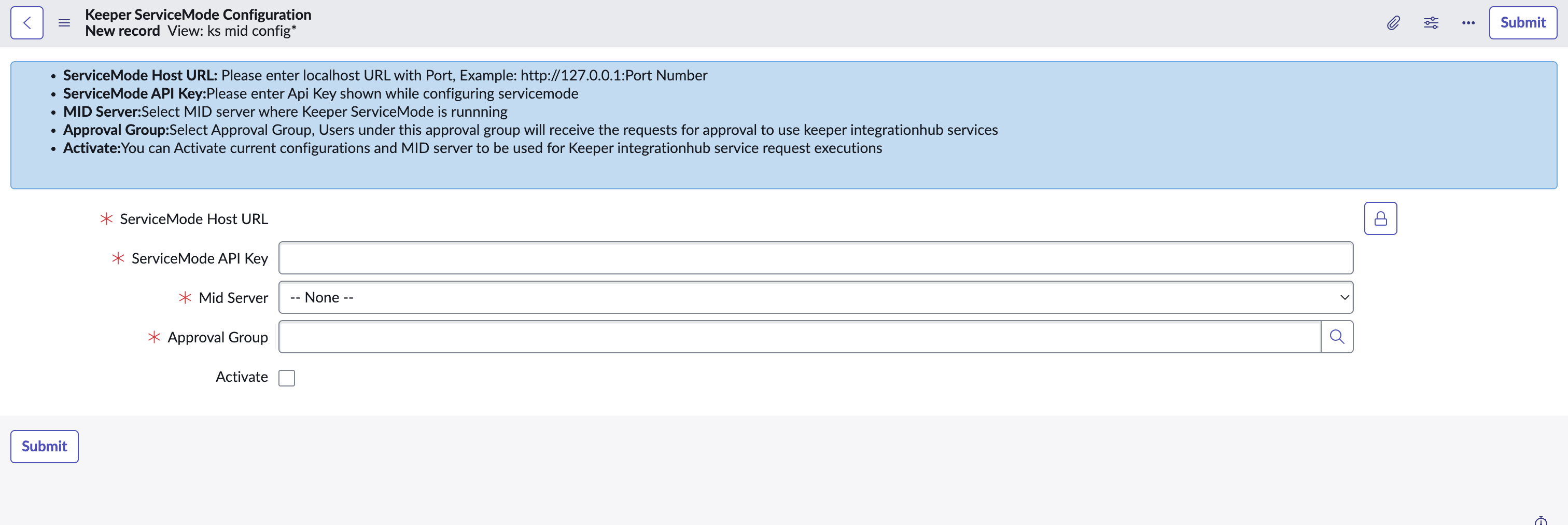
5. Now, go to the final step of the guided setup **Configure Keeper ServiceMode Credentials,** click on **Configure.**
6. Click on **New,** and Configure the details of service mode running in mid server.
## Requesting Services
A requestor can request a service by following below steps
1. Navigate to **All** > **Keeper Security Workflow** > **Keeper Service Portal**
2. In service portal page click on **Request something**
3. Click on the desired category and select an service to request for.
4. Fill the form related to the item, and click on Request.
5. A request ticket will be assigned to the requestor with the details as seen below.
### Approving Requests
On the app admin side, the app admin can view requests, approve or deny requests, and perform tasks as required.
1. To view and approve / deny requests app admin or approver can navigate to\
**All** > **Keeper Security Workflow** > **My Approvals**
2. Approver can approve or deny the request by clicking respective buttons
### Task Fulfilment
If a task requires additional information or some fulfillment work from the app admin (such as fetching correct records to share or changing user requests permissions), it can achieved by the task section.
1. **Navigate to All > Keeper Security Workflow > Service Catalog Task**
2. Under task section, app admin can search for a record to share, folder to share or can create a new record in keeper vault directly from ServiceNow.
3. Under task, the app admin can search for a record
4. User can also click on record name to view more details of the account.
5. Once a task is completed, The desired record is shared to the requested user, with the message received from Commander service mode.
***
## Classic vs New Permission Model
While granting permission, the ServiceNow app also support for Classic permission models for older workflows, and New permission models for new workflows
**New Permission Models**
**Classic Permission Models**
## KeeperPAM Auto Rotation Feature
The ServiceNow app also supports the auto rotation feature when an app admin is going to share an PAM User type record details.
When an app admin provides the record\_uid of a **PamUser** type, an auto rotation field with expiration will be available to configure.
This will rotate the password for that PAM record once the access duration grated expires.
***
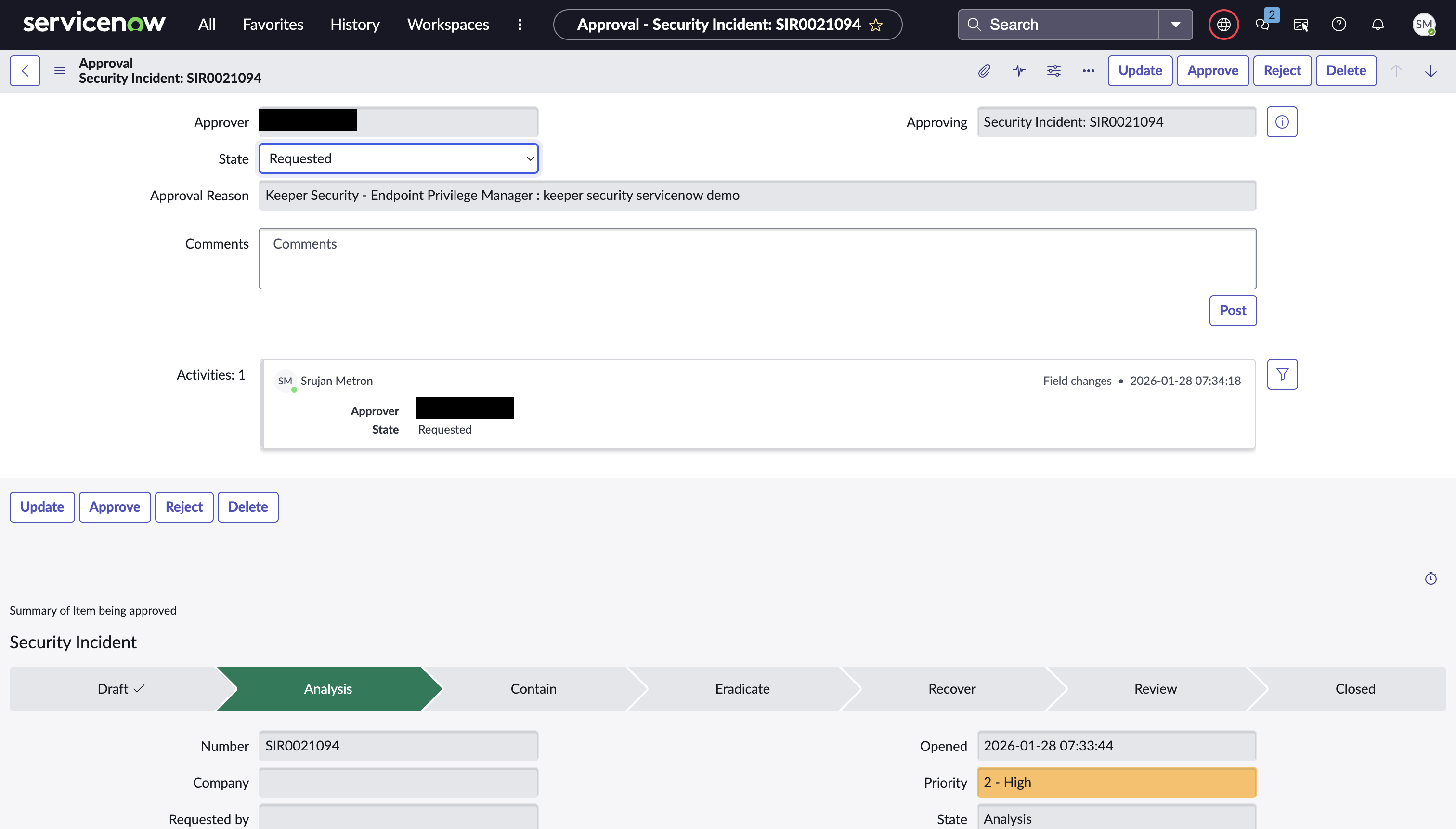
## Endpoint Privilege Manager
Endpoint privilege management approval cycle depends upon the [ServiceNow Keeper Security ITSM](/keeperpam/secrets-manager/integrations/servicenow-itsm.md) app.
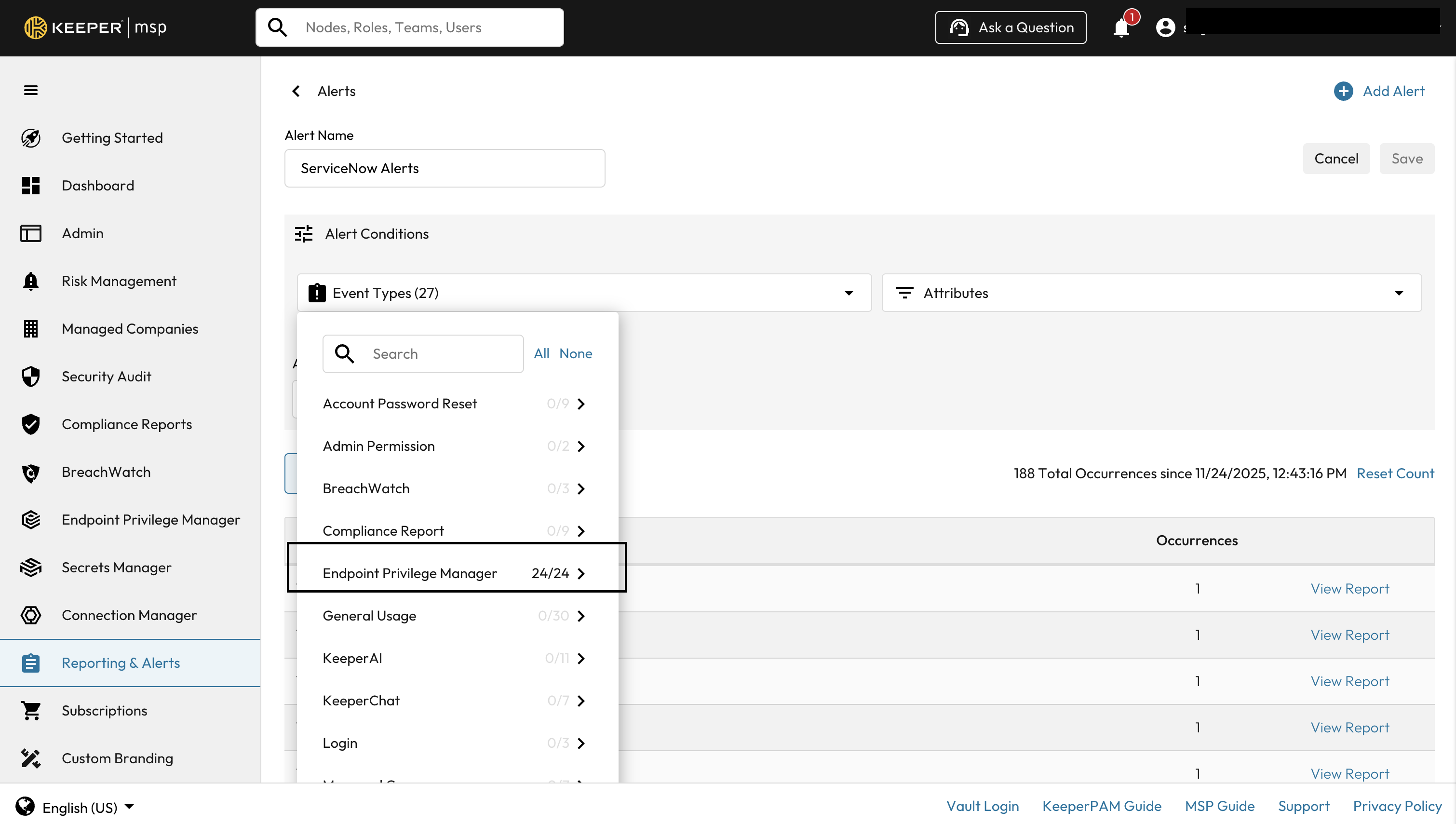
The admin needs to turn on the alerts for Endpoint Privilege Manager in Keeper Admin Console to be able to use this feature.
\
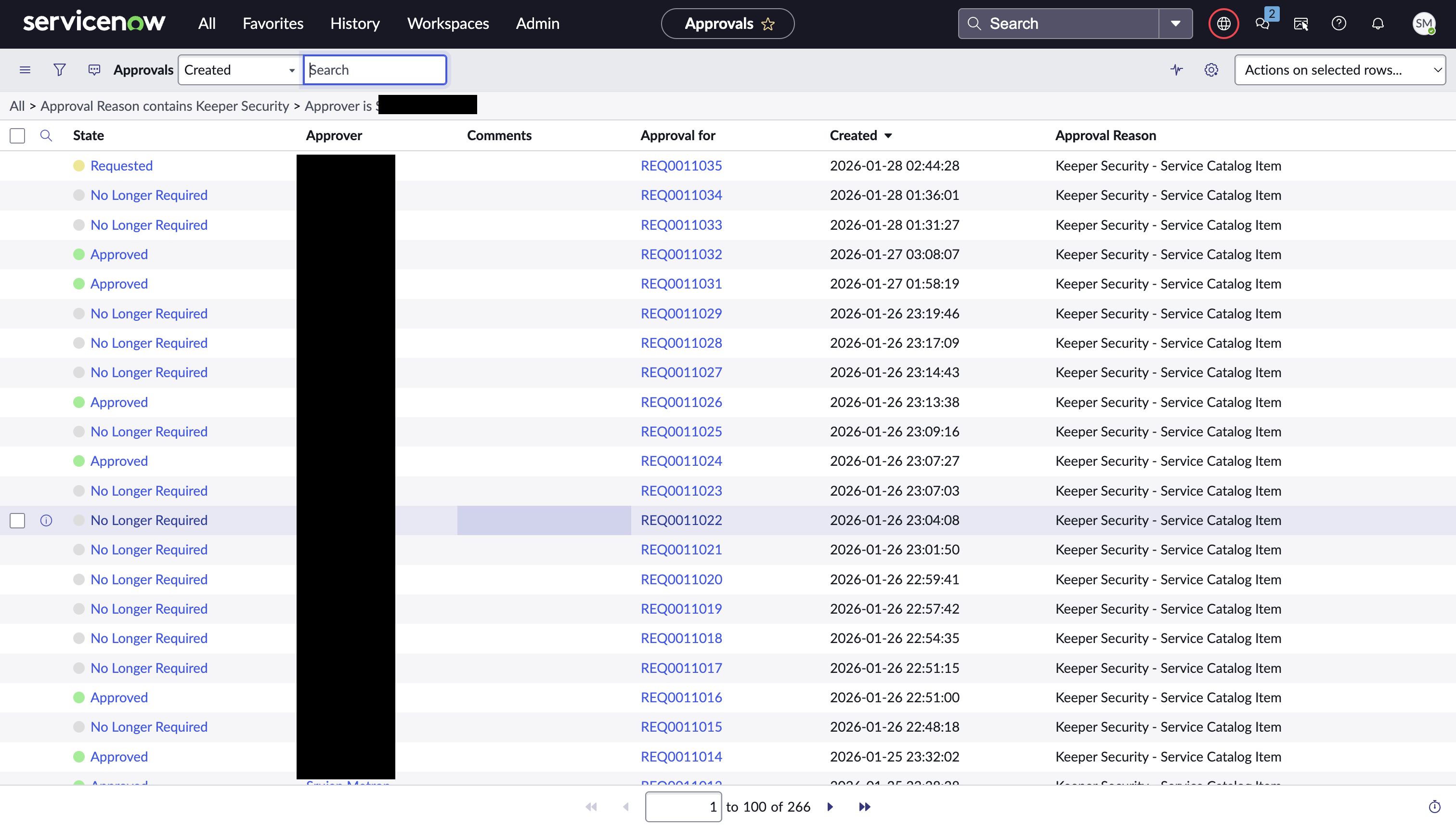
1\. When a EPM request is raise, You will see the request under **Keeper Security Workflow > My Approvals**
2. A request will be created with reference to the security incident ticket.
3. App admin can approve or deny the request, Once the approval process is done, The security incident ticket will be marked closed with proper comments.
***
## Troubleshooting
#### Service Mode Configuration Error
If below error occurs in case of configuring service mode with MID server, please follow below troubleshooting steps
1. Check the service mode host or API Key
2. Check if the correct MID server is configured while submitting the configuration form.
#### Approval Request Not Showing In My Approvals Section
1. Ensure that the correct Approval Group is configured when setting up Service Mode in ServiceNow.
2. Verify whether the application administrator is a member of the approval group configured in the form.
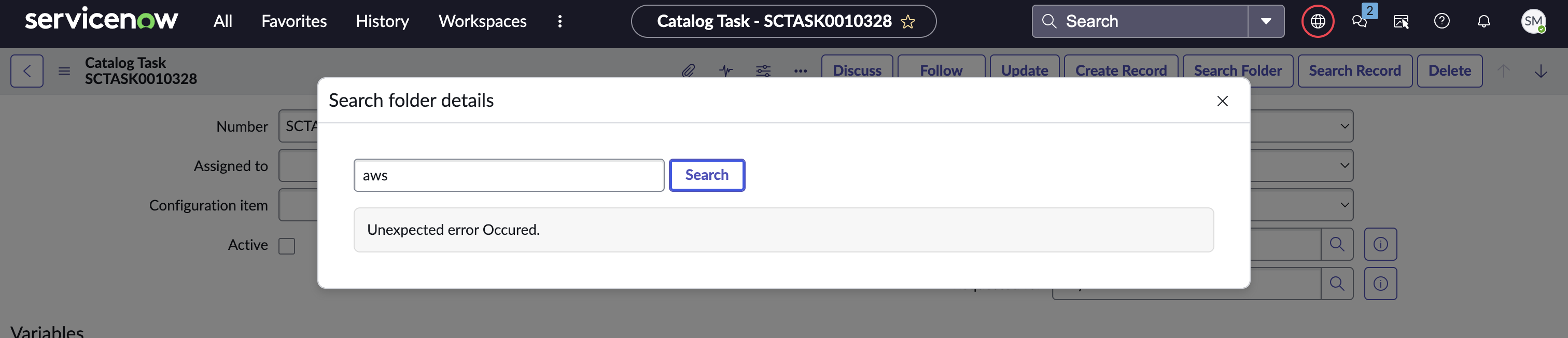
#### Records / Folder Search is showing Unexpected error occured
1. Ensure that MID server status is UP. If the status is Down, restart MID Server
2. Ensure MID server is validated.
3. Ensure that Service Mode is running inside correct MID Server and listening to the ports configured.
#### EPM Requests Not Showing In My Approvals Section
1. Check if Endpoint Privilege Manager Alerts has been activated in Alerts section of the Keeper Admin Console.
2. Check if the Keeper Security ITSM app is installed and activated.
3. Check if the Keeper Security ITSM app is configured correctly.
#### My Approvals section showing part of the query on sysapproval\_approver error
If below error occurs when you visit the My approval section, follow below steps to add ACL roles.

1. Elevate your role to security\_admin
2. Navigate to System Security > Access Control (ACL)
3. Add a new ACL role for operation query\_range on sysapproval\_approver.approval\_reason field on **x\_keese\_ks\_inthub.ks\_admin** role.
### Application Logs
You can always visit Application Log section for more information about the application logs.
---
# Agent Instructions
This documentation is published with GitBook. GitBook is the documentation platform designed so that both humans and AI agents can read, navigate, and reason over technical content effectively. Learn more at gitbook.com.
## Querying This Documentation
If you need additional information that is not directly available in this page, you can query the documentation by asking a question.
Perform an HTTP GET request on the following URL with the `ask` and `goal` query parameters:
```
GET https://docs.keeper.io/keeperpam/secrets-manager/integrations/servicenow-workflow.md?ask=&goal=
```
`ask` is the immediate question: it should be specific, self-contained, and written in natural language.
`goal` is what the user is ultimately trying to achieve, the reason they need the answer. Sharing it helps GitBook give you a better, more relevant answer. A goal is most helpful when it describes the outcome the user wants rather than restating the question. For example, with `ask=how do I create an API token`, a goal like `automate deployments from our CI pipeline` lets GitBook tailor the answer to that use case.
The response will contain a direct answer to the question and relevant excerpts and sources from the documentation.
Use this mechanism when the answer is not explicitly present in the current page, you need clarification or additional context, or you want to retrieve related documentation sections.